































If you want effortless daytime viewing, strong contrast in a bright living room, and a display you can simply turn on and forget about, a 4K TV is usually the easier choice. If you want a 100-inch or larger image, cinematic movie nights, and can control at least some room light, a 4K projector can deliver a more immersive experience.
The real 4K projector vs TV decision isn't about resolution.
It's about the room you live in and the way you actually watch.
4K Projector vs TV: The Quick Comparison
Both can show 4K content. They deliver that experience in very different ways.
|
What matters most |
4K Projector |
4K TV |
|
100"+ screen size |
Excellent |
Possible, but requires a very large physical display |
|
Bright daytime room |
Depends heavily on brightness, screen, and light control |
Usually better |
|
Dark-room movies |
Excellent for cinematic scale |
Excellent, especially OLED |
|
Black levels |
Depends heavily on projector, screen, and room |
Usually stronger; OLED is particularly strong |
|
HDR impact |
Can be impressive on premium models |
Usually easier to achieve with high panel brightness |
|
Sports with friends |
Excellent large-screen experience |
Excellent and easier in daytime |
|
Casual everyday TV |
Requires more room consideration |
Very convenient |
|
Competitive gaming |
Model-dependent |
Usually the safer choice |
|
Cinematic gaming |
Excellent at very large sizes |
Excellent, but smaller at comparable practical sizes |
|
Installation flexibility |
Standard throw, ceiling, shelf, or UST options |
Fixed physical panel |
|
Moving to another home |
Usually easier to transport |
Large TVs can be difficult to move |
|
Screen-size flexibility |
Image size can be adjusted |
Fixed |
|
Extra screen required |
Optional for some standard-throw setups; often recommended |
No |
There is no universal winner.
There is a better fit for your room.
Don't Let “4K” Make the Decision for You
This is where shopping gets misleading.
Seeing 4K on both boxes does not mean a 4K projector and a 4K TV will look identical.
4K UHD generally means an image of 3840 × 2160 pixels, or roughly 8.3 million displayed pixels.
Many home-theater DLP projectors create a 4K image using high-speed pixel-shifting technology, while televisions generally use a fixed 3840 × 2160 pixel panel.
ProjectorCentral notes that modern pixel-shifting DLP systems can deliver the full UHD pixel count on screen rapidly enough that the difference from native 4K can be difficult to distinguish in normal viewing. Optics, image processing, contrast, and screen size can become just as important.
So don't ask only: “Are they both 4K?”
Ask: “How large will I watch, how far away will I sit, and how good is the entire imaging system?”
On a 120-inch projected image, resolution and lens quality become much more visible than they might on a smaller display.
If resolution itself is your main question, XGIMI's 4K vs. 1080p projector guide goes deeper into that distinction.

The Biggest Difference Is Screen Size
This is the reason most people begin thinking about replacing a TV with a projector.
A television's size is physical.
An 85-inch TV is always 85 inches. A 98-inch TV is always 98 inches.
A projector creates an image instead of carrying one inside a giant panel.
Depending on the projector, lens, room, and throw distance, you may be able to move from an 80-inch image to 100, 120, 150 inches, or beyond.
That flexibility completely changes the experience.
A movie on a 120-inch screen does not simply feel like a slightly larger television. From an appropriate seating distance, the image occupies far more of your field of view.
Sports become more social.
Split-screen gaming becomes more usable.
Movies start to feel less like television and more like an event.
Ask Yourself One Question
If you would be perfectly happy with a 65–85-inch display, a good TV deserves serious consideration.
If what you really want is 100–150 inches, projection becomes much more interesting.
Use the XGIMI Projector Calculator to check whether the image size you want will actually fit your room before comparing specifications.

Bright Room? The TV Usually Wins
This is the projector trade-off that shouldn't be buried near the bottom of the article.
A projector creates an image by reflecting light from a wall or screen back toward you.
That means the room itself becomes part of the display system.
Sunlight from a window, ceiling lights, lamps, and even light-colored walls can reduce perceived contrast.
A projector cannot literally project black onto a white screen. Instead, perceived black depends heavily on how dark the screen can remain when the projector is displaying a dark part of the image.
Ambient light raises that visible black level toward gray. A TV doesn't depend on a projection surface in the same way. That makes TVs much easier to use in:
- Sunny living rooms
- Kitchens
- Rooms with uncovered windows
- Daytime sports viewing
- Spaces where household lights stay on
- Casual all-day television use
A bright projector can narrow the gap, and an ambient-light-rejecting screen can help, but neither removes the basic relationship between projection and room light.
What If You Mostly Watch at Night?
Then the equation changes quickly.
In a controlled or dark room, ambient light stops fighting the projected image.
Now the projector's biggest advantage—screen size—becomes much harder for the TV to answer.
For more detail, see XGIMI's projector daylight brightness guide.
What About Picture Quality?
Picture quality is where a simple “TV vs projector” answer becomes dangerous.
There are excellent TVs and poor TVs.
There are excellent projectors and poor projectors.
The display category alone does not determine image quality.
Still, several broad differences matter.
Black Levels and Contrast: Advantage TV
If deep black is your number-one priority, particularly in a room that isn't completely dark, a premium TV is difficult to beat.
OLED TVs can switch individual pixels off, producing extremely deep blacks in dark-room viewing. Projectors have to work harder. Their blacks depend on:
- Projector native contrast
- Dynamic iris or light modulation
- Screen material
- Ambient light
- Wall and ceiling reflections
- The room itself
That does not mean projector images cannot have excellent contrast.
It means the room matters more.
Cinematic Scale: Advantage Projector
A television can produce extraordinary picture quality. But picture quality and viewing experience are not exactly the same thing.
A technically better 65-inch image may still feel less cinematic than a very good 120-inch image when you're watching a movie from the appropriate distance.
This is where the projector buyer is often making a different trade-off.
Not: “Which image wins under a microscope?”
But: “Which display makes me want to watch a movie tonight?”
For many home-cinema buyers, scale is part of picture quality.
HDR: TVs Have an Easier Job
HDR is another area where specifications can sound more equal than the experience.
Both modern 4K TVs and premium 4K projectors can support formats such as HDR10, HDR10+, or Dolby Vision.
But HDR depends on much more than whether the display accepts the signal.
It depends on:
- Peak brightness
- Black levels
- Contrast
- Color volume
- Tone mapping
- Room conditions
Televisions can deliver very bright highlights directly from the display panel, while a projector must spread its available light over a much larger reflective surface.
That gives TVs an inherent advantage when the goal is extremely bright HDR highlights.
A good projector approaches HDR differently.
It trades some of that absolute highlight intensity for image scale and immersion.
Which experience you prefer is a personal decision, not a specification-sheet victory.
A Bigger Projector Image Needs More Brightness
There is another mistake first-time projector buyers regularly make.
They buy a projector based on its lumen specification and then assume the image will look equally bright at every size.
It won't.
The same amount of projector light spread across a 150-inch image produces lower screen luminance than when it is concentrated on a 100-inch image.
That means: Screen size and brightness have to be chosen together.
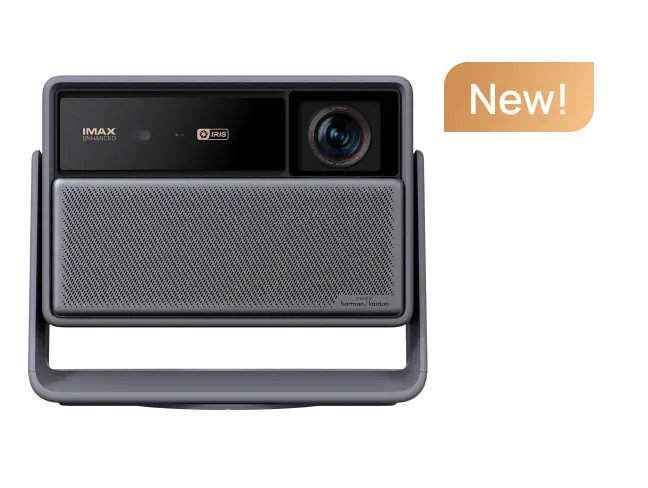
For example, XGIMI currently rates the HORIZON 20 at 3,200 ISO lumens and the HORIZON 20 Max at 5,700 ISO lumens.
article_product1
These are manufacturer-rated specifications and should be distinguished from independent calibrated measurements.
A buyer planning a large image in a multipurpose living room therefore has different brightness needs from someone watching a smaller screen in a dark theater.
Gaming: It Depends on What Kind of Gamer You Are
The old rule was easy: Gaming? Buy a TV.
The modern answer is more interesting. Some performance-focused projectors now support high refresh rates, VRR, ALLM, and low-input-lag modes. But you need to read the small print.
A projector advertising 1ms input lag may achieve that number at 1080p/240Hz rather than at the 4K resolution you normally use.
For example, XGIMI currently specifies the HORIZON 20 Max at:
- 1ms at 1080p/240Hz
- 2.2ms at 1080p/120Hz
- 3ms at 4K/60Hz
These are manufacturer-rated Game Mode figures.
So the real question is not: “Does it have low input lag?”
It's: “What is the input lag at the resolution and refresh rate I actually play?”
Choose a TV More Readily If You:
- Play competitive shooters or fighting games,
- want straightforward high-refresh gaming,
- use the display as a PC monitor,
- or value maximum responsiveness over image scale.
Consider a Projector More Readily If You:
- Play cinematic single-player games,
- love racing or sports games on a huge screen,
- play couch co-op,
- or prioritize immersion over esports-level responsiveness.
- For a deeper comparison, read XGIMI's projector vs TV gaming guide.

Installation: TV Is Simpler, but Projector Is More Flexible
A TV installation is conceptually simple.
- Put the television on furniture or attach it to a suitable wall mount.
- Plug it in.
- Watch.
A standard-throw projector introduces more variables:
- Throw distance
- Projector placement
- Image alignment
- Focus
- Screen or wall quality
- Cable routing
- Ambient light
That is more planning.
But it also creates more flexibility.
The projector can live on a shelf, ceiling mount, stand, or table depending on the model.
Some modern projectors add optical zoom, lens shift, autofocus, and automatic screen alignment to reduce setup friction.
And if you move homes, carrying a projector is very different from transporting a 98-inch glass panel.
Ultra Short Throw Changes the Equation
If you like the projector image but hate the idea of a ceiling mount, look at an ultra short throw projector.
A UST projector sits on a media console close to the wall, making the physical setup much closer to a television.
XGIMI's AURA platform, for example, is designed around this TV-replacement use case, placing the projector close to the projection surface rather than several feet across the room.
Explore the XGIMI UST projector collection if you want the large-screen benefits of projection without a conventional long-throw installation.
A UST setup is not completely effortless, though.
Wall flatness and screen geometry matter more because the projector sends light upward at a steep angle.
A compatible UST screen can therefore become an important part of the system.

Does a Projector Need a Screen?
Not always.
A smooth, neutral-colored wall can work for casual standard-throw projection.
But a good projection screen provides a more controlled surface, helping with image uniformity, color consistency, and predictable brightness.
The screen becomes increasingly important when:
you care about accurate home-theater performance,
your wall has texture,
your room has ambient light,
you use a very large image,
or you are using a UST projector.
If you're unsure about size, read XGIMI's projector screen size guide before choosing the projector.
Which One Actually Costs Less?
This is where I would avoid the popular “cost per inch” shortcut.
It sounds convincing.
It can also hide half the purchase.
- A projector setup may include: Projector + screen + stand or mount + cables + audio
- A TV setup may include: TV + stand or wall mount + audio
Sometimes both have streaming and speakers built in. Sometimes neither built-in audio system is what the buyer ultimately wants. Prices also change too quickly to make a fixed “projector always costs less” claim reliable.
The useful comparison is: total system cost at the screen size you actually want.
At 65 or 75 inches, TVs are extremely competitive. At 85 inches, both categories deserve consideration.
Once your target moves substantially beyond 100 inches, projection's ability to create a larger image without requiring an equally enormous physical panel becomes increasingly relevant.
But don't buy a projector and forget the cost of the screen you already know your room will require.
That isn't a fair comparison.
Sports: The Question Is Usually Day or Night
A 120-inch football game with friends can be spectacular.
But Sunday afternoon sunlight does not care about your big-screen plans.
For sports, decide based on your viewing environment.
- Night games or a controlled media room: projector becomes extremely attractive.
- Bright daytime living room: TV remains easier.
- Large group viewing: projector gains an advantage because of image size.
- Casual channel surfing: TV wins on simplicity.
There is no reason to force one answer onto all four households.

Small Room? A Projector Can Still Work
People often assume you need a huge room for projection.
Not necessarily.
The real constraint is throw ratio.
A standard-throw projector needs enough distance between the lens and screen.
An ultra-short-throw projector can produce a large image while sitting near the wall.
What a projector does need is enough usable wall or screen area.
A small apartment with one clear wall may actually accommodate a 100-inch projected image more easily than a giant television that must be transported through elevators, hallways, and doorways.
Before assuming either option fits, measure the room.
Then use the XGIMI Projector Calculator.
4K Projector vs TV by Type of Buyer
Sometimes a persona is more useful than another specification table.
1. Buy the TV if You Are the “I Just Want It to Work” Household
You watch morning news.
Kids watch cartoons in daylight.
Someone leaves the lights on.
Another person starts a show without adjusting anything.
You do not want to think about curtains, screen gain, or throw distance.
Buy the TV.
Convenience is a feature.
2. Consider the Projector if Movie Night Is an Event
You actually dim the lights.
You care about seeing movies large.
You invite people over.
You have looked at an 85-inch TV and still thought:
“I want bigger.”
This is where a 4K projector begins to make much more sense.
3. Consider UST if You Want a TV Replacement Without a Ceiling Projector
You want 100 inches or more.
You want the projector sitting near the wall.
You don't want long cables crossing the room.
You still want built-in smart entertainment features.
Look at the UST projector category before assuming a huge television is your only option.
4. Consider a High-Performance Home Projector if Cinema Comes First
You have more control over lighting.
You're willing to plan projector placement.
You care about big-screen HDR movies, gaming, and optical flexibility.
Explore XGIMI's home projector lineup and compare models with the XGIMI Projector Comparison Tool.
The Question I Would Ask Before Buying Either
Not: “Which has better specs?”
Ask: “What annoys me about my current display?”
If your answer is: “It's too small.”
Start looking seriously at projectors.
If your answer is: “I can't see it well enough during the day.”
A better TV may solve your problem more directly.
If your answer is: “I want OLED-level black in every condition.”
A premium OLED TV is likely the more direct fit.
If your answer is: “I want my living room to feel like a movie theater.”
The projector has a compelling argument.
That is why a 4K projector vs TV comparison should never end with one category declared the winner.
The Bottom Line
For most people choosing between a 4K projector vs TV, the decision comes down to three things: room light, desired screen size, and how much setup you are willing to accept.
Choose a 4K TV if you prioritize bright-room performance, deep blacks, simple everyday use, and predictable picture quality throughout the day.
Choose a 4K projector if you prioritize a 100-inch-plus image, cinematic immersion, adjustable screen size, and a display system that can transform a room rather than permanently occupy it.
Consider an ultra short throw projector if you sit somewhere in the middle: you want the size advantage of projection but prefer something closer to the placement and everyday behavior of a television.
Neither category replaces the other.
They solve different problems.
The best display for your home is the one that solves yours.
For the next step, explore XGIMI's 4K projector collection, compare home projectors, explore UST projectors, or check your room dimensions with the XGIMI Projector Calculator before deciding.


