TITAN Noir

Elfin Flip 4K • Elfin Flip Laser • MIRA

Learn More

Limited Edition Projectors

Learn More

Meet MemoMind One AI Glasses • Save Up to $290

Learn More

TITAN Noir

$3,999.00

FREE GIFT

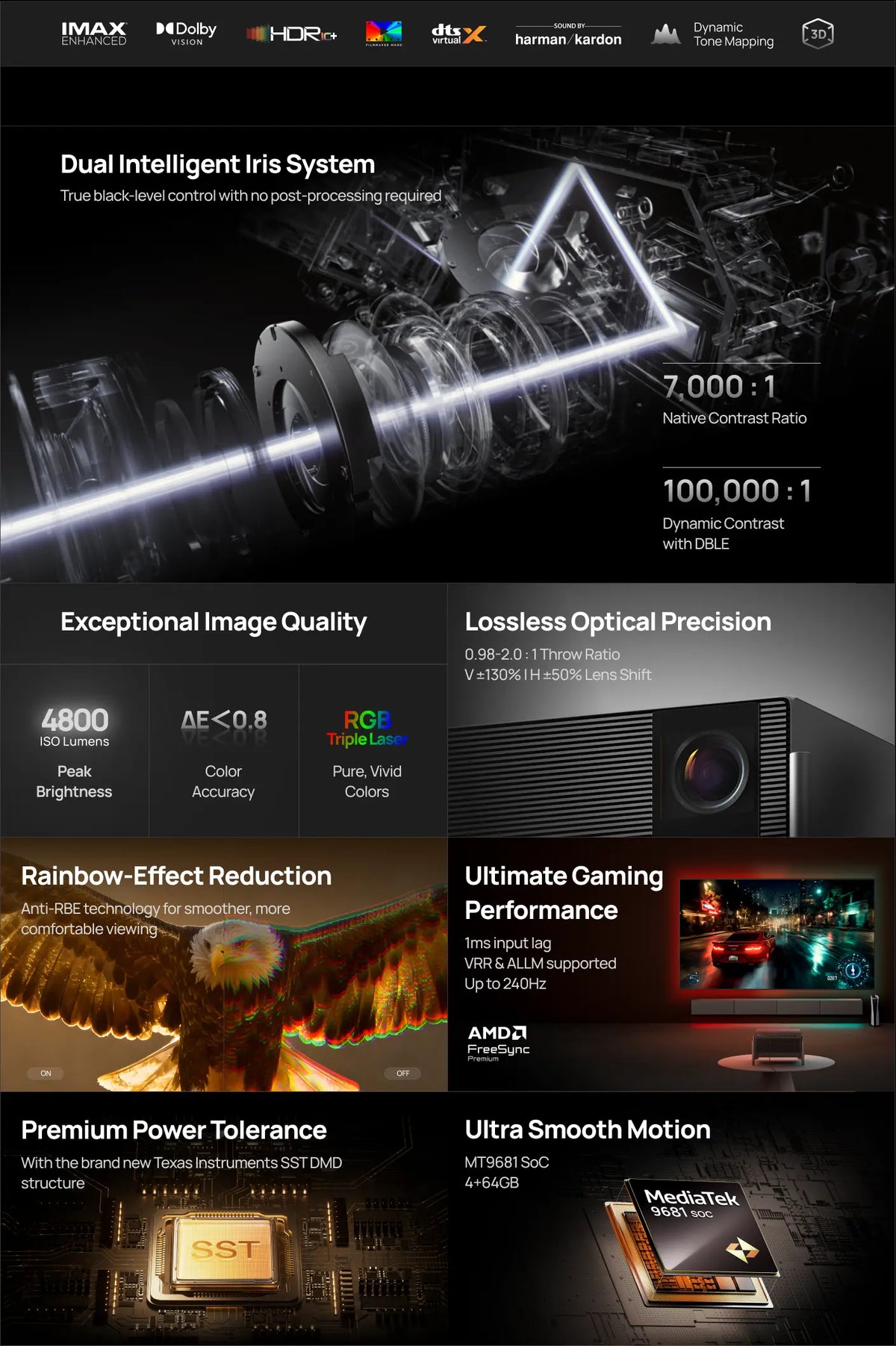
  • Dual Intelligent Iris: A dual-iris system dynamically controls light to deliver deeper blacks and cleaner highlights—preserving rich shadow detail even in the darkest scenes.
  • 7,000:1 Cinematic-Ready Contrast: Reliable contrast performance delivers balanced blacks and highlights with clear shadow definition and consistent cinematic readability.
  • Engineered for Everyday Cinematic Realism: RGB Triple Laser technology delivers 4800 ISO Lumens of brightness with 110% BT.2020 color coverage for accurate and immersive cinematic color in everyday environments.
  • Expanded Optical Range: A wider zoom and lens-shift range (0.98–2.0:1, V ±130% | H ±50%) gives you more freedom in placement while maintaining optical purity and distortion-free image geometry.
  • Built for Big-Screen Gaming: 1 ms input lag with VRR, ALLM, and AMD FreeSync™ certification ensures ultra-responsive gameplay, while Gigabit LAN delivers stable, low-latency connections for smooth gaming on a massive screen.


This product is unavailable

Secure
Payments
Visa Mastercard American Express Discover Apple Pay Google Pay PayPal Affirm Shop Pay Venmo Diners Club JCB

Fast, Free Shipping
30-Day Money-Back Guarantee
24-month Hassle-Free Warranty
Lifetime Customer Support

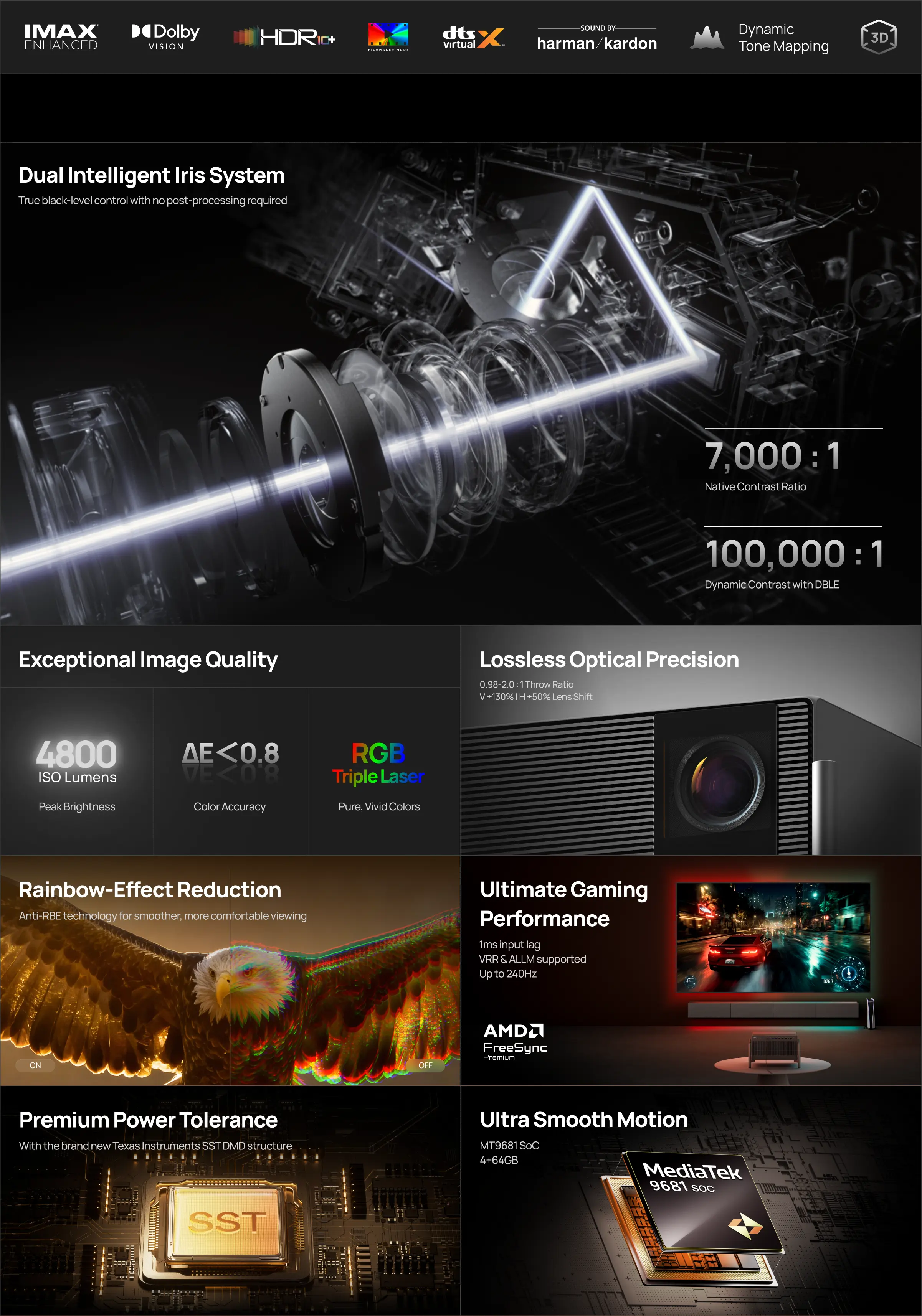
Dual Intelligent Iris System for

Native Shadow Control

Two self-adjusting iris modules with five selectable levels proactively sculpt scene luminance, preserving deep blacks without dulling highlights.

7,000 : 1

Native Contrast Ratio

Achieved through optical light control — not digital dimming,

with 5-step manual iris adjustment.

In the Box
img
img
Specs
Display
Product Classification
Home Projector
Light Source
RGB Triple Laser
Display Technique
DLP
Display Chip
0.47''DMD (SST)1
3D
Yes
Supported Formats
HDR 10+, IMAX Enhanced, Dolby Vision
Latency
(Game Mode, AK off)
1ms at 1080P@240Hz
2.2ms at 1080P@120Hz
3ms at 4K @60Hz
MEMC
Yes
Brightness
4800 ISO Lumens2
Standard Resolution
3840 x 2160 pixels
Compatible Resolution
/
Color Gamut
BT.2020 110% 3
Contrast Ratio
Up to 7000:1 (Native Contrast)
Up to 100,000:1 (Dynamic Contrast, DBLE ON)4
Lens
High Light Transmission Coated Lens
Eye Protection
Yes5
Setup
Auto Keystone Correction
Uninterrupted Auto Keystone6
Focus
Auto Focus
Intelligent Screen Alignment
Yes7
Intelligent Obstacle Avoidance
Yes8
Lens Shift
V±130%/H±50%9
Optical Zoom
Yes
Digital Zoom
Yes
Throw Ratio
0.98-2.0:1
Aspect Ratio
16:9
Projection Method
Front, Rear, Front Ceiling, Rear Ceiling
Image Size
40'' - 300''10
System
CPU
MT9681
GPU
Mali G57
RAM
4 GB
Storage
64GB11
System
No OS built-in
Fast Boot
Yes (STR)
Mirroring Display
/
Audio
Speaker
2 x 12W Harman/Kardon
DTS Virtual:X
Yes
DTS-HD
Yes
Dolby Atmos
/
Dolby Digital (DD)
Yes
Dolby Digital Plus (DD+)
Yes
Connectivity
WiFi
WiFi 6 Dual-band 2.4/5GHz, 802.11a/b/g/n/ac/ax12
Bluetooth
Bluetooth 5.2
Input Ports
DC × 1,HDMI × 3 (HDMI1 supports eARC),LAN × 1 (Gigabit Ethernet Speed),USB 3.0 × 1, USB 2.0 × 113
Output Ports
Optical × 1
Audio × 1
Electrical
Noise Level
≤28dB@1m14
Power Dissipation
<=300W
Power
AC100-240V, 50/60Hz
Measurements
Product Size
178 × 334 × 248 mm / 7 × 13.2 × 9.8 in
231 × 379 × 288 mm / 9.1 × 14.9 × 11.3 in (with desktop stand) 15
Product Weight
7.5 kg / 16.5 lb16
Package Size (H x W x D)
297 × 473 × 468 mm / 11.7 × 18.6 × 18.4 in15
Package Weight
11.2 kg / 24.7 lb16
What's in the Box
What's in the Box
Power Cable× 1,External Power Supply× 1,Manual× 1,Warranty Card× 1,Remote Control Backlight Bluetooth Remote Control × 1, AAA Batteries × 2

1. SST-related data is based on TI official device specifications.

2. Brightness (light output) will vary depending on usage conditions. White light output is measured according to ISO 21118. The nominal value represents the average value of mass-produced units and is tested under ideal laboratory conditions in Performance Mode. In Performance Mode, the highest brightness is achieved, which may result in some color differences compared to the default viewing mode. Additionally, the fan speed may increase, potentially causing noise. This is normal. For regular viewing, it is recommended to use other brightness modes.

3. Based on the data from XGIMI Laboratory tests, this product's color gamut area ratio is 110% under the BT.2020 standard.

4. The native contrast ratio is measured with the iris set to f/7.0 and a throw ratio of 0.98:1. Actual contrast performance may vary depending on testing conditions.

5. The Eye Protection function can be enabled or disabled in the system settings.

6. To ensure accurate calibration, the side throw angle should not exceed 40° (degrees). The display quality may vary based on product usage habits and environmental conditions. When using Uninterrupted Auto Keystone Correction, you need to disable the "Intelligent Screen Alignment" and "Intelligent Obstacle Avoidance" functions in the system settings; due to the complexity of the environment, Uninterrupted Auto Keystone Correction may fail, and manual correction may be required.

7. For the projection image to automatically fill the entire screen, it must cover the entire border of the screen. To ensure a comfortable aspect ratio, non-16:9 screens may not be fully covered. It is recommended to use a screen with a black border around the edges to improve recognition accuracy.

8. Due to environmental complexities, Intelligent Obstacle Avoidance does not guarantee the avoidance of all obstacles.

9. The stated ± values represent the total lens shift range relative to the image dimensions. The horizontal shift range is 50% of the image width, while the vertical shift range is 130% of the image height.
The default lens position is set at 100%, allowing for up to 30% upward shift and up to 130% downward shift.
Due to optical constraints, maximum shift in one direction requires the other axis to remain centered: to reach the full ±130% vertical shift, horizontal shift must be set to 0%, and to reach the full ±50% horizontal shift, vertical shift must be set to 0%.
To ensure optimal image quality, when operating at zoom ratios above 2x, the usable lens shift range may be limited, with TITAN Noir Max supporting up to ±125% vertical / ±47.5% horizontal shift, and TITAN Noir Pro and TITAN Noir supporting up to ±120% vertical / ±45% horizontal shift under standard optical operating conditions.

10. For the best viewing experience, we recommend using a projection size of 60-150 inches. Exceeding this range may affect the quality of your projected content. The display quality may vary based on product usage habits and environmental conditions.

11. The actual storage capacity is subject to change based on various factors, such as system usage, software version, and settings used.

12. Wi-Fi 6 indicates the version of the wireless network protocol supported by the device, and it can be used with wireless routers and other equipment that support the corresponding protocol version. Network speed is influenced by various factors; please refer to actual conditions for precise performance.

13. The USB 3.0 port supports the USB 3.0 protocol. Actual data transfer speed may vary due to multiple factors. Please refer to the actual performance.

14. Measured under an ambient temperature of 25°C with a 1-meter distance from the machine. Results may vary based on different testing environments, conditions, and the product being evaluated. This data comes from XGIMI laboratories.

15. The actual size may vary based on configuration, manufacturing, and testing method.

16. The actual weight may vary based on configuration, manufacturing process, and testing method.

17. Brightness adjustment is unavailable when the iris is set to f/5.5, f/7.0, or Dynamic. When the iris is set to f/2.0, f/3.0, or f/4.0, brightness can be adjusted from levels 1–10. When Brightness Boost (10+) is enabled, the iris is locked at f/2.0. Brightness Boost (10+) is only available at f/2.0.

18. The Wall Color Adaption feature needs to be enabled in the system settings to take effect. Once activated, it can calibrate the picture based on wall colors with a color temperature ranging from 3000K to 15000K. However, the calibration effect may vary depending on the wall color. For optimal results, we recommend using it in dimly lit environments.

19. Low Speckle A+ Certification Number: PT/26/GEN/0205; Low Color Fringing Ratio A+ Certification Number: PT/26/GEN/0206.

* Actual product features and specifications (including appearance, color, and size) and actual display aspects (including backgrounds, interface, and icons) may vary by country. Please consult the point of sale for further information.
* All performance data in the preceding pages are theoretical values obtained by XGIMI internal laboratories through tests conducted under particular conditions. Refer to the aforementioned product details for more information on the specific testing conditions. Actual performance may vary based on individual product configurations, software versions, application conditions, and environmental factors. All data is subject to actual usage.
* XGIMI makes every effort at the time of publication to ensure the accuracy of the product information it provides. Due to subsequent changes involving product batches, production, and supply factors, it may be necessary for XGIMI to make changes and adjustments to text and images so that they match the performance, specifications, indexes, and components of the actual product. Product information is subject to such changes and adjustments without notice.
* Operating temperature: 32°F to 104°F
* All parameters listed on this page are measured in an XGIMI internal test environment for mass production. User experiences may vary in different settings, usage conditions, software versions, etc. Please check the official XGIMI website for detailed test standards and data.
* The product includes a printed manual. However, the electronic manual will be updated on the XGIMI website. If there is any discrepancy or conflict between the printed and the electronic manual, please refer to the latest electronic manual on the official website.
* We advocate for environmental sustainability and paper conservation. For instructions in various languages, please scan the QR code of the printed manual or download the electronic version. If you have any questions during use, please contact us via service@xgimi.com.

$20
OFF

$15
OFF

You have selected [[items]] items
click to view >
You have selected 0 items
click to view >

It’s not too late! Use code at checkout to save on your purchase. Complete your order now!

Use code at checkout for a limited-time discount on selected projectors (MoGo 2,  refurbished units not included). Copy now!

Copy Code
Copied it!
Buy Now