


The right home projector screen can make movie nights more enjoyable, but choosing one involves more than finding the largest size at an affordable price. Your room lighting, projector placement, viewing distance, and installation preferences all affect picture quality.
A freestanding screen with a stand offers flexibility for apartments and multipurpose rooms. A fixed-frame screen may be more suitable for a dedicated theater room, while a retractable screen can keep your living room uncluttered.
The best projector screens aren't necessarily the most expensive. They're the ones that match your projector, viewing environment, and everyday habits. Here's how to choose without paying for features you don't need.
Choose the Right Screen Type for Your Space
Start by deciding whether your screen needs to move or remain installed. Different screen types offer distinct advantages.
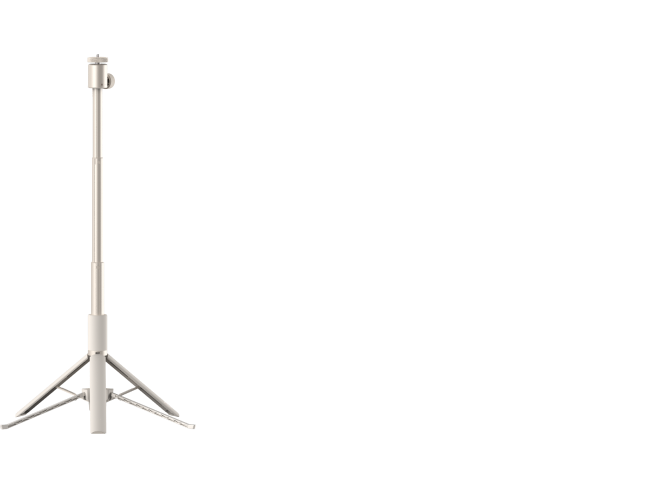
A freestanding indoor screen is particularly useful when wall mounting isn't permitted. Look for a stable tripod or folding frame, reliable tensioning, and compact storage dimensions.
For permanent setups, a rigid frame helps maintain surface flatness. That can improve image uniformity, although the frame itself doesn't determine color accuracy or screen gain.
Manual screens are generally simpler and less expensive. Motorized screens use a powered roller mechanism to extend and retract the viewing surface, often with wall-switch or remote-control operation.
If portability is your priority, XGIMI's portable projector screen guide explains how movable screens compare with permanent installations.

Find the Right Screen Size and Viewing Distance
Measure Your Room and Choose an Aspect Ratio
A larger screen can create a movie theater atmosphere, but size alone doesn't guarantee a great picture.
Screen dimensions are normally measured diagonally. A 100-inch 16:9 screen has a visible width of approximately 87 inches and a height of 49 inches. Remember to account for the surrounding frame, stand, furniture, and speaker placement.
For most home entertainment, 16:9 is a practical aspect ratio because it matches common television, streaming, and gaming formats. Wider movies may display black bars. Dedicated cinema setups sometimes use wider screen formats, but they require additional planning.
Although projector screens are sold in sizes ranging from compact portable displays to well over 200 inches, there is no universally ideal size range.
A good starting point is to measure your available wall space, mark the proposed image boundaries with painter's tape, and check how the picture feels from your usual seat.
Remember that increasing screen area spreads the projector's available light over a larger surface. A bigger image may therefore appear dimmer unless the projector has sufficient usable brightness.

Understand Throw Distance vs. Viewing Distance
These measurements are different, and confusing them can lead to the wrong screen purchase.
Throw distance measures the distance between the projector lens and the screen. For a conventional projector, it is calculated using:
- Throw distance = Image width × Throw ratio
For example, a projector with a 1.2:1 throw ratio needs approximately 8.7 feet of lens-to-screen distance to fill a 100-inch diagonal 16:9 screen.
XGIMI's throw ratio and screen size guide explains how to calculate placement for different projector setups.
Viewing distance, meanwhile, describes where viewers sit.
You may encounter recommendations based on 1.5–3 times screen height or 1.5–2 times screen width. These use different measurements and represent different viewing preferences, so they should not be treated as universal requirements for 1080p or 4K projection.
article_product2
Match Screen Material to Your Room Lighting
Matte White, Gray, or ALR?
Screen material influences how light is distributed toward viewers, affecting brightness, contrast, color reproduction, and overall image quality.
Matte white screens are often a sensible choice for a dark environment. A well-made neutral white surface supports natural-looking colors and relatively wide viewing angles, making it suitable for movie nights with family or friends.
Gray screens can help black levels appear deeper by reflecting less overall light. However, they may also reduce the brightness of whites. A gray surface is not automatically an ambient light rejecting screen.
Ambient light rejecting screens, or ALR screens, use specialized optical structures to favor projector light over light arriving from certain other directions.
For example, an appropriate ALR screen may help preserve contrast when a ceiling light fixture is on or daylight enters from the side of a living room. However, its effectiveness depends on the screen's optical design, light direction, and projector placement.
ALR performance ratings are material-specific. Even a specialized screen cannot guarantee unchanged picture quality in a bright room. Curtains, controlled lighting, and suitable projector brightness still matter.
article_product3
Screen Gain, Viewing Angle, and Color Accuracy
Gain describes the brightness reflected toward a particular viewing direction relative to a standardized reference surface.
A screen with 1.0 gain provides a useful reference point. It does not literally reflect 100% of the projector's total light output.
A high gain screen can deliver a brighter image from favorable seating positions by concentrating reflected light. However, that concentration may narrow the viewing angle or cause hotspotting, where some areas appear brighter than others.
Viewing-angle specifications also require care. A manufacturer may specify the entire viewing cone or the half-gain angle measured from the center. The figures are not interchangeable, and a 90–180-degree range isn't a universal requirement.
For a wide family seating arrangement, consistent brightness across the screen may be more useful than maximum center brightness.
Also consider color accuracy and color temperature. A neutral, consistent screen helps preserve the projector's intended whites and color balance, while uneven coatings or unsuitable materials can affect perceived color saturation.

Check Compatibility With Your Projector
Not every projection screen works equally well with every projector.
Standard-throw projectors: Usually offer broad compatibility with conventional matte white screens. Directional ALR materials still require the specified projector placement.
Short-throw projectors: Need careful attention to screen flatness and supported throw ratios.
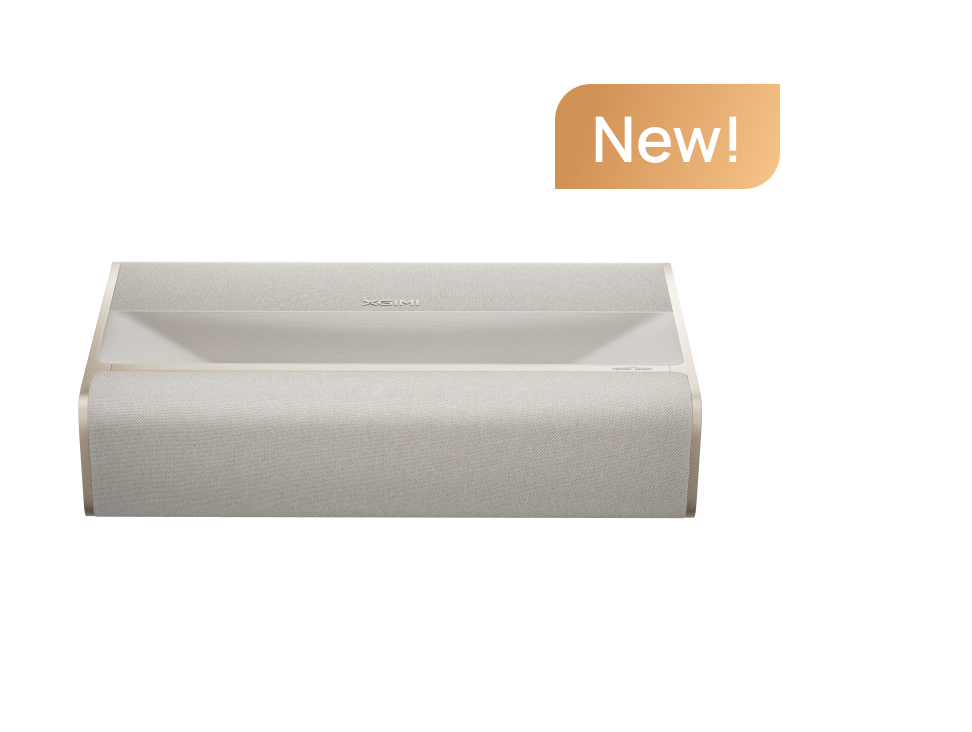
Ultra short throw (UST) projectors: Project light upward at steep angles from close to the screen, making surface flatness and optical compatibility especially important.
A conventional ALR screen designed for standard throw may direct UST projector light away from viewers. For example, Elite Screens specifies that its CineGrey 5D material is intended for standard-throw projection and is not compatible with short-throw or UST projectors.
A screen designed specifically for UST projection may use a different optical structure to accept light arriving from below while reducing light from overhead.
A flat, properly tensioned matte screen can also work in suitable light-controlled UST setups when the manufacturer confirms compatibility. ALR is not automatically mandatory.
Always check the screen's supported projector geometry, mounting orientation, and front- or rear-projection requirements.
Compare Real Projector Screen Options
Looking at specific screen series can make the differences between construction styles easier to understand. These examples illustrate available formats rather than establish a ranking of the best projector screens.
- Silver Ticket STR Series: Silver Ticket offers fixed-frame screens with a tension-rod assembly system. Its listed STR configurations include 92-inch and 220-inch matte white models, although material choices differ by size. The frame is designed to keep the screen surface tensioned and absorb projected light overspill around its border. Assembly time depends on screen dimensions and installation conditions, so don't assume every model takes exactly 30 minutes.
- Elite Screens Manual Series: This manual pull-down range uses MaxWhite 2 material, listed at 1.1 gain with a 180-degree viewing angle. Its 16:9 options include sizes from 80 to 150 inches. Elite Screens also documents mounting screws and anchors, but buyers should check the installation instructions and suitability of their wall or ceiling.
- Elite Screens Aeon Series: The Aeon offers a fixed-frame design with an optional slim border and different materials, including CineWhite UHD-B and CineGrey. Material selection matters: a frame's appearance alone does not guarantee a particular gain or compatibility.
- Elite Screens Spectrum 2: This electric retractable screen uses 1.1-gain MaxWhite fiberglass-backed material. It includes powered operation, while its remote-control kit is optional. The manufacturer does not recommend it for short-throw or UST projection.
- Elite Screens Yard Master Plus: Designed for portable indoor and outdoor use, this freestanding folding-frame series includes a 200-inch option and larger configurations. Elite Screens specifies tool-free frame assembly, adjustable legs, and anchoring accessories. Its CineWhite UHD-B material is rated at 1.3 gain; rear projection requires a separate compatible material.
For a smaller movable setup, the XGIMI 70-inch Portable Outdoor Screen uses a lightweight folding aluminum frame and elastic-cord assembly. XGIMI specifies compatibility with long-throw projectors only.
These examples show why a good screen should be evaluated by its exact size, material, installation method, and projector compatibility rather than a brand name alone.
article_product1
Consider Installation, Stability, and Maintenance
A screen that looks impressive in specifications can become inconvenient if it requires extensive setup before every movie night.
For freestanding screens, examine the support structure, floor space, carrying case, and material tensioning system. If you plan to use an outdoor screen, check the manufacturer's wind restrictions and included stakes or anchors. Outdoor compatibility does not mean the screen is safe in every weather condition.
For fixed-frame screens, confirm the wall's capacity to support the assembly and follow the supplied mounting instructions.
For manual and motorized screens, check the case dimensions, ceiling clearance, electrical requirements, and whether the screen has a tensioning system to limit wrinkles.
Maintenance depends on the material. Some fabrics can be gently washed, while coated optical screens may require specialized cleaning. Follow the manufacturer's instructions rather than assuming every screen can be cleaned the same way.
Budget matters too. A basic portable screen may offer great value for occasional use, while a more expensive fixed or motorized option may be worthwhile for everyday viewing. Compare the regular price, included accessories, replacement materials, and installation costs rather than judging value from a temporary discount.
Do You Need an Acoustically Transparent Screen?
Acoustically transparent screens allow sound from speakers placed behind the projection surface to pass through.
These materials are particularly useful in a dedicated home theater setup where the center speaker should sit directly behind the dialogue on screen.
Both woven and perforated materials are available. However, acoustically transparent screens may involve trade-offs in light output, visible texture, speaker spacing, and sound attenuation.
If your speakers are positioned beside or beneath the screen, a conventional projection material may be simpler and more affordable.
Projector Screen vs. White Wall: Is a Screen Worth It?
A dedicated projector screen can improve image consistency, but it isn't essential for everyone.
A smooth, flat, matte white wall can work for casual viewing, especially in a darkened room. It may be a practical option for renters or anyone trying home projection before investing in a permanent setup.
However, wall texture, paint color, and surface sheen can affect the projected image. Even a white wall may introduce uneven reflections or subtle color shifts.
A purpose-made screen provides a known surface with defined optical characteristics. Depending on its material and construction, it can offer better surface uniformity, predictable gain, and a clean picture boundary.
Still, buying a screen isn't a quick fix for every image problem. An unsuitable projector position, excessive ambient light, or poor projector settings can compromise picture quality regardless of the screen.
If you're uncertain whether to upgrade, begin with your existing wall and compare its appearance under your normal viewing conditions. XGIMI's guide to projector wall colors and screen gain offers more detail.
Final Thoughts: Choose the Screen That Fits Your Home
The best home projector screen is the one that works with your room, projector, and viewing habits.
For occasional movie nights or apartments, a freestanding screen offers flexibility without permanent installation. For a dedicated theater room, a well-tensioned fixed-frame screen can provide a consistently flat viewing surface. For multipurpose living spaces, a manual or motorized retractable screen keeps the room usable when the projector is off.
If ambient light is an issue, investigate a compatible ALR material rather than automatically choosing a high-gain screen. If you use an ultra short throw projector, prioritize flatness and verified optical compatibility.
A good projector and a properly matched screen work together. Measure the space, confirm projector placement, compare material specifications, and choose the setup that delivers a comfortable, bright image for the way you actually watch.


