































Compare XGIMI 4K projectors for excellent image quality, high dynamic range, low input lag, smart features and flexible lens adjustment. Find the right home theater projector for movie nights, gaming or a family room, from compact lifestyle projectors to bright RGB laser models with Google TV and easy screen alignment.
FAQs About 4K Projectors
Is it worth buying a 4K projector?
Yes, especially if you want a detailed image on larger screens and a more cinematic experience than casual TV viewing. 4K resolution offers four times the detail of standard 1080p, helping keep the image sharp and revealing more fine detail on 100-inch or larger images.
Modern projectors also support high dynamic range and multiple HDR formats, which can improve bright scenes, shadow detail and accurate colors when displaying compatible HDR content. A laser projector with a modern laser light source can also provide long light-source life compared with traditional lamp systems.
For the best picture quality, compare projector specs such as overall brightness, contrast ratio, dynamic contrast, HDR support, light source, zoom range, HDMI inputs and placement flexibility. In dark rooms, around 1,500–2,000 ANSI lumens can be sufficient, while brighter rooms generally require more output.
A quality screen, proper color calibration and accurate screen alignment can further improve the projector's performance, producing a gorgeous image, great contrast and stronger perceived picture quality.
Explore all the projectors with XGIMI Product Compare or read the projector screen buying guide.
Which is the best 4K projector for home?
There is no single perfect projector for every room. The best projector depends on lighting, screen size, placement, gaming requirements and how you plan to watch content.
For a dedicated home theater, prioritize excellent contrast, high contrast, accurate color, HDR support and flexible optical controls. Buyers seeking maximum excellent native contrast may also compare XGIMI models with traditional premium projectors such as Epson Home Cinema or JVC systems.
For a family room, smart features, sound quality, easy setup, integrated streaming and flexible positioning may matter more. The XGIMI HORIZON 20 Max combines an RGB laser system with high brightness, optical flexibility and gaming-focused performance. Its specified gaming latency reaches 1 ms at 1080p/240Hz.
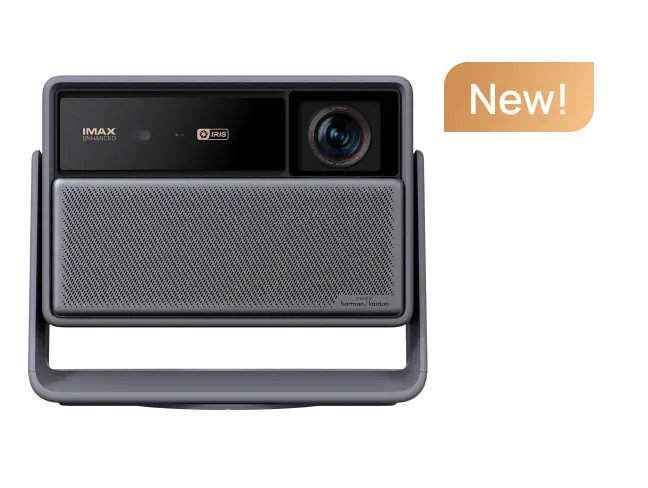
The XGIMI Elfin Flip 4K is a lifestyle-oriented option with a compact chassis, integrated stand, Google TV OS, built in apps and straightforward setup. Features such as optical zoom, minimum 1ms latency for gaming, and a compact design make the it easy to set up while delivering a more flexible viewing experience.
Brightness numbers also vary significantly across the wider market. The Epson QL3000 is rated at up to 6,000 lumens, the BenQ W4100i at 3,200 lumens, the Epson LS12000 at 2,700 ANSI lumens and the JVC DLA-RS4200 at 3,300 lumens with a native contrast ratio of 150,000:1. The Hisense C2 Ultra specifies a dynamic contrast ratio of 2,000,000:1 and supports Dolby Vision HDR.
These figures illustrate why slightly higher brightness alone does not guarantee excellent image quality. Screen quality, room lighting, calibration and contrast performance matter too.
Use the XGIMI Projection Calculator to plan your screen size and placement, or browse XGIMI Home Projectors.
Is a 4K projector as good as a TV?
A 4K projector can be better when screen size and cinematic immersion matter most. Many 4K projectors can scale from roughly 100 inches to more than 300 inches, creating an immersive image for movie nights, sports and gaming that conventional TVs cannot easily match.
A modern smart projector with Google TV, a built in streaming platform and built in apps can also function much like a large-screen smart TV. If a particular service is unavailable through the built-in platform, a streaming stick can usually be connected through one of the projector's HDMI inputs.
For audio, built-in speakers are convenient, but an external sound system may provide better bass, wider soundstage and stronger overall sound quality for a dedicated theater.
TVs still have advantages in very bright environments. An extremely bright room can wash out projection, while most TVs maintain stronger blacks and contrast with less lighting control.
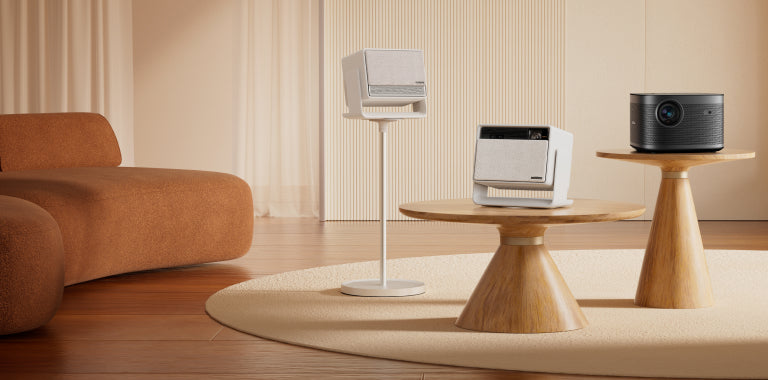
Placement also makes projectors more flexible. A short throw projector can display a large image from a short distance, while ultra-short-throw models can sit just inches from the wall or screen. This makes them suitable for a media console or even a coffee table arrangement without a projector mounted across the room.
For this type of setup, explore the XGIMI AURA 2 (New) or browse XGIMI Laser Projectors.
For more detail, see 4K Projector vs. 4K TV.
What are the disadvantages of 4K projectors?
The main disadvantages are sensitivity to ambient light, installation requirements, screen quality and differences between projection technologies.
Even a projector with extremely bright output can lose perceived black levels and contrast in a bright room. The right screen, proper room conditions and accurate calibration are therefore important for achieving excellent contrast and consistent picture quality.
4K imaging technology also varies. True native 4K projector chips use approximately 8.3 million distinct pixels, while many projectors use pixel-shifting technology to enhance perceived resolution. Both can create an excellent image quality experience, but buyers looking for the most detailed image should understand the imaging technology shown in the projector specs.
Gaming performance varies too. Low input lag below 20 ms is generally a useful target for comfortable gaming and smoother motion. For market context:
The Epson LS12000 supports 4K/120p gaming through HDMI 2.1, while the Sony BRAVIA VPL-XW8100ES supports 4K at 120 fps. The Hisense C2 Ultra has a reported 4.6 ms input lag at 1080p, and the JMGO N3 Ultimate supports 1080p at 240Hz. The Epson LS11000 stays below 20 ms, the BenQ W4100i is approximately 19 ms in fast mode, and the Valerion VisionMaster Max can reach input lag as low as 4 ms.
Installation is another consideration. Optical vertical lens shift and motorized zoom provide more precise lens adjustment, while automatic keystone correction is useful for quick screen alignment and easy setup. Optical adjustment generally preserves image quality better than excessive digital correction.
Finally, some 3D projector modes require compatible active-shutter glasses, meaning viewers may need to wear glasses for 3D content. Most projectors also perform best with an appropriate screen rather than a bare wall.
Learn more in XGIMI's Lens Shift vs. Digital Keystone Correction guide and Native 4K vs. Pixel Shifting guide.