






























Floor-to-ceiling windows bring beautiful natural light into modern living rooms, but they can create significant challenges for projector image quality. The good news is that with the right ultra short throw (UST) projector, an ambient light rejecting (ALR) screen, strategic positioning, and some light management, you can enjoy a large, clear image even in sunlit spaces without turning your room into a cave. Success depends heavily on understanding your specific room conditions, choosing compatible hardware, and accepting that performance will vary between daytime and evening use. For more on this topic, see The Case for Laser TVs: Why Ultra-Short Throw is Beating 98-Inch Pa....
Understanding the Glare Problem in Rooms with Large Windows
Strong ambient light from floor-to-ceiling windows washes out projected images by reducing contrast and making blacks appear gray. Direct sunlight or even bright diffuse daylight reflects off the screen and walls, creating glare that makes details hard to see. This issue is especially pronounced in open-concept living rooms where windows span entire walls, leaving little room for traditional blackout solutions that might clash with minimalist design preferences. For more on this topic, see The Best Viewing Angles for UST Projectors in Open-Concept Living R....
For UST projectors, the problem is compounded because these models sit close to the screen on a low cabinet or console. Any light hitting the screen directly competes with the projector's output. As noted in technical references on projector performance, real-world brightness and contrast in ambient light often fall short of marketing claims, making careful setup essential.
Many homeowners assume a brighter projector alone solves everything. In reality, brightness helps but cannot fully overcome uncontrolled direct sunlight or highly reflective surfaces. This is where targeted strategies come in.
Common Myths About Projectors in Bright Rooms
Several misconceptions lead buyers to set up UST projectors in sunlit rooms only to feel disappointed later.

One widespread myth is that any bright enough projector works well in a sunlit room. While higher lumen output improves visibility, excessive ambient light still reduces contrast dramatically. A projector rated at 2000+ lumens may still look washed out under direct daylight.
Another myth is that a UST projector automatically solves daylight problems. UST designs minimize shadows from people walking in front of the screen and allow clean placement, but they do not inherently block ambient light. Without an appropriate screen or light control, performance suffers.
Many also believe an ALR screen blocks all ambient light. ALR screens use special materials to reject light coming from angles other than the projector, improving contrast in moderately bright rooms. However, they cannot eliminate glare from every direction, especially intense direct sun. They work best as part of a broader approach rather than a complete fix.
The idea that UST plus ALR guarantees success in any bright living room is also misleading. The combination offers a strong compromise for many homes, but trade-offs remain around cost, placement sensitivity, and the need for at least some light management. Finally, some assume a TV is always the only sensible choice with windows. For those prioritizing large images for evening or controlled-daytime viewing, a well-planned projector setup can still deliver an immersive experience.
Choosing the Right UST Projector and ALR Screen Pairing
Selecting compatible equipment is critical. Look for UST laser projectors with high real-world brightness—often 1800 ISO lumens or more for brighter environments. Laser light sources generally maintain better color and brightness consistency than traditional lamps in varying light conditions.
Pairing with a dedicated UST ALR screen makes a noticeable difference. These screens feature lenticular or micro-lens array structures that direct projector light toward viewers while absorbing or reflecting away off-axis ambient light. A 100-inch UST ALR screen, for example, can significantly boost contrast compared to a plain wall or standard white screen.
When evaluating options, consider screen gain, rejection angle, and size compatibility with your UST model. Not all ALR screens work equally well with every projector due to throw angle differences. Test your room's light levels first—simple methods like observing how much a white paper on the wall reflects sunlight can give you a baseline.
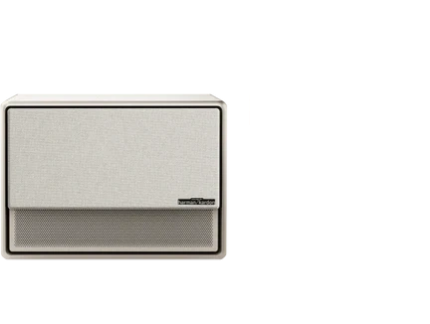
For those with XGIMI UST models like the AURA 2, pairing with the XGIMI 100" UST ALR Screen creates an optimized setup that maximizes ambient light rejection while maintaining vibrant 4K visuals.
Optimal Positioning for Your UST Projector
Placement is one of the most important factors in a room with large windows. Position the UST projector on a low cabinet or console directly in front of the screen, typically 6 to 20 inches away depending on the model and desired image size. Avoid placing the screen directly opposite large windows where sunlight streams in straight-on.
Ideally, orient the screen on a wall perpendicular to the windows so that incoming light hits at an angle rather than head-on. This reduces direct reflections. Keep the projector away from windows to prevent sunlight from falling on the lens or body, which could cause overheating or image artifacts.
Ceiling height, furniture layout, and seating distance all matter. Follow manufacturer throw ratio guidelines closely, as UST models are sensitive to even small positioning errors. The UST Projector Furniture and Room Layout Guide 2026 offers practical tips on console height, screen mounting, and seating arrangements for clean 100-inch setups in living rooms. For more on this topic, see How Room Shape and Furniture Layout Should Influence Your Projector....
In minimalist designs, consider integrated furniture that hides cables and maintains a clean aesthetic while supporting proper projector height. Resources on designing a minimalist living room with a hidden projector setup can help balance style and performance. For more on this topic, see How to Hide Your UST Projector Cables for a Clean Living Room Aesth....
Light Control Strategies Without Heavy Blackout Treatments
Complete room darkening may not fit your design goals, but partial light control can dramatically improve results. Motorized or manual roller shades, light-filtering sheer curtains, or smart blinds allow flexibility—deploy them for viewing sessions and retract for daily living.
Window films that reduce glare without fully blocking light offer another low-impact option. For south-facing windows with intense sun, consider exterior architectural shades or interior cellular shades that diffuse rather than completely block daylight.
Paint choices also influence reflections. Matte, darker wall colors around the screen area absorb stray light better than glossy white walls. Avoid highly reflective flooring or furniture near the screen.
Bias lighting behind the screen or subtle room lighting can further enhance perceived contrast during daytime use without adding glare.
Scenario-Based Decision Guide
The best setup often depends on your specific conditions. In rooms where daytime viewing is rare and you can reliably use shades, a standard UST setup may suffice. When daytime viewing is frequent but light can be partially controlled, an ALR screen becomes essential and projector brightness matters more.
If windows are hard to control and bright daylight is constant, expectations should be adjusted—performance will be better for evening use, and a high-brightness laser UST paired with strong ALR becomes the preferred route. For those expecting TV-like performance with zero light management, a large TV may be more suitable.
Here is a heuristic visualization to help judge fit across different room light scenarios:
UST Setup Recommendation by Room Light Scenario
Scenario-based decision guide for choosing ALR screen + UST in bright rooms with windows
View chart data
| Category | Recommended fit for ALR + UST | Brightness need | Risk of washed-out image |
|---|---|---|---|
| Dark room | 1.0 | 1.0 | 1.0 |
| Soft daylight | 2.0 | 2.0 | 2.0 |
| Bright room | 4.0 | 4.0 | 4.0 |
| Very bright room | 5.0 | 5.0 | 5.0 |
| Windows uncontrollable | 5.0 | 5.0 | 5.0 |
Heuristic scenario map based on prior discussion: ALR screen + UST is strongest when ambient light rises, especially in bright rooms with windows. Bright-room setups generally need higher projector output (often above 2000 lumens) and better window control; day viewing is harder than evening viewing. Scores are illustrative, not measured data.
These scores are illustrative heuristics to guide thinking rather than precise measurements. Higher values indicate stronger recommendation or need in that scenario.

Practical Checklist: How to Set Up Your UST Projector in a Bright Room
Use this actionable checklist to evaluate and optimize your space:
- Assess your room's primary light direction and intensity at different times of day.
- Choose a UST projector with at least 1800-2300+ lumens and laser light source for better ambient performance.
- Select a UST-specific ALR screen sized to your desired image (100 inches is popular for living rooms).
- Position the projector on a stable, correctly heighted console in front of the screen, avoiding direct window light.
- Mount the screen on a wall that minimizes direct sunlight impact, ideally perpendicular to windows.
- Install flexible light control like motorized shades or light-filtering treatments that fit your decor.
- Calibrate the projector in your actual room lighting—adjust brightness, contrast, and color settings for the most common viewing conditions.
- Test with both daytime and evening content to set realistic expectations.
- Consider smart home integration for one-touch activation of the projector and shades together.
For broader guidance on choosing equipment for your space, review this how to choose the right home projector for your space.
When a Projector Setup May Not Be the Best Choice
Despite the solutions above, there are cases where a UST projector might not deliver satisfying results. If your room receives intense direct sunlight most of the day and you cannot or do not want any window treatments, a large high-brightness TV may provide more consistent daytime performance. Extremely minimalist designs that prohibit any shades or screens may also struggle.
Users who expect perfect TV-like image quality for sports or kids' shows in full daylight without compromise should set expectations accordingly. In these situations, the projector can still serve beautifully for evening movies and special viewing but may not replace a TV completely.
Health and Comfort Considerations
Projector setups in bright rooms can offer a more comfortable viewing experience for some by providing a larger image that reduces eye strain compared to staring at a small screen. However, this article only discusses comfort and setup advice. It does not constitute medical advice, diagnosis, or treatment. If you experience persistent eye discomfort or have existing eye conditions, consult qualified eye care professionals.
Comfort depends heavily on individual sensitivity, room conditions, and device quality. What feels comfortable for one person may differ for others, especially children, the elderly, or those prone to migraines.
Conclusion
Overcoming glare in a room with floor-to-ceiling windows is achievable with a thoughtfully chosen UST projector, ALR screen, smart positioning, and moderate light control. While it may not replicate a completely dark theater during peak daylight hours, many homeowners find the large immersive image worthwhile for mixed daytime and evening use. Results depend heavily on your specific room layout and willingness to implement some management strategies.
Start by assessing your light conditions and priorities. Explore laser UST options and compatible ALR screens to find a balance that fits both your space and lifestyle. With the right approach, you can enjoy big-screen entertainment without sacrificing your bright, open living environment.
For more on integrating UST projectors into living spaces, see the projector setup and installation options guide. For more on this topic, see The Invisible Home Theater: Integrating Projectors into Minimalist ....


