
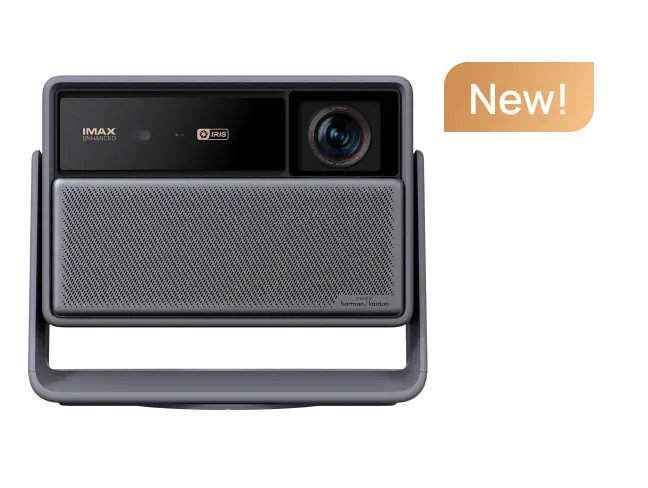































Have you ever felt that the blacks in dark scenes lacked depth or that details in the shadows were blurry? XGIMI projectors feature Dynamic Black Level Enhancement (DBLE), a technology designed to solve this problem. Far more than a simple brightness adjustment, DBLE is an advanced image processing technology that uses intelligent image-processing algorithms to dynamically optimize the picture, delivering deeper blacks and enhancing contrast.
- You may be interested in: XGIMI TITAN Noir Max 4K Projector DBLE Test
How Dynamic Black Level Enhancement Works
DBLE works like an automatic dimming system. When the image darkens, it automatically reduces the laser output to produce deeper blacks. Technically, XGIMI employs two different approaches based on the hardware configuration of specific models:
1. FPGA-based Implementation
In high-end models equipped with XGIMI’s proprietary FPGA chips (such as the TITAN and TITAN Noir series), DBLE dynamically adjusts RGB pixel values and laser drive current via the FPGA to achieve precise contrast optimization.
2. DLP-based Implementation
In other models, the DLP chip dynamically adjusts the image together with the laser drive current.

Left: Other Projector; Right: TITAN Noir Max - DBLE On
(Image Source: Deus-Jon)
When to Use DBLE: Two Ideal Use Cases
DBLE is not suitable for every type of image; it has specific scenarios where it truly shines.
1. Watching Movies or Shows Dominated by Dark Scenes
When watching movies or TV shows with predominantly dark scenes, such as Game of Thrones or Black Panther, DBLE delivers deeper blacks and clearer shadow detail.
2. Home Theater Environments
In dedicated home theater rooms with controlled lighting, DBLE performs at its best, delivering deeper blacks and a more immersive viewing experience.
When Does DBLE Activate: Three Requirements
For DBLE to function correctly, the following conditions must be met:
1. The Image Must Be Predominantly Dark
DBLE activates only when the overall image is dark and contains little to no bright elements, such as white objects or intense light sources. To observe DBLE in action, make sure there are no bright objects on the screen and that all system UI elements—including the Settings menu, volume bar, video progress bar, and subtitles—are hidden.
2. Specific Brightness Level
Depending on the projector model, DBLE typically activates only when the brightness is set to the maximum level (e.g., "Brightness 10"). Once enabled, the system generally sets the brightness range automatically.
3. Supported Mode and Firmware
Ensure the projector's DLP firmware is up to date so DBLE can function properly in supported modes such as Dolby Vision.
When Does DBLE Stop Working?
Now that you know the conditions for activation, it is also important to be aware of scenarios that cause DBLE to "stop working":
1. Bright Objects or UI Elements on the Screen
This is the most common cause. If any bright object appears on the screen, such as white subtitles, UI elements like the volume bar or Settings menu, or bright highlights within the image, DBLE will immediately deactivate to ensure these elements are displayed correctly.
2. Outdated Firmware
If the DLP firmware is not up to date, DBLE may fail to function in certain modes (such as Dolby Vision).

TITAN Noir Max - DBLE Off (Image source: SpykeSIK)
article_product1
How to Test If DBLE Is Working Properly?
If you are unsure whether DBLE is active, you can test it using these simple methods:
1. All-Black Screen Test
Play a full-black test pattern or a scene with a completely black screen. Close all on-screen UI elements, such as the Settings menu and volume bar, then compare the image before and after enabling DBLE while carefully observing the black levels. Ideally, enabling DBLE should produce deeper blacks and make the overall image appear darker.
2. Dark-Scene Movie Test
Play a movie with dark scenes you know well, like the night scenes from Game of Thrones. Enable DBLE and observe whether blacks appear deeper, shadow details become clearer, and the overall image looks more cinematic.
3. Observing UI Interference
While playing a dark scene, bring up the settings menu or volume bar. If DBLE is active, the image should brighten (as DBLE deactivates), and then return to a deep black once the menu is dismissed. This confirms that DBLE is functioning as intended.
By following these steps, you can verify that DBLE is working properly and better understand how it enhances image quality, helping you get the best possible viewing experience from your XGIMI projector.


