








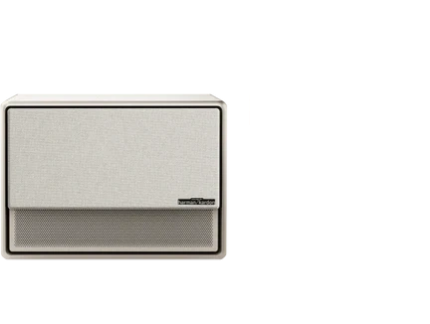
























A large screen experience does not have to mean a television dominating your living room wall. For design-conscious homeowners and apartment dwellers, a well-planned minimalist projector setup can deliver cinematic viewing that disappears when the credits roll, preserving the clean lines and uncluttered feel of modern interiors.

The key is treating the projector, screen, and cabling as temporary elements of the room rather than permanent fixtures. When chosen and installed thoughtfully, projection technology supports minimalist decor by staying out of sight until needed. This guide explores practical ways to hide projectors and screens, manage cables, select the right placement, and maintain strong image quality in shared living spaces. For more on this topic, see How to Calculate the Optimal Projection Distance for Different Room....
Why Projectors Fit Minimalist Living Rooms Better Than TVs
Many people exploring a projector instead of TV minimalist approach do so because a flat panel remains a constant visual presence. A projector and screen system, by contrast, can vanish completely between uses. In open-concept homes and multi-use apartments, this flexibility helps the room serve multiple purposes without one piece of technology defining the aesthetic.
That said, success depends on more than buying the right model. Placement, lighting control, and cable management determine whether the setup feels seamless or adds new clutter. The cleanest minimalist projector setups prioritize solutions that require minimal daily interaction and avoid visible hardware.
Understanding the Main Placement Options
Three primary approaches exist for positioning a projector in a minimalist space: ceiling mount, shelf or console placement, and portable setups. Each carries different tradeoffs for visual cleanliness, installation effort, and day-to-day convenience.
Ceiling mounting often provides the most invisible result because the unit stays above eye level and out of the main living area. Once installed, alignment remains consistent, which helps image quality stay reliable. The downside is the commitment to permanent hardware and the need to route cables cleanly through the ceiling or walls.
Shelf or console mounting offers a middle path. A low-profile shelf or media cabinet can hold the projector while blending with existing furniture. This approach works well when you want to avoid ceiling work but still keep the device somewhat fixed. The shelf itself must be chosen carefully so it does not become another visual element.
Portable projectors provide maximum flexibility and require no permanent installation. Models with integrated stands or battery power can be stored in a cabinet or drawer after use. However, they often introduce the most friction because you must reposition and align them each time, and the unit may sit visibly on a surface during viewing.
The chart below illustrates these tradeoffs using relative heuristic scores across key factors important to minimalist decor.
Projector Placement Tradeoffs for a Minimalist Room
Illustrative comparison of common projector placement options. Scores are heuristic, not measured data.
View chart data
| Series | Visual Cleanliness | Installation Effort | Flexibility | Image Consistency | Day-to-Day Friction |
|---|---|---|---|---|---|
| Ceiling Mount | 5.0 | 2.0 | 1.0 | 5.0 | 5.0 |
| Shelf Placement | 4.0 | 3.0 | 3.0 | 4.0 | 3.0 |
| Portable Setup | 2.0 | 5.0 | 5.0 | 2.0 | 1.0 |
Heuristic scoring based on the supplied scenario matrix and internal setup guidance: ceiling has the lowest visible clutter but highest permanence; shelf is the middle ground; portable is most flexible but creates the most daily clutter and setup friction.
Hiding the Projector When Not in Use
The most effective hidden projector solutions make the device disappear into the room's architecture. Ceiling-recessed lifts or drop-down mechanisms can lower the projector only during use and retract it afterward. These systems work best in rooms with sufficient ceiling height and where the layout will not change frequently.
For renters or those avoiding structural changes, a dedicated media cabinet or low shelf that closes completely offers a practical alternative. Some minimalist setups use a false beam or architectural detail to conceal the projector while still allowing proper ventilation and access.
Portable models with compact footprints can simply be stored in a drawer or cabinet between movie nights. The trade-off is the need to set up and align the projector each time, which can become tedious in daily use.
Before choosing a hiding method, assess whether your room can support the required power and signal routing without visible wires. As this projector placement installation guide explains, throw distance and positioning directly affect both image quality and how easily the projector can be concealed.
Making the Screen Disappear
A permanently mounted screen often undermines the minimalist aesthetic. Retractable screens that roll up into the ceiling or a slim housing provide a cleaner solution. Motorized versions can integrate with smart home systems for automatic deployment.
Some homeowners project directly onto a painted wall treated with screen paint or a high-gain material. While this eliminates the need for a physical screen, image quality depends heavily on wall flatness and ambient light control. In brighter rooms, a retractable screen usually delivers better contrast and color accuracy.
For the cleanest look, choose a screen housing that matches the ceiling color or blends with crown molding. In apartments, tensioned or tab-tensioned retractable screens help maintain a flat surface without requiring permanent wall fixtures.
Cable Management for a Truly Clean Setup
Visible cables are often the element that makes even a well-hidden projector setup feel cluttered. Effective cable management begins at the planning stage.
In-ceiling or in-wall conduit provides the cleanest result for ceiling-mounted systems. For shelf or portable setups, use cable raceways painted to match the wall, or route wires behind furniture and baseboards. Wireless HDMI transmitters can reduce cable count in some cases, though they may introduce latency for gaming or high-motion content.
Power outlets placed strategically near the projector location minimize extension cords. Many modern minimalist setups also rely on smart plugs and hidden surge protectors inside furniture to keep outlets themselves out of sight.
Good cable management is essential if the goal is a visually minimal living-room setup. Without it, even the most elegant projector can make the room feel busier than a slim wall-mounted television.
Maintaining Picture Quality in a Minimalist Environment
Hiding equipment should not come at the expense of performance. Projector brightness, throw ratio, and room lighting remain critical.
In living rooms with some ambient light, higher-lumen models help maintain a clear image without forcing the screen size down. Darker rooms allow more flexibility with lower brightness units. As explained in the comprehensive reference on projector brightness standards, real-world performance depends on measurement methods and environment.
Short-throw or ultra-short-throw projectors can sit closer to the wall, reducing the visual footprint and making concealment easier. However, they often require precise placement and a flat projection surface. For more on this topic, see Projector Throw Ratio Explained: Standard vs. Short Throw vs. Ultra....
Consistent alignment matters for image quality. Ceiling or fixed-shelf mounts generally provide better repeatability than portable setups that get moved frequently.

Scenario-Based Recommendations
The best minimalist projector setup depends on how your room is used.
In stable living rooms with fixed furniture layouts, a ceiling-mounted projector paired with a motorized retractable screen often delivers the cleanest overall result. The hardware stays completely out of sight, and image consistency remains high.
Multi-use apartments and rental spaces usually benefit from portable or shelf-mounted options. These avoid permanent modifications while still allowing large-screen viewing. Compact models that store easily help the room transition quickly between entertainment and daily living.
Open-concept homes face the greatest challenge because there are fewer walls and architectural features to hide equipment. Here, prioritizing screen concealment and short cable runs becomes more important than the projector location itself.
Practical Checklist for a Minimalist Projector Setup
Before purchasing, run through these checkpoints:
- Measure your room and calculate required throw distance for your desired screen size.
- Determine whether ceiling work or wall modifications are feasible.
- Identify cable paths that can stay hidden.
- Evaluate ambient light levels to choose appropriate brightness.
- Test storage and access for portable or lift systems.
- Consider how often the room layout changes and whether daily setup is realistic.
If permanent changes or regular repositioning feel burdensome, a well-designed television may ultimately create less visual friction than a projector system.
Common Myths About Hidden Projector Setups
One common myth is that hiding the projector automatically makes the entire room feel simpler. In reality, the supporting infrastructure—cabling, mounts, power routing, and alignment—often introduces new elements that must be managed carefully.
Another misconception is that any projector will work equally well in a minimalist setup. Image quality still depends on throw distance, screen type, and lighting control. A poorly matched system can force larger or more visible equipment to compensate.
Choosing the Right Projector for a Clean Aesthetic
Look for models with clean lines, quiet operation, and flexible placement options. Integrated smart features reduce the need for additional streaming devices that add clutter.
For ceiling or shelf installations, consider compact 4K projectors with good brightness. Portable options should offer quick setup, built-in battery, and easy storage.
Several XGIMI models suit minimalist setups well. The HORIZON Ultra and HORIZON S Max provide strong performance for fixed installations, while the MoGo 4 and Elfin Flip excel in flexible, storable configurations. Browse the Home Projectors collection to compare options.
Our home projector setup guide offers additional tips on optimizing image quality and sound in various room types. For more on this topic, see The Ultimate Projector Setup Guide: Mounts, Stands, and Room Layouts.
Final Thoughts on Creating an Invisible Home Theater
A minimalist projector setup succeeds when the technology serves the room rather than competing with it. By carefully selecting placement, hiding methods, and cable solutions, you can enjoy large-screen entertainment that enhances rather than disrupts your interior design.
The most satisfying results come from matching the system to your specific room constraints and usage patterns. Take time to measure, plan cable routes, and test lighting conditions before committing. When executed well, the projector disappears completely, leaving only the experience behind.
This article discusses comfort and setup considerations for home entertainment. It does not constitute technical installation advice or replace professional assessment. For persistent issues with room layout, electrical work, or viewing comfort, consult qualified professionals.
For more guidance on projector choices, explore our projector placement installation guide and how to choose the right home projector.


