










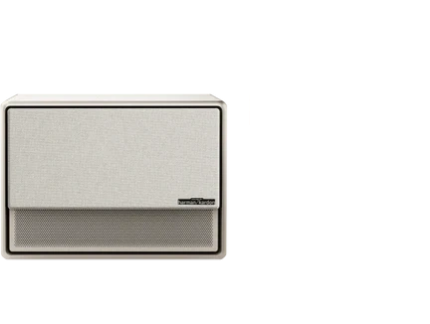

























Projectors are generally safe for displaying static art for several hours a day when you manage heat, brightness, and runtime. Unlike OLED TVs that can suffer permanent burn-in from fixed images, most projectors do not experience classic screen burn-in on the imaging device itself. The bigger risks come from prolonged high-brightness operation, poor ventilation, or using a lamp-based model beyond its intended duty cycle, which can accelerate component wear and brightness loss over time. For more on this topic, see How to Choose the Right Projector Screen Material for Different Roo....

Many homeowners now explore projectors for ambient wall art or always-on digital decor. Understanding the real technical limits helps you enjoy this setup without unnecessary worry or premature maintenance.
Do Projectors Get Burn-In from Static Images?
Projectors work differently from direct-view displays like OLED or plasma screens. The image forms either by shining light through a liquid crystal panel, reflecting off a DMD chip with microscopic mirrors, or using a laser or LED light source. There is no phosphor layer that can degrade in the same permanent way as an OLED pixel under static content.
That said, some older CRT projectors or certain high-end professional setups could show image retention or uneven wear. In modern consumer models, what people sometimes call "burn-in" is usually temporary image retention that fades after the projector rests, or simply the natural result of running the light source for thousands of hours. Static art itself does not "burn" the image permanently onto the projector in typical home use.
As this official projector maintenance guidance explains, the primary concerns for long-duration use are heat management and light-source longevity rather than pixel-level burn-in.
How Burn-In Risk Differs by Projector Technology
The risk profile changes significantly depending on whether you use a lamp, LED, or laser projector.
Lamp-based projectors rely on a high-pressure mercury or similar bulb that degrades with every hour of use. Continuous high-brightness static display can shorten lamp life noticeably, sometimes dropping from a rated 4,000–5,000 hours to far less if the unit runs hot. These models are the least ideal for always-on ambient art unless you limit daily runtime and keep brightness moderate.
LED projectors generally offer better longevity because the light source lasts 20,000–30,000 hours with slower degradation. They run cooler than lamps in many designs, making them more suitable for extended sessions. However, compact portable LED models may still build up heat if ventilation is blocked, leading to thermal throttling or faster fan wear.
Laser projectors, especially triple-laser or hybrid laser designs, often handle long runtime best among consumer options. They deliver consistent brightness over time, reach full output quickly, and typically support higher duty cycles. Many laser models are engineered for installation use where the projector may stay on for hours daily. Even so, they benefit from proper airflow and avoiding maximum brightness for static content.
Laser units generally make the strongest choice for static art displays, while lamp models require the most caution. LED falls in between depending on the specific model’s cooling system.
Illustrative Risk Levels for Static Art Use
The following chart shows heuristic risk levels across common operating conditions. Lower values indicate better suitability for long-duration static projection. These are illustrative only, modeled from general projector guidance on heat, runtime, and ventilation.
Illustrative Risk Levels for Long-Duration Static-Art Projection
Heuristic risk levels by projector type and operating condition (1 = low risk, 5 = high risk).
View chart data
| Category | LED | Laser | Lamp |
|---|---|---|---|
| Brightness 50-70% | 2.0 | 2.0 | 3.0 |
| Runtime per day 1-4h | 1.0 | 1.0 | 4.0 |
| Room temperature 18-24°C | 2.0 | 2.0 | 2.0 |
| Ventilation clearance ≥0.5m | 2.0 | 1.0 | 3.0 |
Illustrative heuristic model built from general guidance in the prompt: lower risk = better fit. Thresholds reflected here are modeled from broad projector-use guidance, not measured data. Lamp is less tolerant of long runtime; laser is more tolerant overall.
Common Myths About Projector Burn-In
Several misconceptions circulate about using projectors for static content.
Myth 1: Projectors suffer permanent burn-in like OLED TVs. In reality, true OLED-style burn-in is not a typical failure mode for consumer projectors. Concerns usually relate to temporary retention or light-source aging instead.
Myth 2: Any static image left on screen will quickly ruin the projector. The actual drivers of long-term wear are heat buildup, dust accumulation, high brightness settings, and total operating hours rather than the content being static.
Myth 3: If a projector can run all day for presentations, it is automatically safe for 24/7 art display. Even capable models experience faster wear in continuous high-output use without breaks, especially in warm rooms or with blocked vents.
These myths often lead people to focus on the wrong prevention steps. Prioritizing ventilation and moderate settings delivers far more protection than worrying about the image itself.
Practical Thresholds for Safe Static Art Display
Use these heuristic boundaries to evaluate your setup:
- Brightness: Keep settings at roughly 50–70% of maximum for extended sessions. Full brightness generates more heat and accelerates wear.
- Daily Runtime: 1–4 hours is generally lower risk for lamp models. 8+ hours per day pushes most consumer projectors into higher wear territory unless they are specifically designed for continuous operation.
- Room Temperature: Stay between 18–24°C (64–75°F) for best results. Temperatures above 28°C (82°F) reduce the thermal safety margin.
- Ventilation: Maintain at least 0.5 meters (20 inches) of clear space around intake and exhaust vents. Tight placement or enclosed cabinets dramatically increases risk.
Laser and well-designed LED projectors tolerate longer runtimes better than lamp models, but all benefit from these guidelines.

How to Safely Display Static Art on Your Projector
Follow these actionable steps to minimize stress on the projector:
-
Choose a model suited for longer operation, such as a laser projector with strong cooling. Portable units designed for short movie sessions are less ideal for daily ambient use.
-
Lower brightness and enable eco or low-power modes when the art serves as background decor. This reduces heat and extends component life significantly.
-
Ensure excellent airflow. Mount the projector on the ceiling or place it on an open stand rather than inside a cabinet. Clean dust filters regularly according to the manufacturer’s schedule.
-
Use built-in timers or smart home automation to schedule automatic shutoff periods. Giving the projector 30–60 minutes of rest every few hours helps dissipate heat and prevents continuous stress.
-
Calibrate picture settings for accurate colors at lower brightness levels. Proper calibration, as covered in our guide on how to calibrate your projector for better picture quality, ensures pleasing results without pushing the light source hard.
-
Consider content rotation. While not strictly necessary, changing the artwork every few days or weeks can further reduce any chance of temporary retention effects.
These habits turn a projector into a reliable ambient display without major trade-offs in longevity.
When a Projector May Not Be the Best Choice for Always-On Art
Avoid relying on a projector for static art in these situations:
- You need truly 24/7 operation with zero downtime.
- The room is frequently warm or has limited ventilation options.
- Your projector is a compact portable model that already runs warm during normal use.
- You expect zero maintenance and no gradual brightness decline over years of use.
In these cases, a dedicated digital frame, e-ink display, or high-quality LED panel designed for continuous operation may prove more practical. For most homeowners using the projector a few to several hours daily with good placement, however, static art remains a viable and attractive option.
Additional Tips for Long-Term Projector Health
Beyond static art concerns, general care extends projector life. Refer to our guide on ensuring an excellent viewing experience with your XGIMI projector for optimal screen size and distance recommendations that also support comfortable ambient viewing.
If you are exploring ambient intelligence further, the article on always-on projection and ambient intelligence in home design provides creative ideas that pair well with these safety practices.
For laser projector options built for impressive brightness and longevity, explore the laser projector collection.
Important Note on Comfort and Use: This article discusses projector setup and maintenance practices for static image display. It does not provide medical advice. Projectors are not intended as substitutes for professional display solutions in medical or therapeutic contexts. If you experience eye discomfort, headaches, or other symptoms during use, consult a qualified healthcare professional. Factors such as room lighting, viewing distance, and individual sensitivity play major roles in perceived comfort.
By following ventilation best practices, moderating brightness, and respecting reasonable runtime limits, you can confidently use your projector as a dynamic piece of digital wall art for years to come.


