








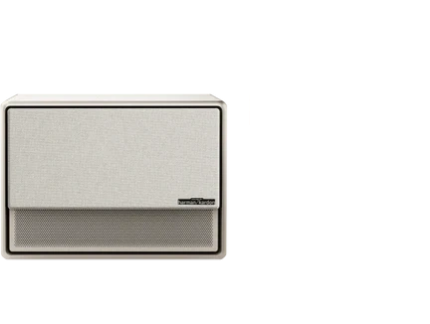
























If your projector audio sounds hollow, tinny, or thin, you're not alone—most entry-level and compact models struggle to deliver full-bodied sound because of their small chassis and limited speaker drivers. The good news is that understanding the root causes helps you decide whether simple adjustments can help or if it's time to look for better built-in audio engineering or add external support.

Projectors are primarily designed around delivering bright, sharp images in various lighting conditions. Their compact form factor, however, creates real acoustic trade-offs that larger home theater speakers or soundbars easily avoid. As this AVIXA audiovisual best practices guide explains, small enclosures and compact speakers often cannot reproduce full bass and natural midrange as effectively as larger systems, which frequently results in dialogue that sounds hollow or voices that feel distant and metallic.
Why Projector Speakers Often Produce Hollow or Tinny Sound
The core limitation comes down to physics and engineering priorities. A typical projector must stay relatively small and lightweight for portability or ceiling mounting, leaving little internal volume for proper speaker enclosures. Without adequate cabinet space, bass frequencies become weak and midrange tones can sound boxy or recessed.
Speaker placement inside the chassis also plays a major role. Drivers are often positioned to prioritize compactness rather than optimal stereo imaging, which collapses the soundstage and reduces separation between left and right channels. This narrow presentation makes movies and streaming content feel less immersive, especially during dialogue-heavy scenes. For more on this topic, see How to Place a Center Channel Speaker with a UST.
Low-cost drivers paired with modest amplification exacerbate the problem at higher volumes. When pushed, these components introduce distortion that adds a harsh, tinny edge to the sound. Additionally, the projector's cooling fan can introduce noticeable white noise that competes with quieter audio elements. Both the University of New Mexico learning environments guidelines and University of Colorado Boulder audiovisual standards treat projector fan noise as a significant factor that reduces speech clarity in AV setups.

Common Myths About Fixing Projector Audio Issues
Many users assume that tweaking audio settings or updating firmware will fully resolve hollow or tinny sound. In reality, equalization can help balance the existing output, but it cannot create bass or midrange that the physical speakers are incapable of producing. As our myth vs reality module shows, settings provide cleanup rather than transformation when the complaint centers on structural thinness.
Another widespread belief is that every projector audio system is inherently unusable and requires an external soundbar. While external audio often delivers the most reliable upgrade, certain premium integrated systems perform noticeably better for all-in-one scenarios. Conversely, assuming a "premium" label automatically guarantees cinema-grade performance overlooks room-specific factors and the inherent constraints of compact designs. For more on this topic, see How to Integrate a Soundbar with Your UST Projector and ALR Screen. For more on this topic, see Can You Use a UST Projector on a Regular Wall? The Pros and Cons.
Can Settings, Placement, or Firmware Improve the Sound?
Before concluding the hardware is at fault, perform a few quick checks. Verify that the projector is not set to a compressed audio mode or low-volume preset from the source device. Routing audio correctly—whether through HDMI ARC, Bluetooth, or optical—can eliminate configuration-related thinness. Placement also matters: positioning the projector too close to walls or in a resonant enclosure can amplify boxiness, while proper ventilation reduces fan noise interference.
Firmware updates occasionally include audio processing improvements, particularly for models with advanced tuning. However, these updates typically refine rather than overcome the physical limitations of small drivers. Room acoustics further influence perception—hard surfaces increase reflections that can make sound feel harsh or echoey, as noted in general AV placement guidance.
When to Consider Upgrading to Projectors With Better Built-in Speakers
If basic adjustments fail to deliver acceptable clarity, the built-in audio design itself is likely the bottleneck. Look for projectors that incorporate larger drivers, dedicated amplification, and professional acoustic tuning. Systems engineered with Harman Kardon, for instance, typically offer improved bass response, clearer dialogue, and wider soundstage compared with generic implementations.
For apartment dwellers or users who prefer an all-in-one solution without extra equipment, premium models can provide more satisfying results during movie nights or streaming sessions. These projectors balance image performance with thoughtfully designed audio that reduces the need for immediate external additions.
Here is an illustrative view of how different usage scenarios affect the likelihood of encountering hollow or tinny sound from typical built-in projector speakers:
When Built-in Projector Audio Is Usually Enough vs. Likely Hollow
Illustrative scenario ranking of when built-in projector audio is more likely to sound hollow/tinny and when external audio is advisable.
View chart data
| Category | Likelihood of Hollow / Tinny Sound |
|---|---|
| Casual / Portable | 2.0 |
| Quiet Movie Night | 3.0 |
| Apartment All-in-One | 3.0 |
| Gaming / Streaming | 4.0 |
Heuristic illustration only. Scored from scenario fit using context: compact chassis limits bass and midrange (AVIXA), fan noise can mask clarity (UNM/CU), settings can improve but are bounded, and premium tuning may help but is not always cinema-grade. Scale: 1 = low likelihood, 5 = high likelihood.
This heuristic chart uses a 1–5 scale where lower numbers indicate more forgiving scenarios and higher numbers highlight situations where built-in audio is more likely to disappoint. It is not based on laboratory measurements but on common acoustic constraints and user scenarios.
Practical Checklist: How to Evaluate and Improve Your Projector Audio
Use this step-by-step guide to diagnose and address issues:
- Confirm the source: Play the same content on another device (TV or phone) to rule out streaming service compression or content quality.
- Check audio settings: Ensure the projector is not in a "speech" or energy-saving mode that reduces dynamic range. Experiment with equalizer presets if available.
- Optimize placement: Keep the projector away from walls that cause reflections and ensure vents remain clear to minimize fan noise.
- Test volume levels: Note at what point distortion appears—many compact systems begin to sound tinny well before maximum output.
- Consider connectivity: For Bluetooth audio, verify codec compatibility and check for lip-sync issues that can indirectly affect perceived quality.
- Assess room acoustics: Add soft furnishings or rugs if the space is highly reflective and dialogue feels muddy.
If these steps provide only marginal improvement, the projector’s acoustic design is probably the primary constraint.
Don’t Buy If: When Built-in Audio Will Likely Disappoint
Avoid relying solely on a projector’s built-in speakers if you need TV-like dialogue clarity in a shared living room, listen at moderate-to-high volumes, or are sensitive to fan noise during quiet scenes. Entry-level models without dedicated tuning often fail to deliver convincing bass or natural midrange, making them unsuitable as the primary audio source for serious movie watching.
The decision flips for users who already plan to pair the projector with external audio or who mainly use it in portable, casual settings where expectations are lower. In those cases, even basic built-in sound can suffice for background viewing.
Premium projectors that integrate high-quality drivers and professional audio tuning, such as those featuring Harman Kardon sound, generally provide a more satisfying all-in-one experience. Models like the HORIZON Ultra or HORIZON Pro combine strong visuals with improved acoustic performance that reduces many common complaints.
For portable needs, the Halo+ offers a balanced approach with its tuned speakers and battery-powered convenience. Those seeking ultra-short-throw convenience may prefer the AURA, which maintains the same attention to integrated audio quality.
External Audio Options and When They Make Sense
When built-in performance reaches its limit, adding a soundbar or powered speaker via Bluetooth or HDMI delivers the most noticeable upgrade. This approach preserves the projector’s clean installation while providing fuller frequency response and better dynamics. For users who value simplicity, selecting a projector with robust built-in audio from the start minimizes the need for additional components.
Conclusion
Hollow or tinny projector audio usually stems from the fundamental challenges of fitting quality speakers into a compact chassis, compounded by fan noise and room acoustics. While settings and placement can mitigate some issues, many problems are hardware-limited and best addressed by choosing models with thoughtfully engineered audio systems or by incorporating external sound solutions. For more on this topic, see The Best Audio Solutions for Immersive Projector Gaming.
The right choice depends heavily on your room, content type, and tolerance for less-than-perfect built-in sound. By focusing on projectors designed with both image and audio quality in mind, you can achieve a more immersive experience without immediately reaching for additional equipment. Consider your specific usage scenario and prioritize models that openly address acoustic performance rather than treating sound as an afterthought.
Important note on audio comfort: This article discusses setup and perceived sound quality only. It does not provide medical advice. If you experience persistent discomfort, headaches, or other symptoms while using projectors or audio equipment, consult a qualified professional.


