
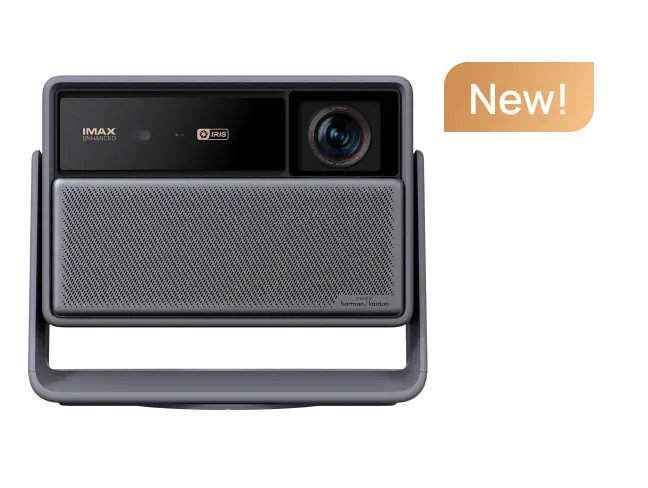































A 4K triple laser projector combines two different technologies: 4K resolution for image detail and an RGB triple-laser light source that uses separate red, green, and blue lasers to create color. The combination can deliver a large, detailed image with wide color reproduction and high brightness, but triple laser alone does not guarantee better contrast, HDR, or overall picture quality.
That distinction matters when you're comparing premium projectors and trying to decide whether triple-laser technology is actually worth paying for.
What Is a 4K Triple Laser Projector?
The easiest way to understand the term is to split it in half.
4K describes resolution. Triple laser describes the light source.
A 4K projector is designed to display approximately 3840 × 2160 pixels on screen. In many modern DLP projectors, this can be achieved using high-speed pixel-shifting technology rather than a physically native 3840 × 2160 imaging chip.
Texas Instruments explains that its DLP XPR approach rapidly shifts sub-images to create approximately 8.3 million individually displayed pixels on screen.
A triple laser projector, sometimes called an RGB laser projector or tri-color laser projector, uses dedicated red, green, and blue laser light sources instead of producing all three primary colors from a single laser-phosphor system.
Put those technologies together and you have a projector designed to combine high image detail with the color and brightness potential of an RGB laser engine.
That sounds simple.
The buying decision is not.
Why Use Three Lasers Instead of One?
A single-laser projector commonly starts with a blue laser and uses phosphor and additional optical components to generate the colors required for the final image.
RGB triple laser takes a more direct route.
Red light comes from a red laser. Green comes from a green laser. Blue comes from a blue laser.
This allows the optical system to work with highly saturated primary colors and can produce a wider color gamut than many conventional lamp, LED, or laser-phosphor systems.
That is one reason triple laser has become increasingly relevant in premium home cinema.
But a wider gamut is not the same thing as automatically having more accurate color.
A projector can technically produce extremely saturated reds and greens while still displaying skin tones or standard SDR content inaccurately if its processing and calibration are poor.
Independent testing of RGB-laser projectors has shown this distinction in practice: very wide color capability can coexist with factory modes that benefit from calibration.
Color capability tells you what a projector can reproduce. Color accuracy tells you how correctly it reproduces it.
You want both.

How Does a 4K Triple Laser Projector Improve Picture Quality?
Triple laser can make a meaningful difference, but its biggest advantages become clearer when you stop treating “picture quality” as a single specification.
|
Picture factor |
What triple laser can contribute |
What you still need to check |
|
Color gamut |
Very wide range of reproducible colors |
Actual measured coverage and accuracy |
|
Brightness |
Laser engines can support high light output |
ISO/ANSI measurement and viewing mode |
|
HDR |
Wide color and brightness give HDR more room to work |
Tone mapping, contrast and HDR format support |
|
4K detail |
Independent of the laser system |
4K imaging implementation and optics |
|
Contrast |
Laser modulation may assist some designs |
Native/effective contrast and iris technology |
|
Large-screen image |
Higher available brightness can help maintain impact |
Screen size, room light and screen material |
|
Longevity |
Solid-state light engines avoid traditional lamp replacement |
Manufacturer-rated lifespan and operating mode |
The important point is:
The laser does not create the 4K resolution, and 4K does not create better color.
They solve different parts of the picture.
Benefit 1: A Wider Color Palette
Color is one of the clearest reasons enthusiasts pay attention to RGB triple laser.
Modern HDR content can contain colors beyond traditional Rec.709 HDTV. A projector capable of reproducing more of the wider DCI-P3 or BT.2020 color spaces has more room to display intensely saturated colors without compressing them into a smaller gamut.
That can become visible in scenes containing neon lighting, richly colored animation, sunsets, sports uniforms, or highly saturated cinematic production design.
This is also where specification sheets can become misleading.
When a manufacturer publishes a color-gamut percentage, check which color space is being measured.
“100% color gamut” means very little without the standard attached to it.
For example, XGIMI currently specifies the HORIZON 20 series with its X-Master RGB Triple Laser system and a manufacturer-rated 110% BT.2020 color-gamut area.
These are manufacturer specifications rather than independent calibrated measurements, so they should be read as one part of the buying decision rather than the entire picture.

Benefit 2: More Light for a Big Image
Color tends to get the attention, but many real buyers run into a simpler problem:
“My projector looked bright at 80 inches. Why does it look weaker at 130 inches?”
Because the projector's available light is now being spread over a much larger surface.
A high-output laser engine can give you more headroom for large-screen viewing or rooms where you cannot eliminate every source of ambient light.
That does not mean even a powerful projector can ignore the room.
Direct sunlight, uncovered windows, and overhead lighting still reduce perceived contrast. Increasing brightness helps, but it cannot restore black levels that room light has washed away.
XGIMI currently lists the HORIZON 20 family at different manufacturer-rated brightness levels:
- HORIZON 20: 3,200 ISO lumens
- HORIZON 20 Pro: 4,100 ISO lumens
- HORIZN 20 Max: 5,700 ISO lumens
The range illustrates why brightness should be matched to the room rather than treated as a competition for the largest number.
If your room is already dark, paying for the highest possible brightness may not automatically produce the most meaningful upgrade.
article_product1
Benefit 3: 4K Matters More as the Screen Gets Bigger
The appeal of a projector is not seeing a 55-inch picture.
It's seeing something much larger.
As screen size grows—or your seating position moves closer—1080p pixel structure becomes easier to notice. 4K gives the image more spatial detail to work with, which can benefit fine textures, subtitles, game interfaces, and high-quality 4K movies.
But there is an important detail many product pages gloss over:
Not every 4K projector uses a native 3840 × 2160 imaging panel.
Modern DLP projectors commonly use pixel shifting. Texas Instruments' XPR system rapidly changes pixel position to put the required 4K pixel count onto the screen.
Independent testing is useful here because it helps clarify how a projector creates its 4K image instead of relying on a vague “4K” label alone.
For a deeper explanation of resolution, see XGIMI's 4K vs. 1080p projector guide.

Benefit 4: Better Potential for HDR—Not Automatic HDR Perfection
A wide color gamut and high brightness provide useful ingredients for HDR.
They are not the entire recipe.
Good HDR projection also depends on contrast, black-level performance, tone mapping, and how the projector handles the HDR format being sent to it.
This is where a common shopping mistake happens.
Someone sees:
4K + Triple Laser + Dolby Vision
and assumes those three specifications guarantee exceptional HDR.
They don't.
A projector can be extremely bright yet struggle to make a dark night scene look convincingly black. Another projector can have strong contrast but lack enough light for high-impact HDR highlights on a very large screen.
Look at the system rather than the badge.
Triple Laser vs. Single Laser vs. LED
There is no need to turn the decision into “new technology good, old technology bad.”
Different light engines solve different buyer problems.
|
Light source |
Main advantage |
Common trade-off |
Often makes sense for |
|
RGB triple laser |
Wide color potential and high-performance light output |
Higher price; laser artifacts can vary by design |
Premium home cinema, large screens, bright-room viewing |
|
Laser phosphor |
Strong brightness and solid-state convenience |
Usually narrower color gamut than RGB laser |
Home entertainment, UST and commercial use |
|
Laser + LED hybrid |
Attempts to balance color, brightness and image characteristics |
Performance varies by implementation |
Premium lifestyle projectors |
|
LED |
Compact, efficient and well suited to portable designs |
Usually less raw brightness |
Bedrooms, travel and casual viewing |
|
Lamp |
Mature technology and potentially attractive purchase price |
Lamp replacement and brightness decline |
Value-focused or traditional installations |
If portability matters more than absolute picture performance, the largest RGB triple-laser engine may actually be the wrong engineering solution for you.
For a broader comparison, read XGIMI's Laser vs. LED projector guide.
What Triple Laser Does Not Automatically Fix
This is the part worth understanding before spending more money.
1. Poor Black Levels
Brightness and color gamut cannot substitute for contrast.
The projector's imaging system, optical design, iris or laser-dimming behavior, and room conditions all influence how convincing dark scenes look.
2. A Bad Room
A premium projector aimed at a beige wall beside a sunny window is still fighting a beige wall and a sunny window.
Room light and screen choice remain part of the system.
3. Weak Image Processing
HDR tone mapping, upscaling, motion processing, and calibration can matter almost as much as the light source.
A powerful optical engine cannot compensate for every weakness elsewhere in the image chain.
4. Poor Placement
If you need aggressive digital keystone correction simply to make the image rectangular, you may sacrifice usable image quality.
Optical zoom and physical lens shift are usually more attractive when placement flexibility matters because they adjust the image optically rather than depending entirely on digital geometric correction.
5. Gaming Latency
Triple laser does not inherently make a projector faster.
Input lag depends on the projector's processing architecture and gaming mode.
If gaming matters, check latency at the resolution and refresh rate you actually plan to use.
6. Laser Speckle
Coherent laser light can produce a grain-like interference pattern known as laser speckle in some projection systems.
How visible it is can depend on projector design, screen material, viewing distance, and viewer sensitivity.
Do not assume every RGB triple-laser projector will behave identically.
7. DLP Color-Separation Artifacts
Some viewers are more sensitive than others to brief color flashes associated with sequential-color DLP projection, commonly called the rainbow effect.
Again, the presence of RGB lasers does not make every projector immune to every visual artifact.
These are not reasons to avoid the technology.
They are reasons to evaluate the entire projector rather than one headline specification.
How to Choose a 4K Triple Laser Projector
Ignore the temptation to compare projectors using one giant specification.
Start with your room.
1. Consider Your Room Lighting
If you mainly watch at night in a controlled home theater, prioritize contrast, black-level behavior, and color accuracy alongside brightness.
If this will replace a TV in a multipurpose living room, higher light output becomes more valuable—but curtains, screen choice, and room lighting still matter.
You can explore models designed for these environments in XGIMI's 4K projector collection and laser projector collection.
2. Decide Your Real Screen Size
Do not start with the manufacturer's maximum supported screen size.
Start with the image size you will actually watch every day.
A projector may technically support a huge image, but that does not mean the biggest size provides the best combination of brightness, detail, and comfort.
The current HORIZON 20 specification, for example, lists a broad supported projection range while recommending a smaller range for the intended viewing experience.
If you're unsure whether a projector will physically fit the room, use the XGIMI Projector Calculator before buying.

3. Compare Brightness Using Consistent Measurements
Look for standardized ISO lumens or ANSI lumens rather than vague claims such as “high brightness” or very large unqualified lumen numbers.
Brightness also needs context.
The brightest operating mode may not be the most color-accurate mode, and a dark dedicated theater does not require the same output as a multipurpose living room.
4. Check Color Gamut and Accuracy
Look for clearly identified color spaces such as:
- Rec.709
- DCI-P3
- BT.2020
Then ask whether the figure describes gamut coverage, gamut area, or independently measured accuracy.
A larger color gamut tells you what colors the projector can potentially reproduce.
It does not tell you whether those colors are being reproduced correctly.
5. Look Beyond the Contrast Number
Ask whether the published contrast figure is native, dynamic, or produced with assistance from an iris, laser dimming, or image-processing system.
Two projectors advertising the same contrast ratio can behave very differently in a dark movie scene.
Independent measurements are particularly useful here.
6. Check HDR Support
Dolby Vision, HDR10+, and HDR10 compatibility can be valuable, but processing quality matters too.
The logo tells you which signal the projector understands.
It does not tell you how good the final picture will look.
7. Consider Optical Placement Flexibility
For a permanent or semi-permanent home theater, features such as optical zoom and lens shift can make everyday ownership easier.
They allow you to fit the image to the screen without relying as heavily on digital geometry correction.
This becomes especially valuable if your room does not allow the projector to sit perfectly centered in front of the screen.
8. Check Gaming Performance Separately
If a PlayStation, Xbox, or gaming PC is part of your setup, check:
- Input lag
- Supported resolution
- Maximum refresh rate
- HDMI version
- VRR support
- ALLM support
- Game-mode limitations
A projector advertising “1ms” latency may achieve that figure only at a particular resolution and refresh rate.
Always compare the mode you will actually use.
9. Check the Smart Platform
A home projector increasingly doubles as a streaming device.
Check whether Netflix and other services you use are officially supported rather than assuming every Android-based projector offers the same streaming experience.
How XGIMI's HORIZON 20 Triple-Laser Models Differ
For buyers considering XGIMI, the HORIZON 20 family makes the comparison relatively clear because all three models use the same broader RGB triple-laser positioning while stepping up in brightness and performance tier.
|
Model |
Manufacturer-rated brightness |
Resolution |
Manufacturer-rated color gamut |
Practical positioning |
|
HORIZON 20 |
3,200 ISO lumens |
3840 × 2160 |
110% BT.2020 area |
Entry point to the HORIZON 20 RGB triple-laser family |
|
HORIZON 20 Pro |
4,100 ISO lumens |
3840 × 2160 |
110% BT.2020 area |
More brightness headroom for larger or less-controlled rooms |
|
HORIZON 20 Max |
5,700 ISO lumens |
3840 × 2160 |
110% BT.2020 area |
Maximum brightness within the current HORIZON 20 family |
XGIMI currently specifies the family with features including DLP imaging, optical zoom, lens shift, HDR support, and Google TV.
You can compare the models directly with the XGIMI projector comparison tool.
The important question is not:
“Which model has the biggest number?”
It is:
“How much of that performance will my room actually use?”
Someone watching a 100-inch image in a controlled dark room and someone projecting 140 inches in a brighter multipurpose living room do not necessarily need the same projector.
Other XGIMI Projectors with 4K Triple Laser Light Source
Updated Time: Sep 10th, 2026
- Portable Home Projector: Elfin Flip 4K
- 4K Home Theater Projector: TITAN Noir Max, TITAN Noir Pro, TITAN Noir
- 4K UST Projector: MIRA, MIRA Pro
- 4K UST Projector: AURA 3 Max, AURA 3 Pro

What Independent Testing Adds to the Spec Sheet
Manufacturer specifications tell you what a projector is designed to do.
Independent measurements help show how it behaves.
Independent reviews of current 4K RGB triple-laser projectors commonly evaluate areas such as:
- Measured brightness
- Black level and contrast
- Color accuracy
- Color-volume performance
- HDR behavior
- Input lag
- Image uniformity
- Laser speckle
- Noise
- Calibration results
That kind of evidence is more useful than simply repeating:
“Triple laser equals better picture.”
A buying decision becomes much stronger when manufacturer specifications and independent testing point in the same direction.
Who Should Consider a 4K Triple Laser Projector?
The technology makes the most sense when you can actually benefit from its strengths.
A 4K triple-laser projector may be worth considering if you:
- Want a large 4K home-theater image
- Watch a significant amount of HDR content
- Care about wide-gamut color
- Need more brightness for a multipurpose living room
- Want a premium movie-and-gaming setup
- Plan to project at larger screen sizes
- Prefer a solid-state light source over traditional lamp replacement
If those priorities describe your room, explore XGIMI's 4K projectors or current laser projector lineup.
Who Probably Does Not Need One?
Triple laser can be overkill.
If you mainly watch streaming video at night on a modest screen, an LED or less expensive laser projector may already provide the experience you want.
The same applies when:
- portability matters more than peak image quality,
- your room cannot accommodate a conventional long-throw projector,
- your budget would force you to compromise on the screen or audio system,
- or you are already satisfied with your existing projector in a controlled dark room.
Buying technology you cannot meaningfully see is not much of an upgrade.
The Spec I Would Pay Attention to Last
It may sound strange in an article about triple laser, but the words “triple laser” themselves would be one of the last things I use to make the final decision.
I'd use them to build the shortlist.
Then I would compare:
- the room,
- actual brightness,
- screen size,
- contrast,
- color accuracy,
- HDR behavior,
- optical flexibility,
- gaming performance,
- and independent measurements.
Because the best projector is not the machine with the longest specification sheet.
It is the one whose engineering solves the problems your room actually has.
A 4K triple laser projector can be an exceptional foundation for that system—especially when large-screen detail, wide color, and high light output matter—but the light source is still only one part of the picture.
For deeper research, continue with XGIMI's 4K vs. 1080p projector guide, Laser vs. LED projector guide, or use the XGIMI Projector Calculator to check how a projector will fit your room before choosing a model.


