































QUICK ANSWER
To make a projector brighter in daylight, reduce ambient light first, switch to a high-brightness picture mode, turn off Eco Mode when necessary, reduce the screen size, and optimize projector placement. An ambient light rejecting (ALR) screen can improve perceived brightness and contrast in brighter rooms. If the projected image still looks washed out, a high-brightness projector with around 3,000 lumens or more may be a better fit.
How to Achieve Visible Projection Quality in Bright Daylight and Twilight Conditions
Achieving visible projection quality in bright daylight and twilight depends on more than simply increasing projector brightness.
Ambient light is the biggest challenge. Natural light from windows, sunlight, lamps, and other external light sources competes with the projected light reaching the screen. As ambient light levels increase, perceived contrast decreases, dark scenes become washed out, and colors can lose their vibrant appearance.
The good news is that you can often make a projector image appear brighter without immediately replacing the projector.
The most effective improvements come from combining:
• Better ambient light control
• Higher projector light output
• Appropriate picture modes
• A smaller screen size
• Better projector placement
• The right projector screen
• Regular projector maintenance
Twilight and shaded environments are much easier to manage than direct daylight. If sunlight falls directly onto the projection surface, even a high-brightness projector can struggle to produce strong image clarity.

1. Reduce Ambient Light First
If you want to make a projector brighter in daylight, controlling ambient light should be your first step.
Use blackout curtains, blinds, or shades to block natural light from windows and glass doors. Turn off unnecessary lamps and ceiling lights, particularly those shining directly onto the projector screen.
You do not need to make the entire room completely dark. Instead, focus on keeping unwanted light away from the projection surface.
Try to:
• Block direct sunlight
• Position the screen away from windows
• Close curtains or blinds
• Turn off nearby lights
• Reduce reflections from bright walls
• Create shade for outdoor projection
Managing ambient light improves perceived brightness and contrast without requiring more lumen output from the projector.
For outdoor viewing, twilight is generally much more practical than full daylight. If you are planning outdoor movie nights, see XGIMI's guide to how many lumens you need for an outdoor projector.
2. Increase Projector Light Output
Most modern projectors include several picture modes for different viewing environments.
These may include:
• Bright
• Dynamic
• Standard
• Cinema
• Game
• Eco
For a well-lit room, use the picture mode designed for higher brightness.
Dynamic or Bright Mode usually produces more light output than Cinema Mode, which may prioritize color accuracy, deeper blacks, and a more cinematic image.
Also check your projector settings for controls such as:
• Light output
• Lamp level
• Laser power
• Brightness mode
• Energy saving
The normal “brightness” setting may adjust black levels rather than physically increasing the projector's brightness output. Raising it too far can make blacks appear gray.
When possible, increase the actual lamp or light-source output rather than simply increasing the picture brightness slider.

3. Turn Off Eco Mode When More Brightness Is Needed
Eco Mode reduces power consumption and can lower fan noise, but it normally reduces projector light output as well.
If your projector image looks too dim during the day, switch from Eco Mode to Normal, Standard, or High Power Mode.
This can provide an immediate brightness improvement.
Some projectors also include Quiet Mode. Depending on the projector model, Quiet Mode may reduce fan noise by lowering light-source power, which can also make the image dimmer.
Use higher brightness settings when you need optimal performance in a well-lit space, and return to Eco or Cinema Mode when watching in a darker room.
For lamp-based projectors, higher lamp settings may reduce lamp life compared with lower-power modes.
4. Reduce the Screen Size
Screen size directly affects perceived image brightness.
A projector produces a fixed amount of light. When that projected light is spread across a larger screen, the image appears dimmer.
If your projector looks washed out during daylight, try reducing the image size. For example, the same projector may produce a noticeably brighter image at 80 or 100 inches than at 130 or 150 inches.
Depending on the projector's throw ratio and optical zoom, you may be able to reposition the projector or adjust the image size.
A smaller projected image concentrates the available light over a smaller projection surface, resulting in higher perceived brightness.
5. Optimize Projector Placement
Projector placement also affects image quality.
Check the recommended projection distance and throw ratio for your projector model.
Make sure:
• The projector lens is unobstructed
• The lens is correctly aligned with the screen
• The screen is positioned away from strong external light
• The projected image is not unnecessarily large
• Digital keystone correction is not excessive
If moving the projector closer allows you to create a smaller image within the correct throw distance, the projected image can appear brighter.
For camping and outdoor setups, see XGIMI's guide on how to set up a projector when camping for additional placement and setup recommendations.
6. Choose the Right Projector Screen
Screen choice can significantly affect perceived brightness and image clarity.
A standard white screen reflects a large amount of projected light and works well in darker or controlled environments.
However, white screens also reflect ambient light.
In brighter rooms, a gray or high-contrast projection surface may improve perceived contrast and black levels.
Screen gain is another consideration.
A high-gain screen reflects more projected light toward certain viewing positions, which can make the image appear brighter. However, higher gain can also reduce the optimal viewing angle or create uneven brightness.
Projecting onto an untreated wall is convenient, but wall texture, paint color, and reflectivity can compromise picture quality.
For more predictable results, use a purpose-designed projector screen.
7. Consider an Ambient Light Rejecting (ALR) Screen
If significant ambient light cannot be controlled, an ambient light rejecting or ALR screen can improve projection quality.
An ALR screen does not increase the projector's actual brightness output.
Instead, it is designed to reduce the effect of light coming from unwanted directions while reflecting more of the projected image toward viewers.
This can improve:
• Perceived brightness
• Image clarity
• Contrast
• Black levels
• Color saturation
ALR screens can be particularly useful in living rooms, patios, and other brighter spaces where complete light control is not practical.
Screen technology must match projector technology and throw distance. Some ALR screens are designed for standard-throw projectors, while others are designed specifically for ultra-short-throw systems.
For compatible fixed UST installations, explore the XGIMI 100" UST ALR Screen. For flexible outdoor movie setups, the XGIMI Portable Outdoor Screen is designed for easier transport and setup.
You can also read XGIMI's daytime projector setup guide for more ways to improve viewing without completely darkening the room.
8. Clean the Projector Lens and Filters
If a projector becomes noticeably dimmer over time, brightness settings may not be the only cause.
Dust, fingerprints, or residue on the projector lens can reduce image clarity and scatter projected light.
Clean the projector lens according to the manufacturer's instructions using appropriate optical cleaning materials.
Avoid ordinary household cleaning products that may damage lens coatings.
If your projector model uses filters, inspect and clean them at the recommended intervals.
Blocked filters can reduce airflow and affect optimal projector performance.
Regular maintenance helps preserve image quality and keeps the optical system working efficiently.
9. Check for an Aging Projector Lamp
Traditional projector bulbs gradually lose brightness as they age.
A projector lamp may lose a substantial amount of its original light output over its operating life. In some cases, brightness can approach roughly half of the original output as the lamp reaches the end of its useful life.
Signs of an aging lamp may include:
• A noticeably dimmer image
• Reduced color vibrancy
• Poorer visibility in ambient light
• Lower perceived contrast
Check the projector's lamp hours and compare them with the rated lamp life for your projector model.
Replacing an aging projector bulb can restore brightness.
Laser and LED projectors do not use traditional replaceable lamps, although their light sources can also gradually decline over very long operating periods.
How Many Lumens Do You Need for Daylight?
There is no single lumen number that guarantees excellent image quality in every bright environment.
Brightness requirements depend on:
• Ambient light levels
• Screen size
• Screen gain
• Projection surface
• Throw distance
• Viewing conditions
For brighter indoor environments, around 3,000 standardized lumens or more is a useful starting point.
High-brightness projectors producing roughly 3,000 to 5,000+ lumens are generally better suited to brighter rooms, conference rooms, and other well-lit spaces than lower-brightness projectors.
However, direct sunlight remains extremely difficult for front projection.
Even a high-lumen projector may produce washed-out images if strong sunlight falls directly onto the screen.
For a deeper explanation of projector brightness ratings, read XGIMI's guide to ANSI and ISO lumens.
ANSI Lumens, ISO Lumens, and Brightness
When comparing high-brightness projectors, pay attention to how projector light output is measured.
Brightness specifications may use ANSI lumens, ISO lumens, or other lumen ratings.
Standardized measurements provide a more useful basis for comparison than unspecified marketing claims.
Do not assume that every brightness number from different projector brands is directly comparable.
Whenever possible, compare projector models using the same measurement standard and consider independent reviews alongside manufacturer specifications.
DLP vs LCD: Does Projector Technology Affect Brightness?
Projector technology can influence how light is used to create an image.
Digital Light Processing (DLP) projectors use microscopic mirrors, while Liquid Crystal
Display (LCD) projectors use liquid-crystal imaging panels.
These are distinct technologies with different optical designs.
However, projector technology alone does not determine whether one projector will produce a brighter image.
Actual performance depends on factors such as:
• Light source
• Lumen output
• Optical efficiency
• Contrast
• Color performance
• Projector settings
Compare individual projector models based on standardized brightness specifications and real-world performance rather than assuming one display technology is always brighter.
What Is the Best Setup for Twilight and Outdoor Movies?
Twilight is much more projector-friendly than strong daytime sunlight.
For a backyard movie night or campsite setup, prioritize:
• A shaded viewing area
• A reasonable screen size
• Higher projector brightness
• Correct projector placement
• Fast auto focus and keystone correction
• Portable power or a built-in battery
• Good built-in or external audio
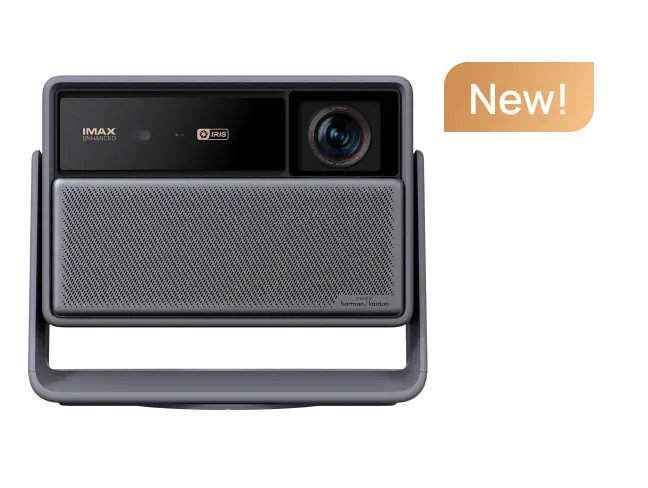
For mobile outdoor entertainment, XGIMI's Halo series is designed around portable big-screen viewing. Halo+ (New) combines portable projection with smart entertainment and integrated audio.
For an even more compact setup, explore the XGIMI MoGo 4 series, which is designed for flexible entertainment at home and on the go.
You can also browse XGIMI's portable projectors collection or read the best outdoor portable projector recommendations when comparing models for camping, backyards, and travel.
When Should You Buy a Brighter Projector?
Before replacing your projector, try these steps in order:
1. Reduce ambient light.
2. Use a brighter picture mode.
3. Turn off Eco Mode when needed.
4. Reduce screen size.
5. Optimize projector placement.
6. Clean the lens and filters.
7. Check lamp age.
8. Upgrade the projector screen.
If the image still looks too dim, a brighter projector may be the better solution.
A high-brightness projector is particularly useful when the room cannot be made darker, you regularly watch during the daytime, or you need a large screen in a well-lit space.
For broader buying advice, see XGIMI's guide to selecting outdoor projectors.
Frequently Asked Questions
1. How can I make my projector brighter in daylight?
Reduce ambient light, use a high-output picture mode, turn off Eco Mode when needed, reduce the screen size, optimize projector placement, and use an appropriate projector screen. An ALR screen can further improve perceived brightness and contrast.
2. How many lumens does a projector need for a bright room?
Around 3,000 standardized lumens or more is a useful starting point for many bright indoor environments. More ambient light and larger screen sizes may require 4,000 to 5,000+ lumens.
3. Does turning off Eco Mode make a projector brighter?
Usually, yes. Eco Mode commonly reduces light output to save energy, reduce fan noise, or extend lamp life. Switching to a higher-output mode can make the projected image brighter.
4. Does a smaller screen make a projector brighter?
Yes. Reducing screen size concentrates the projector's available light over a smaller surface area, increasing perceived image brightness.
5. Can an ALR screen make a projector brighter?
An ALR screen does not increase actual lumen output. It reduces the impact of ambient light and improves perceived contrast, making the projected image appear clearer and more vibrant.
6. Why has my projector become dimmer?
Common causes include Eco Mode, an aging projector lamp, lens dust, dirty filters, a larger screen size, or increased ambient light.
7. Can I use a projector in direct sunlight?
Direct sunlight is extremely difficult for front projection. Even high-brightness projectors can look washed out when sunlight hits the screen directly. Adding shade or blocking the light is usually more effective than increasing projector brightness alone.
Conclusion
Learning how to make a projector brighter in daylight starts with understanding that projector brightness and ambient light work together.
To achieve visible projection quality in bright daylight and twilight conditions, control natural light first, then optimize picture modes, light output, screen size, projector placement, and screen choice.
Blackout curtains and shade can reduce external light. A suitable ALR or high-gain screen can improve perceived brightness, while regular lens and lamp maintenance helps preserve projector performance.
For outdoor movie nights, twilight or shaded environments provide much better results than direct sunlight. Portable options such as the XGIMI Halo+ (New) and MoGo 4 series can provide flexible solutions for backyards, camping, and other mobile viewing scenarios.
If your current projector still cannot produce a clear image after these improvements, consider a higher-brightness model that better matches your ambient light levels, screen size, and viewing environment.
The goal is not simply to generate more light—it is to create the right balance between projector brightness, ambient light, screen performance, and viewing conditions.


