








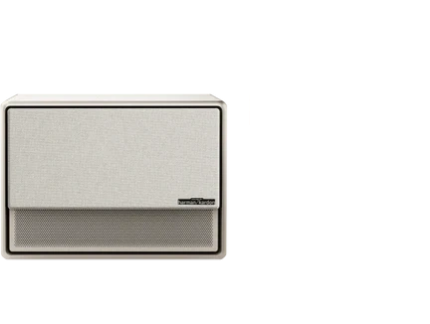
























A standard photography tripod can serve as a quick, low-cost temporary stand for lightweight portable projectors during backyard movie nights, provided you select a model with adequate load capacity, center the projector properly, and follow basic safety practices to avoid tipping, overheating, or misalignment. For more on this topic, see The Ultimate Backyard Movie Night Setup: Power, Screens, and Portab.... For more on this topic, see Mastering Outdoor Movie Nights: The 2026 Portable Projector Handbook. For more on this topic, see The Importance of Ventilation: How to Position Your Projector to Pr....
This DIY approach works well for occasional outdoor screenings when you already own a tripod and want to avoid purchasing a dedicated stand right away. However, it demands careful setup to manage outdoor risks such as uneven ground, wind, pets, or accidental bumps. The key is treating the tripod as a short-term workaround rather than a permanent solution.
Choosing the Right Tripod for Your Projector
Not every camera tripod makes a good projector stand. Start by checking the tripod's maximum load rating and ensure it exceeds your projector's weight by a comfortable margin to account for the head, any adapter, and minor movement. Most portable projectors weigh between 1 and 5 pounds, so a tripod rated for at least 5-10 pounds is usually sufficient, but always verify the manufacturer's specifications. For more on this topic, see How to Store and Transport a Portable Projector.
Prioritize stability over maximum height. Keep the center of gravity low and centered over the tripod's legs rather than extending the center column fully, especially on grass or decks. As this tripod stability whitepaper explains, centering the load matters more than raw height for preventing wobble or tipping.
Look for a tripod with a standard 1/4-inch screw mount on the head, which matches the threaded socket found on many portable projectors. If your projector lacks this or has vents that could be blocked, consider a manufacturer-approved adapter or skip the tripod entirely. Follow your projector's manual for approved mounting methods, as improvising attachment points can void warranties or create hazards.

When a Tripod Is Not the Best Choice
A tripod works best for light, occasional use in calm conditions. It becomes less suitable as demands increase. Do not rely on a tripod setup if your projector is heavy, if you plan frequent nightly viewings, or if the area has kids, pets, or foot traffic that could bump the stand. In windy or high-traffic outdoor spots, the risk of misalignment or tipping rises quickly.
Hidden tradeoffs include extra attention to ventilation and centering. Blocking airflow can lead to heat buildup, while off-center placement amplifies instability. Outdoor factors like dew, humidity, and temperature swings add further complications, as noted in guidance on protecting projectors from moisture during night screenings. A tripod is a convenient temporary fix, but a dedicated projector stand offers better repeatability and peace of mind once your backyard movie nights become regular.
Tripod Suitability for Temporary Backyard Projector Use
Higher scores indicate a better fit for a tripod as a temporary projector stand; low scores suggest choosing a dedicated stand.
View chart data
| Category | Suitability for tripod stand |
|---|---|
| Light projector | 5.0 |
| Moderate projector | 4.0 |
| Heavy projector | 1.0 |
| Low-frequency use | 5.0 |
| Frequent use | 3.0 |
| Windy / high-traffic area | 1.0 |
Illustrative heuristic based on decision guidance from dont_buy_if and hidden_tradeoffs modules plus the following practical notes: tripod can work as a temporary workaround when load is centered and ventilation is preserved; suitability drops as projector weight rises, usage becomes frequent, and the environment becomes less stable (wind, pets, traffic). Not measured data.
Step-by-Step Setup Guide
-
Position the tripod on level ground. Extend the legs evenly and avoid full extension of the center column to maintain a low center of gravity. Test stability by gently pushing the tripod before mounting the projector.
-
Attach the projector securely. Use the 1/4-inch screw on the tripod head to connect directly to your projector's mounting thread. If needed, add a compatible adapter plate for better balance. Tighten firmly but do not overtighten to avoid damaging the projector housing.
-
Align for optimal projection. Adjust the tripod head's tilt and pan to aim at your screen or wall. For backyard setups, position the projector level with the bottom or top of the screen to minimize keystone correction, which can reduce image quality. Many portable projectors include auto-keystone and focus features to simplify this.
-
Manage cables and power. Route power and HDMI cables along the tripod legs using clips or ties to prevent tripping hazards or pulling the unit off balance. For outdoor use, consider a weather-resistant extension cord and keep connections elevated off damp grass.

- Check ventilation and heat. Ensure none of the projector's intake or exhaust vents are blocked by the tripod head or mounting plate. Leave at least a few inches of clearance around the sides and rear. Monitor the unit during the first 15 minutes of operation for excessive heat.
Outdoor Safety Precautions for Backyard Movie Nights
Outdoor environments introduce variables that indoor setups rarely face. Place the tripod on stable, level surfaces rather than soft grass or slopes where legs can sink or shift. In breezy conditions, lower the height further and avoid using near the maximum load rating.
Protect against dew and humidity by bringing the projector indoors promptly after use and wiping down the tripod. As this outdoor projector protection guide notes, moisture can affect reliability on cooler nights.
Keep the area clear of pets and children during operation. If bumps are likely, add small sandbags or weights at the base for extra stability. Always power down and unplug before adjusting the setup mid-movie.
Comparison: Tripod vs. Dedicated Projector Stand
A tripod offers quick deployment and uses gear you may already own, making it ideal for impulsive or traveling setups. However, dedicated stands provide fixed height adjustment, better cable management, and more consistent stability without constant re-leveling.
Use a tripod when your movie nights are occasional and you value portability. Switch to a purpose-built option like an X-Floor Stand or Portable Stand once you want repeatable alignment, higher load confidence, or reduced setup time. For more ideas on outdoor configurations, see our guide on how to choose and set up an outdoor projector with stand.
Final Checklist Before You Watch
- Tripod load rating exceeds projector weight with margin
- Projector is centered and securely fastened
- All vents have clear airflow
- Setup is on level ground at appropriate height
- Cables are secured and out of walkways
- Weather protection plan is in place (quick takedown if dew or wind increases)
- Test projection and focus before guests arrive
Following these steps turns a simple tripod into a functional temporary stand for memorable backyard movie nights. Remember that this article provides general comfort and setup guidance only and does not constitute technical, safety, or medical advice. If you experience any equipment issues or have specific projector models with unique mounting requirements, consult the manufacturer's documentation or a qualified professional.
For portable projector recommendations suited to outdoor use, explore the MoGo Series or Halo+ collections. Additional outdoor setup tips are available in the 2026 Outdoor Projector Buying Guide for Camping.


