









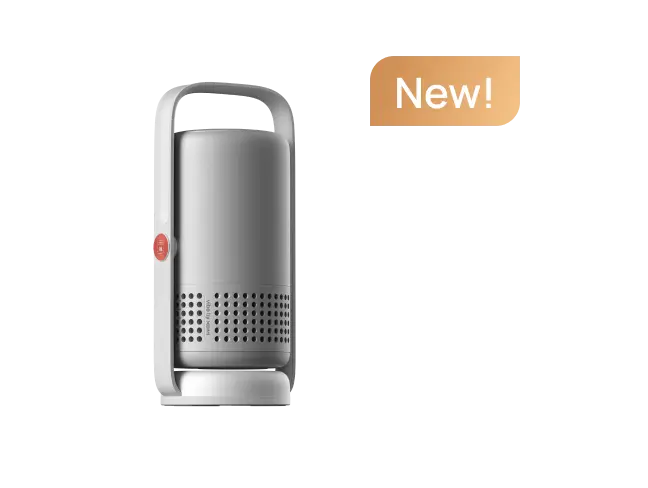























This review was originally published on Reddit by an Elfin Flip 4K user and is reproduced with the author's permission.
XGIMI provided the projector to the author at no cost, but all experiences and opinions shared in this review are based on the author's own real-world use.
- Original Author: CMDR_Chris_Lane
- Original Review Link on Reddit: https://www.reddit.com/r/projectors/comments/1v7fj5f/living_with_the_xgimi_elfin_flip_4k_pt_1/
- Note: This article has been lightly edited for web publication while preserving the author's original views and experiences.
There have already been plenty of unboxings, first looks, quick thoughts, and spec-focused reviews of the new XGIMI Elfin Flip 4K. Mine will not really be any of those.
Instead, I am hoping to bring you along in my efforts, and occasional tribulations, to leverage the Elfin Flip's portability and ease of setup to create two different projector setups from the ground up.
The two setups are a bedroom projector setup and an outdoor movie setup.
That sounds simple enough until you see the bedroom in question and realize that it may be one of the worst possible environments in which to attempt a projector setup.
This is still a work in progress and far from finished. What follows is a journey from improvised setups toward more "legitimate" solutions, if everything goes according to plan, or glorious explosive failures if it doesn't.
If you only want my thoughts after a couple of weeks of living with the projector, feel free to skip to the TL;DR section at the end.
article_product1
Setup 1: Building a Projector Setup in a Very Projector-Unfriendly Bedroom
A small portable projector seemed like just the thing to tackle a project I had been thinking about for a while but had never actually started.
My wife regularly suggests watching a movie or TV show, but often wants to watch in bed rather than in the living room. The living room already has a purpose-built ultra-short-throw projector setup, featuring a Formovie 4K Theater, which I designed and built about a year ago.
The bedroom, however, is a completely different story.
As you can see from the setup, it is about as projector-unfriendly as a bedroom can possibly be:
- A wall of windows where the image needs to go? Check.
- Massive skylights directly above the windows? Check.
- Vaulted ceilings that make hanging a screen difficult? Also check.
So the Elfin Flip 4K was definitely not walking into a simple "point the projector at a vaguely white wall and call it a day" situation.
Instead, the bedroom setup has already gone through several stages.

Stage 1: An Improvised Projector Screen
The first attempt used a folding fabric screen that I had previously used with a cheap 1080p projector while camping.
I improvised a hanging system across the window gap and managed to get the screen to stay kind of almost okay in terms of tension.
There was one major problem: the screen was porous, so light from the windows behind it could bounce back through the screen.
For me, it was clearly something that needed improvement.
Surprisingly, the wife approval factor was already quite high. We watched Sheep Detective, and apparently all she cared about was the sheep.
Stage 2: Moving to a 100-Inch Screen
For the second attempt, I brought the 100-inch screen from the outdoor setup into the bedroom.
This was a much better viewing experience than the rather "janky" see-through hanging screen.
However, another problem appeared.
Because the screen was mounted on a tripod, the mounting structure partially blocked the projector's speakers. That was visually annoying.
And, sacrilegious as it sounds, the 100-inch screen was actually too large for this bedroom.
No one needs to see Paul Hollywood that large from just a few feet away in bed.
My wife, of course, had no complaints about seeing Paul Hollywood at that size and distance.
Stage 3: Finding a Better Screen Size
After another trip to Best Buy, I ended up with an 80-inch screen.
The screen size is much better for the bedroom.
However, even with the Elfin Flip 4K's optical zoom, I ran into an unexpected placement problem.
Realistically, I only have two places where I can put the projector:
- Behind the bed
- In front of the bed
If I put the projector behind the bed, it produces an image larger than 80 inches.
If I put it in front of the bed, it is too close to the screen and produces an image that is too small.
So the bedroom setup is still very much a work in progress.
What's Next for the Bedroom Setup?
At this point, I am thinking the answer might be a rising screen mounted to the half wall directly below the windows.
The goal would be to use the smallest screen size that the Elfin Flip 4K's optical zoom allows while keeping the projector behind the bed.
That would be a fairly significant investment, though, so more testing is needed first.
The key question is whether the projector setup will actually get enough ongoing use to justify another major investment. I would like to avoid repeating the experience of the UST projector setup in the living room.

Setup 2: Using the Elfin Flip 4K for an Outdoor Movie Night
Compared with the bedroom, using the Elfin Flip 4K outdoors was a remarkably straightforward experience.
The projector's extremely short power cord was less frustrating outdoors than it was in the bedroom, and the overall setup was basically:
- Remove the projector from the bedroom stand.
- Put it on the same, terrible Amazon projector stand behind the couch.
- Plug it into an existing extension cord.
- Set up the screen.
- Point the projector at the screen.
- Let the Elfin Flip 4K's autofocus do its thing.
- Make a small manual keystone adjustment.
- Connect Bluetooth speakers.
- Crack a beer.
The autofocus is excellent. It made the outdoor setup remarkably simple.
There is one important limitation, though, and it should not come as a surprise given the laws of physics and the projector's specifications.
This is a post-sunset or dusk-and-later proposition. You are not going to want to use the Elfin Flip 4K outdoors with significant daylight still remaining.

The Outdoor Screen Turned Out to Be the Real Problem
While the projector worked admirably during the first outdoor movie night, the same could not be said for the "indoor/outdoor portable 100-inch" screen.
Who could have guessed, other than people blessed with more than my four brain cells, that a giant projector screen would essentially double as a sail?
Even the gentlest breeze seemed determined to carry the screen away.
It is an obvious setup problem that I will need to solve in a future iteration, but it also illustrates an important reality of portable projector setups.
The projector being remarkably small, lightweight, and portable is only half the equation.
You still need something to project onto.
And the better the projector becomes, the more you start to want the thing you project onto to be good, too.

What I'd Like to Try Next for Outdoor Projection
For the next outdoor setup, I am considering hanging a rigid fixed screen from the pergola.
The idea would be to hang it whenever I want to use it, then take it down afterward and store it in the shed.
We'll see how this develops.
But as long as there isn't even a gentle whisper of wind, the Elfin Flip 4K was excellent for an outdoor movie night.

Elfin Flip 4K Review: My Thoughts After Living With It
After owning roughly a dozen "real" projectors over the years, it is wild just how far projector technology has come.
The fact that a compact projector like the Elfin Flip 4K can deliver 4K laser projection at its price point is pretty remarkable.
After a couple of weeks of living with it and using it in two very different environments, here are my main takeaways.
1. The Power Cord Is Far Too Short for Some Setups
I have had a number of not-so-nice things to say about the power cord throughout the various iterations of these setups.
The power cord is approximately the size of the Planck length.
In practical terms, this means that when the projector is placed on a modest projector stand at an appropriate height, the power brick is barely touching the floor, much less actually having enough cable length to reach an outlet.
Multiple times, the weight of the taut cord pulling on the back of the projector caused the projector to "Flip" upward and undo all my carefully arranged setup work.
So while the projector itself is extremely portable, the power cable can become a surprisingly significant limitation depending on where you place it.

2. Picture Quality: Use Movie Mode
Out of the box, I found the colors to be far too saturated.
The Movie picture mode was much better and was all I really needed.
I wasn't particularly motivated to spend additional time manually adjusting the picture after switching to that mode.
For my use, it was good enough to get on with actually watching movies and TV rather than endlessly tuning the image.
3. The Fan Is Surprisingly Quiet
The fan is surprisingly quiet.
I had no problems putting the projector directly behind my seating position in both the bedroom and outdoor setups.
For a projector that I was using relatively close to where we were sitting, the fan noise was not something that bothered me.
4. Autofocus Is Excellent, While Auto Keystone Is More Complicated
There are a lot of automatic settings enabled by default.
Some of them are fantastic.
Autofocus is one of them.
After spending countless hours of my life manually focusing various projectors, having the Elfin Flip 4K instantly focus itself after being moved feels almost like magic.
It just works.
The auto keystone behavior, on the other hand, did not work nearly as well for me.
By default, the projector attempts to automatically adjust the keystone after movement.
This repeatedly created the following experience:
I would get the projector roughly where I wanted it, move it slightly to fine-tune the position, and then have the automatic keystone decide to roll the dice and produce something that was nowhere near what I wanted.
Fortunately, this can be turned off, and I quickly did so.
Autofocus rocks. Auto keystone, at least for my particular setup, was better left under manual control.
I would also like to see more than four keystone correction points.
5. Google TV Is Good Enough to Use as the Main Streaming System
Google TV works well enough for my needs.
The menus can occasionally feel a little laggy, but it is nowhere near as bad as many of the "smart" TVs I have used.
I have not seen any reason to bother connecting an Apple TV or Fire TV Stick.
For my usage, the built-in operating system does what it needs to do for streaming, and I have not run into any issues that made me want to switch to an external streaming device.

6. Laser Speckle Is Noticeable
Some of this is likely related to the various questionable-quality screens I have used during these experiments, so I would not necessarily attribute all of it to the projector itself.
Still, if laser speckle is something that bothers you, it is worth being aware of.
7. Don't Expect It to Fight Significant Ambient Light
The Elfin Flip 4K is not going to fight much ambient light.
That shouldn't be a surprise given the projector's specifications and price, but there are always people looking for a sub-$1,000 projector that can produce a great image on the surface of the sun.
This isn't that projector.
The outdoor experience makes that particularly obvious. Once daylight fades, the projector performs much better as an outdoor movie solution.
Gaming on the Elfin Flip 4K: Surprisingly Good in the Right Mode
I have also done a little gaming with a PS5, and I have a few thoughts.
With keystone correction enabled and the projector in its normal picture mode, gaming is essentially not happening.
The input lag feels like approximately 1.5 weeks.
However, switching to the low-latency Game mode with Boost enabled, which turns off the picture adjustments in favor of maximum speed, completely changes the experience.
Once I had the low-latency mode properly configured, the gaming experience was actually quite good.
I am not a big console gamer, and I certainly wasn't testing competitive games, but I had a good time playing NHL 26.
For my use case, the key takeaway is that the Elfin Flip 4K can be a perfectly enjoyable gaming projector when the appropriate low-latency settings are used.

Final Thoughts: Living With the Elfin Flip 4K
The biggest thing I have learned from this experiment is that a portable projector is only one part of a portable projection setup.
The Elfin Flip 4K itself makes moving between locations remarkably easy. It is small, lightweight, quick to set up, and its autofocus makes repositioning the projector dramatically less frustrating than it used to be.
But once you start using it in the real world, you quickly discover that the projector is only half of the equation.
- You need a suitable screen.
- You need somewhere to put the projector.
- You need power.
- You need to consider ambient light.
And, in the case of my outdoor setup, you apparently need to defeat the wind.
The bedroom setup is still evolving, and the outdoor setup clearly needs a better screen solution. But that is actually part of what makes this experiment interesting.
Rather than testing the Elfin Flip 4K for an hour and putting it back in the box, I am actually living with it and finding out what works, what doesn't, and what needs to change.
So far, the projector itself has made a strong impression.
The autofocus is excellent, the fan is quiet, the built-in Google TV is good enough for everyday streaming, and the low-latency Game mode makes PS5 gaming surprisingly enjoyable.
There are certainly things I would change, especially the short power cord and the limitations I encountered with automatic keystone correction.
But after years of owning much larger and more complicated projectors, it is still pretty wild to see what a compact 4K laser projector like the Elfin Flip 4K can do.
And this experiment isn't finished yet.
article_product1


