



































The 2026 soccer tournament is set to become the biggest international football event ever. Running from June 11 to July 19, 2026, the competition will be jointly hosted by the United States, Canada, and Mexico, featuring 48 national teams and 104 matches across North America.
Many fans plan to follow the action on traditional TVs, while others prefer watching matches on smartphones or tablets. However, if you want a truly immersive match-night experience, a projector can transform your living room, backyard, or sports-viewing setup into a giant-screen stadium atmosphere.
So how can you watch the upcoming soccer tournament live on a projector?
In the United States, English-language coverage will be available through FOX, FS1, and FOX One, while Spanish-language coverage will be provided by Telemundo, Universo, and Peacock.
In addition, streaming TV services such as YouTube TV, Fubo, DIRECTV Stream, Hulu + Live TV, and Sling TV offer access to many of these channels through their subscription packages.
Let's explore the most practical ways to enjoy every match on the big screen.
1. Watch Live Soccer Matches Through Built-In Apps on Your Smart Projector
The easiest method is to use a smart projector with a built-in streaming platform such as Google TV, Android TV, or another smart operating system.
Most modern smart projectors include access to the Google Play Store, allowing users to download compatible streaming apps directly onto the projector. This means you can watch live matches without needing a cable subscription or additional hardware.

Popular Streaming Services Available on GTV and ATV Typically Include:
|
Service |
Approx. Monthly Cost* |
English Coverage |
Spanish Coverage |
Multi-View |
|
$19.99 (3-day Free Trial) |
All matches |
No |
Limited |
|
|
$54.99~$67.99 (21-day Free Trial) |
Yes (FOX/FS1) |
Depends on package |
Yes |
|
|
$45.99~$48.99 (5-day Free Trial) |
Yes (FOX/FS1) |
Available on select plans |
Yes |
|
|
$29.99~$49.99 (5-day Free Trial) |
Yes |
Available on select plans |
Limited |
|
|
$89.99 (3-day Free Trial) |
Yes |
Available on select plans |
Limited |
|
|
$10.99 |
No |
All matches |
No |
*Pricing and offers may change. Always verify current details with the provider before subscribing.
For most viewers, using a smart projector and a streaming app is the simplest solution because everything can be controlled with a single remote, and no extra devices are required.
article_product1
2. Connect an External Streaming Device (TV Stick or TV Box)
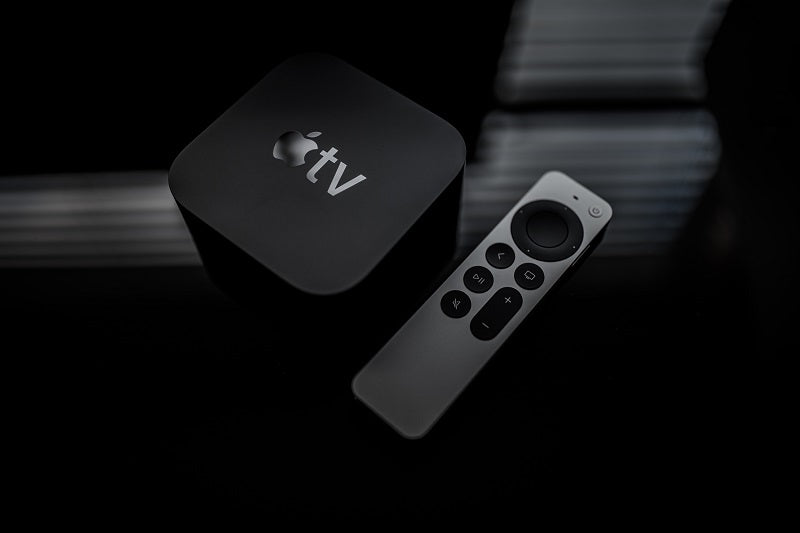
If your projector's built-in system doesn't support the app you need, an external streaming device can solve the problem. Popular options include Amazon Fire TV Stick, Roku Streaming Stick, Apple TV 4K, Google TV Streamer, NVIDIA Shield TV, and more, which can provide broader app support for soccer tournaments and daily entertainment.
Four Simple Steps to Set Up a Projector with a Streaming Device
- Plug the streaming device into the projector's HDMI port.
- Connect the device to Wi-Fi.
- Install your preferred streaming app.
- Log in and start watching.
Note that these streaming devices do not provide match broadcasts by themselves. Instead, they allow you to install streaming services that carry the live games. A separate subscription may be required depending on the service you choose.
3. Use Your Projector Like a TV with a TV Tuner or Cable Box
If you want to watch live broadcasts from channels such as FOX, FS1, Telemundo, or Universo through traditional television services, you can connect a TV tuner or cable box to your projector. A basic setup typically looks like this:
Antenna → TV Tuner → Projector or Cable Service → Cable Box → Projector
Basic Setup Steps to Watch Live Soccer Matches on a Projector
- Connect your antenna or cable service to a TV tuner/cable box using a coaxial cable.
- Connect the TV tuner or cable box to the projector using an HDMI cable.
- Select the correct HDMI input on the projector using the remote control.
- Scan for channels or activate your cable subscription, then tune in to FOX or FS1 for English-language match coverage of the upcoming soccer tournament, or Telemundo and Universo for Spanish-language broadcasts.
This approach is particularly useful for users who already pay for cable TV and prefer traditional channel surfing instead of streaming apps. One advantage is that over-the-air broadcasts can sometimes be more stable than internet streaming during high-demand matches.

4. Mirror Content from Your Phone, Tablet, or Laptop
Screen mirroring is another popular way to watch live matches, movies, TV shows, and other content on a projector. This method is convenient because it lets you launch the streaming app on a familiar device and instantly display it on a much larger screen.
Depending on your device, you may use wireless connections like Apple AirPlay for iPhone, iPad, Mac, or Google Cast for Android devices. Some projectors might support Miracast or specific casting apps, like MagiCast, on some XGIMI models. Or you can use the wired methods, such as the HDMI connection, using a USB-C to HDMI adapter, or a Lightning to HDMI adapter.
However, there are some limitations.
Potential Issues with Screen Mirroring the Soccer Game Live Stream
- DRM (Digital Rights Management) restrictions may block video playback. Some apps display a black screen during casting due to this.
- Wireless casting can introduce latency. Audio and video may occasionally fall out of sync.
- Network congestion can reduce image quality during live events.
For detailed setup instructions, check out our complete guide here: How to Screen Mirror on Projectors: Phones, Tablets, PCs.
Comparing Each Viewing Method for the Soccer Tournament 2026
|
Method |
Setup Difficulty |
Cost |
Multi-View |
|
Smart Projector Apps |
Very easy |
Subscription only |
Depends on service |
|
Streaming Device |
Easy |
Device + Subscription |
Depends on service |
|
TV Tuner / Cable Box |
Moderate |
Hardware + Cables + Service |
No |
|
Screen Mirroring |
Easy, but less reliable |
Device + Subscription |
Depends on service |
Note: Features, pricing, free trials, DVR functionality, and available channels may change over time. Always verify details directly with each provider.
- Best for Convenience: Smart projector apps.
- Best for Wide App Compatibility: External streaming devices.
- Best for Traditional TV Viewers: TV tuner or cable box setups.
- Best for Casual Viewing: Screen mirroring from a phone or laptop.
Which is the Best Budget Way to Watch the Big Soccer Event 2026?
(In the United States)
For English-Language Coverage: FOX One - $39.98
The most affordable option is typically FOX One, which carries all 104 matches for $19.99/month and offers a short free trial for new users. Because the tournament runs for 39 days, most viewers will need two monthly billing cycles ($39.98 total) to watch the entire tournament. However, it is still the lowest-cost choice.
For Spanish-Language Coverage: Peacock Premium - $21.98
The most budget-friendly option is usually Peacock Premium ($10.99/month), which streams all 104 matches live in Spanish through Telemundo's coverage. Most viewers will need two months of Peacock Premium ($21.98 total), which is still significantly cheaper than most live TV streaming services.
Money-Saving Tip
Check for promotional offers from Peacock, Xfinity, Instacart+, Walmart+, or other partners before the tournament begins, as discounted trials and bundled subscriptions are often available. Availability varies by promotion and region.

Conclusion
Whether you're planning a family watch party, hosting friends for match night, or simply upgrading your personal viewing experience, a projector can make every goal, save, and dramatic finish feel larger than life.
For most users, installing a streaming app directly on a smart projector remains the easiest option. If compatibility is a concern, adding a Fire TV Stick, a Roku, or an Apple TV can quickly expand your viewing options. And for those who prefer traditional television broadcasts, a TV tuner or cable box still provides a reliable path to live coverage.
No matter which method you choose, preparing your setup before kickoff will help ensure you don't miss a single moment of the summer's biggest soccer event.


