








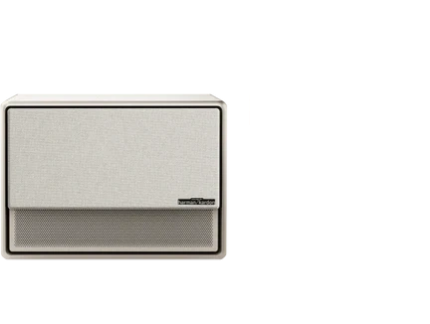
























A completely unresponsive projector usually points to fixable problems, not failed hardware. The culprit is often something simple: a battery that needs charging, an overheated unit that needs cooling time, or a power adapter that doesn't meet the device specifications. These 9 troubleshooting steps take about two minutes each and are organized by how often they solve the problem. Most issues get resolved within the first three or four checks.

Fix 1: Confirm Battery Level (Charge for 30 Minutes First)
Portable projectors with built-in batteries require a minimum charge threshold before they boot. Your device might appear dead simply because the battery dropped below this critical level.
Connect your original charger and wait 30 minutes minimum. Avoid pressing the power button during initial charging. Modern portable units need sufficient charge to safely initialize the projector cooling fans, light source, and processing systems simultaneously.
Watch for the charging indicator:
- Orange or red LED: actively charging
- Green LED: battery reached 90% or higher capacity
- No light at all: proceed to Fix 2
Full charging typically takes 3.5 to 5 hours for most battery-powered models. Playback time ranges from 1.2 to 4 hours, depending on brightness settings and whether you're using Eco mode. Cold environments can significantly reduce battery performance, so if you store your home projector in an unheated space, allow it to reach room temperature before charging.
Fix 2: Use the Original Charger (Check Power Specifications)
Generic chargers might physically fit your projector's port, but lack the correct power output. USB-C charging creates particular confusion because people assume all USB-C cables deliver identical power. They don't.
Most portable projectors require 65W to 150W at 20V/3.25A or 20V/5A. A standard phone charger (5V/2A) delivers only 10W, which won't even wake the device. Using underpowered adapters can cause:
- Failed boot attempts drain the battery further
- Indicator lights that turn on, but no actual functionality
- Long-term damage to internal charging circuits
Locate these specifications on your original adapter: voltage rating, amperage output, and total wattage. Proprietary charging protocols protect sensitive components from voltage spikes while ensuring proper power distribution across the lamp assembly, cooling system, and control board.
Can't find your original charger? Contact the manufacturer before purchasing third-party replacements. Incompatible power supplies transform simple fixes into expensive repairs.
Fix 3: Try a Different Outlet/Cable (Rule Out Power Delivery Issues)
Outlets fail gradually through normal wear, and power strips degrade over time. Test the outlet by plugging in another device you know works. If that device operates normally, you've eliminated the wall socket as the problem source.
Bypass surge protectors temporarily. Cheap models, especially, can develop internal failures that pass just enough current to light an LED but not enough to actually power your home projector. Connect directly to a wall outlet for testing.
Inspect your power cable under bright light:
- Frayed insulation near plugs or the adapter brick
- Unusual flexibility suggesting broken internal wires
- Burn marks around any connection points
- Sharp kinks that damage conductors inside the sheath
Internal cable damage occurs while the outer insulation looks perfect. Copper strands break from repeated bending, particularly near connector ends. Swap in another compatible cable if available.

Fix 4: Hard Restart (Unplug + Hold Power 10 to 15 Seconds)
Microcontrollers can freeze just like computers. Capacitors store electrical charge even after disconnection, potentially locking your device in a corrupted state. Force a complete system reset:
Unplug the power cable from both the outlet and your projector. Press and hold the physical power button for 15 full seconds while everything remains disconnected. You're intentionally draining residual charge from internal capacitors.
Wait an additional 60 seconds. Reconnect the power cable to the wall first, then to your device. Press the power button normally.
Why does this work? Electronic components can glitch after power surges, firmware updates, or simply random processing errors. Forcing complete power drainage clears the device memory and resets all systems to factory defaults. Some users report success extending the wait time to a full hour for stubborn cases.
Fix 5: Check for Overheating Lockout and Let It Cool Down
Thermal protection circuits prevent lamp or LED damage by refusing to start when internal temperatures exceed safe limits. You'll press the power repeatedly with zero response because the safety system blocks operation.
Overheating happens when:
- Blocked ventilation grilles restrict airflow. Dust, carpet fibers, and pet hair accumulate faster than expected, reducing cooling efficiency substantially. Even thin debris layers create problems.
- Confined placement traps heat. Cabinets and closed entertainment centers create feedback loops where hot exhaust recirculates back into intake vents. Your home projector constantly ingests its own heated output.
- Extended runtime without breaks pushes components beyond thermal limits, especially in poorly ventilated or warm environments.
Unplug your device and allow 45 minutes minimum for complete cooling. Don't attempt earlier restarts; doing so can trigger extended lockout periods. While waiting, clean exterior vents with a soft brush or compressed air. Never apply water or cleaning solutions to ventilation openings.
If the cooling fan doesn't spin when your projector finally boots, you're facing mechanical failure requiring professional service.
Fix 6: Remove All External Devices (USB/HDMI) and Boot "Clean"
Connected peripherals can halt the boot sequence. Your projector attempts to initialize every attached device during startup. If any component causes a handshake failure, the entire system might refuse to complete its initialization routine.
Disconnect everything:
- HDMI cables from streaming devices, laptops, or gaming consoles
- USB drives or external storage
- Audio connections and Bluetooth adapters
- Network cables for smart features
Power up completely isolated. Success indicates that one of your peripherals caused the conflict. Reconnect devices individually, testing after each addition to identify the problematic component.
HDMI cables carry complex data protocols requiring successful negotiation between source and display. Damaged cables might transmit intermittent signals once the device runs, but prevent the initial boot entirely. 4K HDMI signals demand high-quality cables, especially.
Multiple USB peripherals can collectively draw more power than your home projector's internal supply provides. The system protects itself by refusing to start.

Fix 7: Verify the Power Button/Remote Works (Batteries + Long-Press)
Control failures mimic serious hardware problems. Before assuming expensive internal damage, verify your interface works properly.
Replace remote batteries even if they seem functional. Batteries drain gradually, retaining just enough charge to light the infrared indicator LED while lacking power to transmit complete signals. Temperature extremes also affect performance; cold conditions can significantly reduce battery output.
Test the physical button on your projector directly. Press firmly and listen for mechanical clicks. Buttons develop contact issues where they don't fully engage despite feeling normal.
Child lock features might be active. Typical unlock sequences require holding the power button for 3 to 7 seconds. Some manufacturers use button combinations: simultaneously press power and menu for several seconds until you see confirmation.
Infrared sensors need an unobstructed line of sight. Objects blocking the front panel IR receiver prevent remote signals from registering. Even transparent materials like certain plastics interfere with infrared transmission depending on their composition.
Try your projector's mobile app if available. Modern smart units include WiFi connectivity and companion apps for iOS and Android. If the app successfully powers on your device, you've confirmed the remote or button failed rather than the projector itself.
Fix 8: Look Up the LED Indicator Pattern (What the Lights Mean)
Status LEDs communicate exactly what's wrong if you understand their language. Most home projectors feature three indicators: power, lamp/light source, and temperature. Colors and blinking patterns follow fairly consistent standards across manufacturers.
Common LED Status Patterns
| Power Light | Lamp Light | Temp Light | Diagnosis |
| Solid green | Off | Off | Normal operation |
| Flashing green | Off | Off | Warming up (wait 30-60 seconds) |
| Solid orange | Off | Off | Standby mode; press power to wake |
| Flashing red | Off | Flashing orange | Overheating protection engaged |
| Off | Flashing orange/red | Off | Lamp failure or end of life |
| Off | Off | Solid red | Cooling fan malfunction |
Note: Patterns vary by manufacturer. Always consult your user manual for model-specific codes.
Flashing patterns reveal fault codes. Count blinks in each cycle. Three quick flashes, pause, then two slow flashes indicate different issues than continuous rapid blinking. Your manual contains the complete diagnostic chart.
Temperature indicators in orange or red confirm overheating. Return to Fix 5 for proper cooling procedures.
Lamp indicators signal light source issues. Traditional bulbs last 2,000 to 5,000 hours, depending on quality and power mode selection. LED sources typically provide 20,000 to 50,000 hours. Laser engines reach 30,000 to 50,000 hours before requiring service.
No indicator lights whatsoever usually point to a power supply board failure. The device receives no electricity, or internal power distribution has failed completely.

Fix 9: When It's Likely Hardware (Battery/Power Board) and What to Do Next
Some failures require professional intervention. Recognizing when to stop troubleshooting prevents potential damage from misguided repair attempts and saves valuable time.
Signs of Hardware Failure
- Complete unresponsiveness despite confirmed working power sources indicates internal component failure. Power supply boards convert incoming AC voltage to various DC levels needed by different subsystems. Board failure means that nothing functions. Blown fuses, damaged capacitors, or failed voltage regulators all produce identical symptoms.
- Repeated 30-second shutdowns signal serious faults. Your device begins startup but encounters critical errors, triggering immediate shutdown. Common causes include failing cooling fans, damaged thermal sensors, or defective main control boards.
- Battery won't charge after 8+ hours connected to a verified working charger. Lithium battery packs degrade through normal use and eventually need replacement, typically after 300 to 500 charge cycles, depending on usage patterns and storage conditions.
Repair vs. Replace Decisions
Budget models under $300 rarely justify professional service. Parts plus labor often exceed replacement cost. Contact manufacturer support first; many offer extended warranty programs or out-of-warranty replacement discounts.
Mid-range and premium home projector units ($500 to $3,000+) warrant professional evaluation. Repair costs vary widely, typically ranging from a few hundred dollars for component replacement to over $1,000 for complex issues.
Research common failure modes for your specific model before deciding. Online forums and user groups document known defects affecting particular product lines, along with success rates for various repair approaches. Certain power board or lamp ballast issues appear repeatedly across specific projector models.
Ready to Get Your Projector Running Again?
These nine fixes resolve most power issues without professional help. Work through them systematically, spending two to three minutes on each check. Battery problems, power supply mismatches, and thermal lockouts account for the majority of startup failures.
If the projector still won't turn on after completing all steps, the issue likely involves internal hardware. Contact the manufacturer's support team with your model number and purchase date. They can determine whether questions about warranty coverage apply or recommend authorized repair options.
FAQs
Q1: Can a projector turn on without the lamp working?
Yes, many projectors will power on and display menus even with a failed lamp. The control system, fans, and LED indicators function normally, but no image projects onto the screen. You'll hear the fan running and see status lights, but the lens stays dark. This happens because the lamp circuit operates independently from other systems. Some models show a specific lamp failure code on the display panel. If your projector boots but produces no light output, the bulb likely reached the end of its life, or the lamp ballast failed.
Q2: Does unplugging a projector damage it?
No, unplugging a projector during normal shutdown won't cause damage. However, disconnecting power while the lamp is still hot can shorten bulb lifespan significantly. Modern projectors run a cooling cycle after you press the power off, keeping the fan active for several minutes to bring internal temperatures down safely. Wait until this cycle completes and the fan stops before unplugging. Repeatedly interrupting the cooling process stresses the lamp filament and can lead to premature failure. Emergency unplugging during a stuck state is safe after the unit sits idle for at least 10 minutes.
Q3: Why does my projector work sometimes but not others?
Intermittent power issues typically indicate loose internal connections, failing capacitors on the power board, or inconsistent contact in the power button mechanism. Temperature fluctuations also cause this behavior. A projector might work when cool but refuse to start after warming up, pointing to thermal sensor problems or borderline overheating. Faulty power cables develop internal breaks that make contact only at certain angles. Check if the issue correlates with ambient temperature, how long since last use, or physical movement of the device. Document when failures occur to identify patterns before seeking repair.
Q4: Can I use a projector that overheats frequently?
You can, but shouldn't continue without addressing the root cause. Repeated overheating degrades the lamp or LED array faster than normal, potentially reducing lifespan significantly. Thermal stress also damages control boards and color wheels over time. Clean all air filters and vents thoroughly first. Ensure the projector sits in an open space with at least 8 inches of clearance on all sides. Lower the brightness setting to reduce heat generation. If overheating persists after these steps, the cooling fan may be failing or the thermal paste on internal components has dried out, both requiring professional service.
Q5: Will a power surge permanently damage my projector?
Power surges can cause permanent damage, though the severity varies. Minor surges might blow a replaceable fuse on the power board, a relatively inexpensive repair. Major surges can destroy the main control board, lamp ballast, or multiple components simultaneously, often totaling repair costs that exceed the projector's value. Symptoms of surge damage include complete power failure, burning smells, or distorted images with color problems. Always use a quality surge protector rated for at least 2000 joules. Basic power strips offer minimal protection. Consider a UPS (uninterruptible power supply) for valuable home theater projectors in areas with unstable electrical service.


