
































Ultra-short throw (UST) projectors bring big-screen entertainment into living rooms without the need for ceiling mounts, but their low placement makes them tempting targets for curious toddlers, playful pets, and everyday household hazards. The good news is that with thoughtful planning and a few practical protections, you can enjoy a reliable laser TV setup even in busy family spaces. This guide shares actionable ways to safeguard your investment while preserving picture quality and ventilation.
- For more on this topic, see Projector Throw Ratio Explained: Standard vs. Short Throw vs. Ultra....
Why UST Projectors Need Special Protection in Family Rooms
UST projectors sit close to the floor and wall to project large images from just inches away. This design creates an elegant, TV-like experience but also puts the unit within easy reach of small children and pets. Toddlers can bump or grab the device, cats may jump onto it, and dogs can knock cables or leave fur and dust. Spills from snacks during movie night pose another common risk, as do blocked vents that lead to overheating.
Protecting your projector is not just about preventing damage. It also reduces safety concerns around laser light exposure if a child gets too close or reflects the beam accidentally. While modern laser projectors include eye-safety features, keeping the unit out of direct reach remains the best practice.
Important note on safety: This article discusses practical comfort and setup advice for protecting electronics in shared living spaces. It does not constitute medical advice, diagnosis, or treatment. If you have concerns about eye discomfort, laser exposure, or any health symptoms, consult qualified professionals.
Understanding the Risks: Pets, Children, and UST Placement
The most frequent issues reported in family setups include:
- Physical contact: Toddlers reaching up to touch buttons or the lens, potentially causing scratches or misalignment.
- Pet interference: Cats investigating warm vents or jumping on the unit; dogs wagging tails into cables or the body.
- Environmental hazards: Dust and pet hair clogging filters, liquid spills near the base, or accidental knocks during play.
- Cable trips: Loose power or HDMI cables becoming tug toys or tripping hazards.
These risks increase in high-traffic living rooms where the projector shares space with toys, snacks, and constant movement.
Myth vs. Reality: Common Misconceptions About Projector Protection
Several ideas sound logical but fall short in real family use.
One common myth is that placing the projector on a high shelf solves everything. In reality, UST models rely on low positioning for optimal throw geometry, making high shelves often incompatible without distorting the image or requiring excessive keystone correction.
Another is assuming cables are no big deal. In practice, visible cords invite pulling by children or pets, leading to disconnection or tipping.
Many believe laser projectors are automatically eye-safe in all conditions. The truth is that safety depends on the specific model and exposure; keeping the beam path clear of interference is still essential.
Finally, the idea that pets will simply ignore electronics overlooks how cats and dogs create dust buildup, paw prints, or accidental bumps even without deliberate interaction.
Practical Placement Strategies for Child- and Pet-Safe Setups
The best defense starts with where you position the projector. Avoid true floor-level placement in homes with toddlers. Instead, elevate the unit on stable furniture or a dedicated stand at least 60-75 cm from the floor. This height keeps it above most toddler reach while maintaining UST functionality.
For clearance, leave 30-50 cm in front of the projector for the light path to prevent shadowing or distortion. Maintain adequate side and rear ventilation gaps—typically 10-20 cm or per your model's manual—to avoid overheating.
Consider traffic flow. Place the projector against a wall in a low-traffic corner rather than in the middle of the room. If your living room has open space, a niche or alcove can provide natural barriers.
Here is an illustrative comparison of placement heights based on typical family scenarios:
Illustrative UST Projector Placement Suitability by Height
Heuristic suitability scores for UST projector placement options in homes with children and pets
View chart data
| Category | Toddler safety | Pet safety | Traffic friendliness | UST fit / ventilation |
|---|---|---|---|---|
| Floor | 1.0 | 1.0 | 2.0 | 2.0 |
| 30 cm | 4.0 | 3.0 | 4.0 | 5.0 |
| 60 cm | 7.0 | 5.0 | 6.0 | 8.0 |
| 90 cm+ | 6.0 | 7.0 | 8.0 | 4.0 |
Illustrative heuristic only, not measured data. Scores reflect typical family-living-room considerations: toddler reach around 70 cm, cat jump/reach around 1 m, UST throw geometry, and ventilation clearance needs (roughly 30-50 cm) plus common child/pet traffic exposure. Higher score = better suitability / lower practical risk.
This heuristic chart shows that around 60 cm often strikes the best balance for most families, though individual rooms vary.

Protection Tools and Accessories That Actually Work
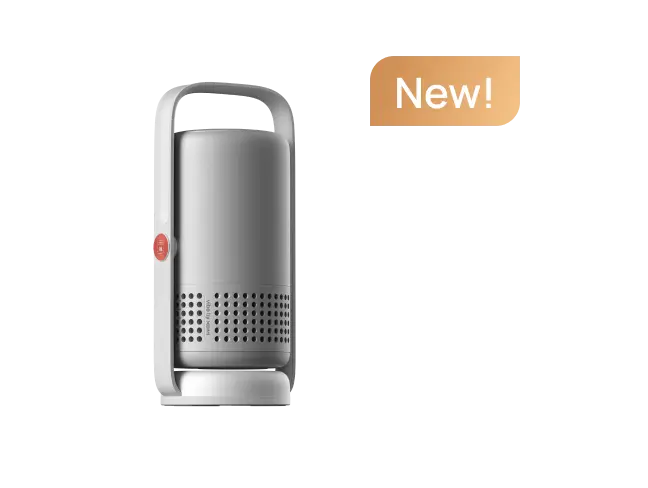
A dedicated projector stand raises the unit securely while allowing cable management. Options like the XGIMI Floor Stand Ultra provide stability and hidden wiring, reducing trip hazards.
For even more elevation or flexibility, consider multi-angle or portable stands that let you adjust height without permanent installation. Browse the full Stands collection to match your model.
Physical barriers can help in some setups. Low, sturdy furniture or baby gates positioned strategically keep children and pets at a distance without blocking the projection path. Avoid soft or climbable barriers that could create new risks.
Cable management is non-negotiable. Use clips, raceways, or floor covers to secure cords along baseboards. This prevents tugging and keeps the area tidy.
Dust covers or lens caps offer protection when the projector is not in use, especially in pet-heavy homes. Regular filter cleaning remains essential—refer to your model's manual for maintenance schedules. For more on this topic, see Projector Dust & Filter: When and How to Clean.
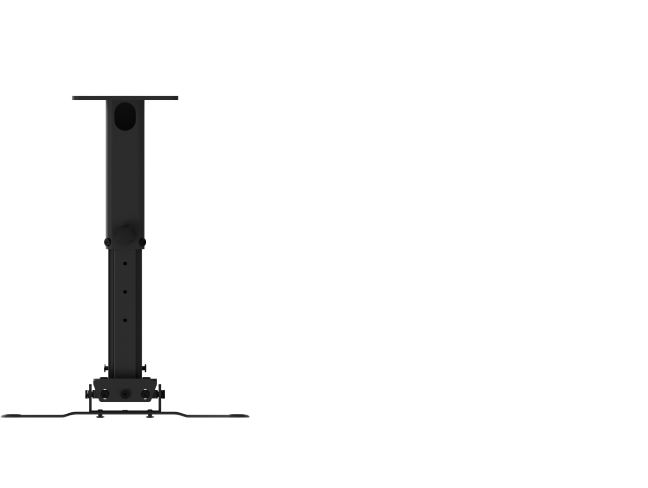
If your room layout allows, explore ceiling mounting for complete out-of-reach placement. The XGIMI Ceiling Mount works well for compatible models, though it changes the UST dynamics and may require professional installation.
Scenario-Based Decision Guide: When to Choose Different Protections
The right approach depends on your household:
- Toddlers present with frequent play: Avoid floor placement. Opt for a raised stand at 60 cm+ or consider alternative mounting if throw distance permits.
- Cats in the home: Higher placement or enclosed setups reduce jumping risks, as simple barriers rarely deter curious felines.
- Dogs and tail-wagging hazards: Stable stands with cable routing minimize bumps and pulls.
- High-traffic family room: Prioritize protected niches or higher fixed positions over open low stands.
- Dedicated media space: A quality stand often suffices with less daily interference.
In all cases, test the setup with your family and pets before finalizing. Watch for any tendency to approach the projector and adjust accordingly.
Daily Habits and Maintenance for Long-Term Protection
Establish rules around the projector area—no food or drinks nearby during use. Teach children respectful viewing distance, and provide pet toys elsewhere to redirect attention.
Perform weekly visual checks for dust, cable wear, or misalignment. Clean vents gently with compressed air rather than vacuuming directly. For laser models, avoid touching the lens.
If overheating occurs despite precautions, poor ventilation or dust is often the cause. Address these promptly to extend the projector's life.
When a UST Projector May Not Be the Best Fit
Skip floor-level UST setups if your living room cannot maintain a protected zone free of traffic, spills, or unsupervised access. In extremely active homes with very young children, a traditional TV or higher-mounted projector might reduce daily stress more effectively.
Likewise, if you cannot commit to cable management and regular cleaning, the maintenance burden may outweigh the cinematic benefits.
Creating a Safe and Enjoyable Family Viewing Space
Protecting your UST projector from pets and children comes down to elevation, barriers, cable discipline, and habits. By choosing the right height—often 60 cm or more—and using compatible accessories, most families can enjoy years of reliable performance.
Remember that every room and household is different. Start with a stable stand and cable management, then layer additional protections based on observed behavior. This balanced approach keeps your laser TV safe while preserving the magic of big-screen entertainment at home.
For more on building your setup, read our guide to budgeting for a laser TV or explore laser home theater projectors.
Safety disclaimer: This article provides setup and protection guidance only. It is not medical or safety certification advice. Consult professionals for any persistent concerns regarding eye health, child safety, or equipment installation. Always follow your projector's official manual for ventilation, mounting, and usage specifications.


