








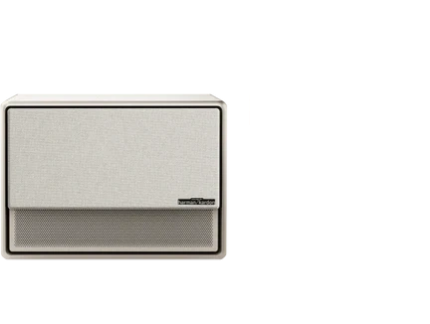
























Gone are the days when setting up a projector meant fiddling with manual focus rings, wrestling with keystone buttons, and making repeated adjustments until the image looked acceptable. Intelligent Screen Adaption (ISA) uses built-in cameras, sensors, and AI algorithms to automatically detect your screen or wall, correct geometric distortion, sharpen focus, and align the image in seconds—turning what used to be a frustrating ritual into an almost instant process. For more on this topic, see How to Customize the Home Screen on Your Google TV Projector. For more on this topic, see Overcoming Glare: Setting Up a UST Projector in a Room with Floor-t....

This technology is especially valuable for first-time buyers, apartment dwellers who move their projector between rooms, and anyone who wants big-screen entertainment without the hassle. Yet while ISA dramatically reduces setup friction for many users, results still depend on room conditions, placement angle, and screen quality. Understanding how it works and when it delivers the most value helps you set realistic expectations before buying.
What Is Intelligent Screen Adaption (ISA)?
ISA is XGIMI's proprietary smart setup system that combines multiple automatic correction features into one seamless experience. At its core, the projector uses front-facing cameras and AI processing to scan the projection surface, calculate the optimal image parameters, and apply corrections without user intervention.
The system typically handles three key tasks simultaneously: autofocus to ensure sharpness at varying distances, auto keystone correction to fix geometric distortion when the projector is placed off-axis, and intelligent screen alignment to fit the image precisely to a wall, screen, or even an irregular surface while avoiding obstacles. Many models also include screen zoom and obstacle avoidance for added convenience.
As this official throw-ratio and setup guide explains, proper initial placement still matters, but ISA makes the process far more forgiving than traditional manual controls.
Research on self-configuring projectors has long focused on automatically correcting geometry and simplifying setup. ISA builds on this academic lineage, making advanced alignment accessible to everyday consumers rather than just technical installations.

Why Traditional Projector Setup Is So Frustrating
Placing a projector off-axis relative to the screen creates keystoning—where the image becomes trapezoidal instead of rectangular. Users then had to manually adjust focus and keystone settings, often finding that fixing one problem affected the other. This trial-and-error process could take minutes and frequently required repeating whenever the projector was moved or bumped.
Even with built-in keystone correction on most modern projectors, the correction is still a digital compensation step rather than perfect physical alignment. Heavy keystone use can reduce effective resolution and introduce some softness, which is why many enthusiasts prefer precise physical placement or optical lens shift when possible.
For apartment residents, families sharing a space, or users who enjoy movies in different rooms, this repeated friction often made projectors less appealing than TVs. ISA directly targets this pain point by automating the corrections that used to demand patience and technical know-how.
How ISA Works: The Technology Behind Zero-Friction Setup
When you power on an ISA-equipped projector and point it roughly toward a wall or screen, the system activates its cameras to capture the environment. AI algorithms analyze the scene to identify suitable projection surfaces, detect edges or screen boundaries, and calculate the necessary adjustments for distance, angle, and focus. For more on this topic, see How to Calculate the Exact Ceiling Mount Distance for Your Throw Ra.... For more on this topic, see Projector Throw Ratio Explained: Standard vs. Short Throw vs. Ultra....
The projector then rapidly iterates focus and keystone parameters while projecting test patterns. Within seconds, it delivers a rectangular, sharp image matched to the available space. Features like obstacle avoidance can even shift the image to avoid lamps or decorations in the path.
This automation is grounded in established research on automatic projector alignment, which has shown that such systems can significantly reduce setup and maintenance time compared with manual tuning. However, the technology still relies on workable geometry and lighting conditions—extreme angles or very dark rooms with poor contrast may limit accuracy.
Many XGIMI models, including the HORIZON S series and portable options like the MoGo 2 Pro, now feature the latest ISA 5.0 iteration, which refines speed and precision further.
When ISA Delivers the Most Value
ISA shines in scenarios where setup friction happens repeatedly rather than once. According to practical analysis of user needs, the technology provides the greatest benefit for people who move their projector often, set it up in multiple rooms, or use it on uneven surfaces like coffee tables.
It is particularly helpful for first-time projector buyers who feel intimidated by manual calibration, families that want to start movie night quickly, and anyone using the projector for short sessions where spending five minutes adjusting feels disproportionate.
In contrast, if you plan a permanent ceiling mount in a dedicated home theater with careful one-time alignment, the incremental value of ISA may be smaller. Fixed installations often benefit more from optical tools like lens shift that preserve full resolution without relying on digital correction.
Here is a heuristic comparison to help visualize where ISA typically reduces the most frustration:
Heuristic Comparison of ISA Value by Real-World Placement Scenario
Heuristic comparison based on typical user reports and geometric principles; not measured performance data.
View chart data
| Category | Setup Time Saved by ISA | Image Quality Impact | Best Fit Score |
|---|---|---|---|
| Frequent moving | 5.0 | 4.0 | 5.0 |
| First-time setup | 4.0 | 2.0 | 4.0 |
| Uneven surface | 4.0 | 3.0 | 4.0 |
| Fixed ceiling | 1.0 | 1.0 | 1.0 |
| Awkward angle | 3.0 | 2.0 | 2.0 |
| Multi-user room | 4.0 | 3.0 | 4.0 |
Illustrative decision aid based on scenario_matrix, myth_vs_reality, hidden_tradeoffs, and writer_evidence on keystone dependence, environmental variability, and auto-alignment research. Values are heuristic, not empirical measurements.
The chart uses a 1-5 heuristic scale for relative guidance only. Higher scores indicate greater potential time savings or better overall fit for that scenario.
Common Myths About Auto Setup Features
A widespread belief is that ISA or similar auto keystone and focus systems mean you can point the projector anywhere and achieve perfect results every time. In reality, while ISA greatly simplifies the process, it works best within reasonable placement parameters. Very extreme angles or highly textured walls can still produce visible compromises.
Another myth suggests that digital correction completely replaces the need for good placement. However, as multiple studies on projector geometry note, heavy reliance on keystone-style correction can introduce some quality tradeoffs compared with optical alignment methods. ISA reduces the skill required but does not eliminate underlying geometric principles.
Buying guides now treat autofocus and auto keystone as standard comparison points, yet independent reviews consistently remind shoppers that real-world performance varies by environment. Treating ISA as a major convenience upgrade rather than a magic solution leads to more satisfaction.
ISA vs Manual Setup and Other Smart Systems
Compared with traditional manual projectors, ISA offers clear time savings and lower intimidation for casual users. You avoid hunting for tiny adjustment knobs in the dark and repeating the process after every move. For portable and living-room projectors, this convenience often outweighs minor quality differences for everyday viewing. For more on this topic, see The Best Viewing Angles for UST Projectors in Open-Concept Living R....
Optical lens shift, available on some higher-end models, provides an alternative that avoids digital correction losses entirely but usually requires more precise initial positioning and costs more. ISA and lens shift are not mutually exclusive—some premium projectors combine both for maximum flexibility.
Other brands offer their own auto setup features, but ISA stands out for its integration of alignment, focus, obstacle avoidance, and screen fitting into one fast workflow. Reviews of portable projectors frequently highlight these capabilities as decisive factors for users who value ease of use.
That said, if your primary goal is absolute maximum image fidelity in a dedicated theater, a model with strong lens shift and careful manual setup may still be preferable. For most home entertainment and multi-room use cases, ISA makes projectors far more approachable.
Practical Tips for Getting the Best Results with ISA
To maximize ISA performance, start with the most level and centered placement possible within your room. Even though the system corrects for angles, moderate positioning reduces the amount of correction needed and preserves better image quality.
Ensure reasonable ambient light control during setup, as cameras rely on detecting the test patterns clearly. Use a flat, light-colored wall or dedicated screen when possible—highly textured or dark surfaces can reduce detection accuracy.
After automatic setup completes, quickly check the corners and edges of the image. Most models allow minor manual fine-tuning if needed. For frequent movers, note that ISA usually recalibrates reliably each time, making it ideal for coffee table or shelf use.
If you own or are considering an XGIMI projector, explore the full capabilities in this detailed guide to ISA technology which covers using autofocus, keystone correction, screen alignment, and obstacle avoidance together.
Consider your usage pattern before purchasing. Models like the HORIZON S Pro and HORIZON S Max combine bright 4K performance with ISA 5.0 for larger rooms, while portable options such as the Elfin Flip or MoGo 2 Pro bring the same easy setup to smaller spaces and travel.
Important Caveats and Limitations
Auto setup systems like ISA are designed to improve convenience and reduce maintenance, but they still depend on usable placement and calibration conditions. Performance can vary with room layout, screen quality, placement angle, and ambient light. Temperature and environmental factors may also influence long-term image stability in some cases.
Keystone correction, even when automated, remains a compensation technique rather than a perfect substitute for ideal physical alignment. In challenging setups, you may still notice slight softness or geometric imperfections after correction.
This article discusses projector setup convenience and comfort only. It does not constitute technical specifications or guarantees of performance in every environment. For persistent setup issues or specific technical requirements, consult the product manual or a qualified professional.
Who Should Choose an ISA-Equipped Projector?
ISA is an excellent fit for first-time buyers, apartment residents, and families who want quick, low-effort big-screen entertainment. If you frequently reposition your projector, use it in multiple rooms, or simply dislike manual tinkering, the technology can meaningfully improve your daily experience.
It may add less value if you have a permanent installation, are extremely sensitive to any image quality tradeoffs, or already achieve excellent results with careful manual adjustment. In those cases, evaluate lens shift models or traditional setups carefully.
Ultimately, ISA represents a significant step toward making projectors as effortless as TVs while retaining the flexibility and screen size advantages that projectors provide. By understanding both its strengths and realistic limits, you can decide whether this smart technology aligns with how you actually use a projector.
For more on choosing the right model for your space, browse the HORIZON S Series or explore portable projectors that emphasize easy ISA setup.
Disclaimer: This article only discusses comfort and setup advice. It is not medical, technical, or diagnostic advice. Results vary by individual room conditions. If you experience ongoing issues with your projector setup or have specific technical concerns, please consult qualified professionals or refer to official product documentation.


