








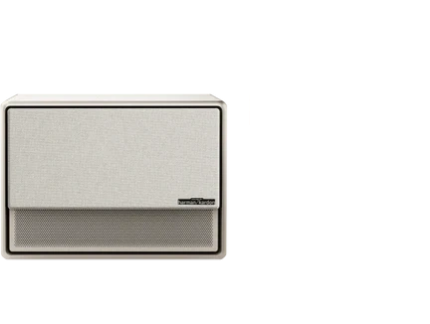
























Building a home theater often feels like a simple purchase until the true costs start adding up. The projector is just the starting point—screens, mounts, cables, audio upgrades, and room treatments can easily push the total budget 50% to 150% higher depending on your room and expectations. Planning ahead for these projector accessories helps you avoid surprises and create a setup that actually delivers the experience you want. For more on this topic, see The True Cost of Replacing Your 85-Inch TV with a Laser Projector.

Many first-time buyers focus solely on the projector price tag, yet real-world setups show that accessories and installation details frequently represent the larger share of spending. Understanding these hidden costs early lets you make smarter choices about what to prioritize and where to compromise based on your space and usage.
Why Projectors Are Only Part of the Budget
A projector purchase rarely ends with the device itself. Depending on your room layout, lighting conditions, and desired picture and sound quality, you will likely need several supporting items. These range from essential mounting hardware to optional but performance-enhancing room treatments. Recognizing this upfront prevents the common regret of discovering major additional expenses after the initial buy.
For example, a basic living room setup might add $500–$800 in accessories, while a more dedicated media room could require $2,000 or more to achieve optimal performance. Laser TV-style ultra short throw systems often come with integrated screens but still demand thoughtful budgeting for audio and light control. The key is matching your choices to your actual room rather than chasing the lowest projector price alone.

Breaking Down the Major Accessory Categories
Projection Screens: When a Wall Isn't Enough
Many buyers assume they can project directly onto a painted wall, but a dedicated screen often provides noticeably better brightness, color accuracy, and contrast—especially in rooms with ambient light. Basic fixed screens start around $100–$300 for 100-inch models, while premium ambient light rejection (ALR) screens for ultra short throw projectors can cost $600–$1,200 or more. For more on this topic, see Are Projectors Better for Your Eyes? Science-Based Answer.
Portable screens offer flexibility for occasional use but may not deliver the same stability or image quality as a fixed installation. Consider your room's lighting and how often you plan to use the system. In brighter living rooms, investing in an ALR screen can dramatically improve daytime viewing without needing complete light blackout.
Our XGIMI 100" UST ALR Screen is one option designed specifically for ultra short throw projectors, helping reject ambient light for clearer images.
Mounts and Stands: Stability and Placement Matter
Ceiling mounts provide the cleanest look and most stable image but require drilling and professional installation in many cases. Costs range from $50 for basic universal mounts to $200+ for motorized or adjustable models with cable management. Floor stands offer portability and no permanent changes to your room but take up floor space and may need frequent readjustment.
The choice depends heavily on your room type. Dedicated spaces benefit from fixed ceiling mounts, while multi-use living rooms often work better with adjustable floor stands or portable options. Always verify compatibility with your specific projector model to avoid wobble or alignment issues. For more on this topic, see How to Choose a Projector for Your Space: Room-by-Room Guide.
XGIMI offers several solutions including the XGIMI Ceiling Mount for clean installations and the XGIMI Floor Stand Ultra for flexible placement. For more guidance, see our comparison of Ceiling Mount vs Floor Stand.
Cables and Connectivity: Don't Underestimate the Small Stuff
Long HDMI cables, power extensions, and adapters can add $30–$150 easily, especially in larger rooms where the projector sits far from your media sources. Poor quality cables may cause signal dropouts or limit resolution and refresh rates, forcing replacements later.
Plan your cable runs during the initial layout phase. Hidden cable management in mounts or conduits improves both aesthetics and safety. If using wireless streaming devices, confirm they work reliably with your chosen projector to minimize wired connections.
Audio Upgrades: Built-in Sound Has Limits
While many modern projectors include respectable built-in speakers, a true home theater experience usually benefits from external audio. Soundbars start around $100–$300, while full 5.1 or 7.1 systems can exceed $1,000. The decision often comes down to room size, your sensitivity to dialogue clarity, and bass performance for movies.
Check our detailed guide on whether you need external speakers for your projector to evaluate your specific needs. For more on this topic, see Why Your Projector Needs a Surge Protector: Safeguarding Your Inves....
Room Treatments and Light Control
Blackout curtains, light-blocking shades, or basic acoustic panels can cost $50–$500 depending on window count and room size. These items dramatically affect contrast and color accuracy, particularly in living rooms with windows. While not always mandatory, they frequently become essential once you experience the difference in image quality.
Total Cost Scenarios: What to Expect
Here is an illustrative breakdown of typical setup costs across three common scenarios. These are heuristic estimates based on common market ranges and should be used only for relative planning—not as exact quotes.
Estimated Home Theater Setup Cost by Scenario
Illustrative ranges only. Shows typical total setup cost and how accessories can add materially beyond the projector itself.
View chart data
| Category | Projector | Screen | Mount | Cables | Audio | Room treatments |
|---|---|---|---|---|---|---|
| Basic living room | 450.0 | 150.0 | 75.0 | 40.0 | 250.0 | 50.0 |
| Dedicated media room | 1200.0 | 500.0 | 150.0 | 80.0 | 700.0 | 300.0 |
| Laser TV style | 900.0 | 650.0 | 100.0 | 60.0 | 900.0 | 400.0 |
Heuristic, illustrative estimates based on common budget ranges supplied in the brief: projector $300-2000, screen $100-800, mount $50-200, cables $30-150, audio $100-1000, room treatments $50-500. Scenario values are conservative midpoint-style approximations to compare relative cost structure, not official statistics.
In basic living room setups, the projector might represent about 40-50% of total spend. Dedicated rooms shift more budget toward screens and treatments for better performance. Laser TV configurations often have higher audio and screen costs but simplify placement.
Planning Checklist: Avoid Budget Surprises
Before buying your projector, run through this practical checklist:
- Measure your room and calculate ideal throw distance and screen size using a throw ratio guide.
- Assess ambient light and decide if you need blackout treatments or an ALR screen.
- Determine mounting preference—ceiling, floor stand, or shelf—and check for required installation help.
- List all source devices and calculate cable lengths needed.
- Evaluate current audio setup and decide on soundbar or full speakers.
- Add 15-20% contingency for unexpected compatibility items or professional installation.
Our guide on what you need to build your own theater provides additional practical advice for first-time setups.
Must-Have vs. Nice-to-Have Accessories
Must-have in most setups: Appropriate mounting solution, quality HDMI cables, and basic light control.
Nice-to-have for better experience: Dedicated screen, external audio system, cable management solutions, and acoustic treatments.
Prioritize based on your biggest pain point—picture quality, sound, convenience, or aesthetics. A $600 projector paired with $800 in well-chosen accessories often outperforms a $1,500 projector with minimal supporting gear in a poorly prepared room.
Laser TV vs Traditional Projector Budgets
Laser TV systems (ultra short throw projectors with ALR screens) typically have higher upfront accessory costs but simpler installation since they sit close to the wall. Traditional long-throw projectors may cost less initially but require more investment in mounting and cabling for ceiling installations. Compare your room constraints carefully before deciding which path offers better long-term value.
Explore our projector buying guide for help matching technology to your space. For more on this topic, see Are Refurbished Projectors Worth It? A Guide to Buying Renewed Tech.
Final Thoughts on Smart Home Theater Budgeting
The projector is the exciting centerpiece, but successful home theaters are built on thoughtful accessory planning. By budgeting realistically for screens, mounts, audio, cables, and room preparation, you can create an impressive entertainment space without unpleasant financial surprises.
Start with your room assessment and desired usage, then work backward to select compatible accessories that enhance rather than complicate your setup. This approach delivers better performance and higher satisfaction over time.
Remember that these suggestions discuss setup comfort and planning considerations only. They do not constitute professional installation advice. For complex wiring, structural mounting, or electrical work, consult qualified professionals. Individual results depend heavily on room conditions and specific equipment choices.
Browse our full range of projector accessories and stands to find compatible options for your XGIMI projector.


