
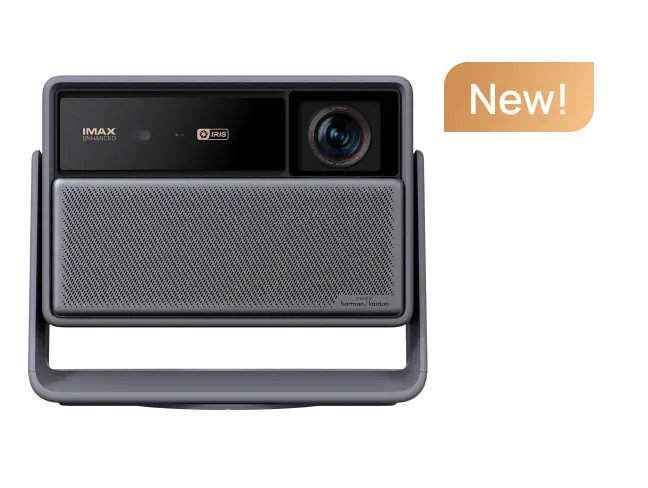































In 2026, many premium projectors still require an external streaming dongle for Netflix and other major apps, creating clutter, consuming HDMI ports, and introducing compatibility risks. Native app support eliminates these hassles by delivering a seamless, built-in experience directly on the projector, making it the more convenient choice for daily streaming in most home setups. For more on this topic, see The Zero-Clutter Home Theater: Why All-in-One Smart Projectors Are ....

Why External Streaming Dongles Have Become a Hassle
The traditional workaround of plugging a Firestick, Roku, or Chromecast into a projector might seem simple at first. However, it quickly reveals practical drawbacks that many buyers only notice after purchase. A dongle occupies one of the projector's limited HDMI ports, often forcing users to switch inputs or manage multiple remotes. In compact living rooms or bedrooms, the extra cable and device create visible clutter that undermines the clean aesthetic many seek from a premium projector. For more on this topic, see Best Streaming Device for a Projector: Roku vs Fire TV vs Apple TV.
Beyond physical inconvenience, performance can suffer. HDMI-CEC control sometimes works inconsistently between the projector and dongle, leading to frustrating remote conflicts or delayed responses. For frequent streamers, this added layer of hardware introduces another point of failure—whether it's a loose connection, software update mismatch, or simply another device that needs charging or replacement over time.
This official HDMI-CEC guide explains how device control depends on proper standard support from both sides, which isn't always seamless when mixing projectors with separate streaming sticks.
The Software Licensing Trap: Why Netflix Certification Matters
The biggest hidden issue with dongles isn't just cables—it's app certification. Netflix requires devices to be officially certified for reliable playback. Without it, users may encounter errors, limited features, or outright incompatibility messages even when using an external stick on an uncertified projector.

According to Netflix's own guidance, projector owners should verify whether their device is certified because not every projector supports the Netflix app properly. Uncertified setups can trigger compatibility or optimization errors that prevent smooth streaming.
This Netflix support page on watching Netflix on projectors makes it clear that certification is essential for a dependable experience. Similarly, this Netflix error guide warns that uncertified devices often lead to playback problems.
Native app support on modern smart projectors bypasses much of this risk by integrating certified streaming platforms directly. When the projector itself is on Netflix's supported devices list, you avoid the "software licensing trap" where the hardware works but the apps don't. For more on this topic, see Smart Projector Auto-Correction: How ISA Works.
Native Apps vs. Streaming Dongles: A Direct Comparison
Built-in apps and external dongles both aim to deliver streaming content, but they differ significantly in daily use.
Native support keeps everything within one interface. You control the projector and apps with a single remote, enjoy faster app switching, and maintain a minimalist setup without extra hardware. Android TV or Google TV implementations on projectors require TV-specific app optimization, which ensures better performance when done correctly. For more on this topic, see Google TV vs. Android TV on Projectors: What's the Difference in 2026?. For more on this topic, see How to Sideload Apps on Android Projectors When They're Not Availab....
In contrast, a dongle adds steps: plugging it in, managing a second remote or app ecosystem, and dealing with potential input lag or resolution mismatches. While dongles can provide access, they don't always resolve underlying certification issues tied to the display device.
This Netflix supported devices overview frames reliable playback around devices that natively offer the Netflix app, whether smart TVs or integrated players. For projectors, this reinforces why built-in, certified support often delivers a more TV-like experience.
Many users also report that dongles can feel less premium over time, especially in family or shared spaces where simplicity matters most.
When Native App Support Wins (and When It Doesn't)
Native app support shines in fixed home installations where the projector serves as the primary screen for movie nights or daily viewing. It's ideal for apartment dwellers, minimalist setups, or families who want plug-and-play convenience without managing extra accessories.
However, a dongle might still make sense in specific scenarios. If a projector's software update track record is unclear or it lacks explicit certification for your key apps, an external certified streamer can isolate streaming reliability from the projector's core system. This approach also offers upgrade flexibility—swap the dongle later without replacing the entire projector.
Myth vs. Reality
-
Myth: Any projector with HDMI works perfectly with a Firestick for Netflix. Reality: HDMI provides connection but not guaranteed certification; Netflix can still show compatibility errors on uncertified combinations.
-
Myth: Dongles always deliver a cleaner experience than built-in apps. Reality: They often add clutter, require extra remotes, and may not solve licensing issues.
-
Myth: Native apps and dongles are interchangeable options. Reality: Certified native support reduces friction for daily use, while dongles serve best as workarounds when platform support is uncertain.
These insights align with Netflix's emphasis on checking official support before assuming compatibility.
Practical Buying Checklist for Seamless Streaming
Before choosing a projector, run through these checkpoints to avoid post-purchase regret:
-
Does the projector explicitly list Netflix (and your other main apps) as supported, or is it only "app store available"?
-
Is the device certified by the streaming service, per Netflix's guidelines? Check this Netflix optimization error page for what to watch out for.
-
How many HDMI ports does it have, and will one be permanently occupied by a dongle?
-
In your room setup, how important is a cable-free, minimalist look?
-
Do you prioritize one-remote control and fast app switching for frequent use?
-
Will you use the projector long-term in one location, or might you upgrade components separately?
If most answers favor simplicity and certification, prioritize native app support. This Netflix device compatibility warning underscores why verifying support upfront prevents headaches.
Visualizing the Trade-Off: Native Support vs. Dongle
Projector Choice: Native App Support vs Streaming Dongle
Heuristic comparison for buying guidance; scores are relative, not measured benchmarks.
View chart data
| Series | Netflix reliability | Setup clutter | Daily-use convenience | Upgrade flexibility | Compatibility certainty | Best fit for minimalist rooms |
|---|---|---|---|---|---|---|
| Native app support | 9.0 | 8.0 | 9.0 | 5.0 | 8.0 | 9.0 |
| Streaming dongle | 4.0 | 5.0 | 6.0 | 9.0 | 5.0 | 4.0 |
Heuristic 1–10 scoring based on the provided evidence: Netflix certification is required for reliable Netflix playback; uncertified devices may error. Native app support is favored for fixed minimalist rooms and high daily use. A dongle is favored when certification is unclear or upgrade flexibility matters. Scores are illustrative, not benchmark data.
This radar chart uses heuristic scoring (1-10 scale) drawn from Netflix certification requirements and real-world setup factors. It illustrates how native support typically excels in reliability, convenience, and minimalism for most home users, while a dongle offers advantages mainly in flexibility when platform support is uncertain. Remember these are relative comparisons for decision-making guidance only.
How to Choose the Right Smart Projector in 2026
Look for models with Google TV or equivalent platforms that explicitly support major streaming services. Verify Netflix certification directly, and consider your room and usage patterns. For bedroom or apartment setups with limited space, native apps provide noticeable daily benefits.
Upgrading from older projectors? Focus on devices that combine strong native apps with modern features like improved brightness and easy setup. This approach future-proofs your entertainment system without relying on temporary dongles.
Ultimately, the end of the dongle era comes down to expecting more from your projector. Native app support isn't just a convenience—it's becoming essential for a frustration-free, premium streaming experience.
Important Note on Comfort and Setup: This article discusses projector setup convenience and app compatibility for better user experience. It does not provide medical advice. Projector use, like any screen-based activity, should follow healthy viewing habits. If you experience eye strain, headaches, or other discomfort, consult a qualified eye care professional. Results depend heavily on room conditions, content type, and individual preferences.
For more on smart projector platforms, explore our guide to Google TV vs Android TV projectors. If you're shopping for options with strong native support, check the HORIZON Ultra or the full range of 4K projectors.


