































A projector can look impressive in a brightly lit showroom and still disappoint the moment the room goes dark. Deep space, a black suit, or the shadowed side of a face may turn into a flat gray patch. The problem is rarely one setting alone. It is the result of the projector's black floor, its native contrast, the way it manages light from scene to scene, and the amount of reflected light in your room.
That makes laser projector black levels a useful place to start when comparing premium home projectors. Laser light can enable precise control and long-lasting brightness, but the words “laser projector” do not guarantee deep blacks by themselves. You also need to understand native contrast, dynamic contrast, and the hardware and processing used to manage light.
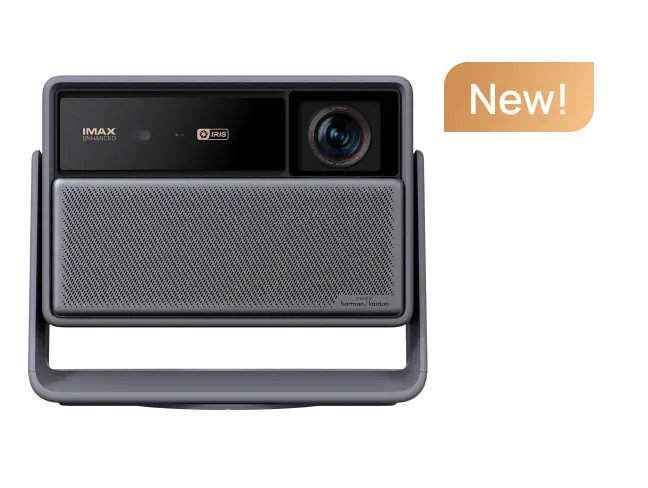
The XGIMI HORIZON 30 Series adds one more term to the conversation: Dual Intelligent Iris. It is paired with a feature called Dynamic Black Level Enhancement, or DBLE. Both can affect perceived contrast, but they do not mean the same thing as the projector's native contrast rating.
This guide starts with what Dual Intelligent Iris is, then separates native contrast, DBLE, and the real-world conditions that determine laser projector black levels.
What Is Dual Intelligent Iris?
At its simplest, Dual Intelligent Iris is the HORIZON 30 Series’ dual-iris optical system for controlling how much light leaves the projector. XGIMI describes the system as dynamically managing light to support deeper blacks, brighter highlights, and richer shadow detail, even in dark scenes.
Unlike a simple picture preset, the iris is a physical optical aperture. XGIMI lists an f/2.0–f/7.0 range, a five-step manual iris control, and a dynamic iris engine that adjusts frame by frame.
Think of the iris as the projector equivalent of an adjustable aperture in a camera lens. Opening it allows more light through; closing it restricts light. In a dark scene, reducing the light that reaches the screen can lower the visible black floor and strengthen the perception of contrast. In a bright scene, the iris can open again so highlights and overall image energy are not unnecessarily reduced.
The important distinction is that the iris is optical hardware. It is not simply a contrast preset or a sharpening filter. Its effect still depends on the projector's optics, the content, and the surrounding room. A closed iris cannot remove light bouncing off white walls, and it cannot make shadow detail appear if the source image has already been processed into a flat black shape.
The practical benefit is control. A manual setting can keep the projector's behavior more predictable, while the dynamic engine can pursue deeper blacks in changing scenes. The best choice depends on how sensitive you are to small brightness shifts and how much you value the extra black depth.

What Does Black Level Mean on a Projector?
Every projector produces some residual light. An image that should be black can still carry a small amount of light onto the screen. That residual brightness is often called the black floor.
Contrast ratio compares the brightness of white with the brightness of black. A higher number sounds better, but the measurement method matters. A projector may be tested by displaying a full white field and then a full black field in sequence. This is commonly called full-on/full-off, or FOFO, contrast. Another method uses a checkerboard of white and black rectangles in the same frame. That is often called ANSI or intra-frame contrast.
Those tests do not answer the same question. FOFO describes the largest possible difference between a bright field and a dark field. Intra-frame contrast is more relevant to a picture that contains both bright and dark areas at once, such as a city skyline with illuminated windows against a night sky.
That is why a very large contrast number should not be read as a promise that every scene will have equally deep blacks. Light scatter inside the projector, reflections in the room, and the screen itself can raise the black floor once real content is on display.
Native Contrast: The Optical Foundation
Native contrast is the projector's inherent contrast capability with adaptive contrast features disabled. It is limited by the light engine, the imaging system, the lens, and the optical design. Improving native contrast is difficult and often expensive, which is why it is a meaningful specification when the test conditions are disclosed.
For the XGIMI HORIZON 30 Pro, XGIMI publishes up to 8,000:1 native contrast. The HORIZON 30 Ultra Max is published at up to 10,000:1. These are not abstract claims: XGIMI states that the native measurements are taken at f/7.0 with its AI algorithms and forced laser dimming disabled, using the FOFO method in its laboratory.
Those qualifiers matter. “Up to” indicates a best-case rating under specified conditions. FOFO tells you how the measurement was made. And disabling the algorithms makes the result a test of the optics rather than a test of dynamic processing.
Native contrast is especially useful when evaluating a projector for a dedicated theater or a regularly dimmed living room. It shows how much contrast the display can maintain before software and dynamic light control begin to reshape the image.
DBLE: Dynamic Black Level Enhancement
DBLE stands for Dynamic Black Level Enhancement. XGIMI describes it as a feature that optimizes dark scenes to reveal shadow detail without washing out the image. Put simply, it is a dynamic black-level processing system rather than a fixed hardware aperture.
DBLE operates in the dynamic-contrast part of the picture. Dynamic contrast uses the projector's ability to adapt to the content. It may close a mechanical iris in dark scenes, lower the laser output, adjust tone mapping, or combine several methods. When dark content fills more of the screen, reducing light output can lower the black floor and make the image feel more dimensional.
XGIMI publishes up to 80,000:1 dynamic contrast for the HORIZON 30 Pro and up to 100,000:1 for the HORIZON 30 Ultra Max with DBLE enabled. Both figures are also measured by XGIMI using the FOFO method, but they describe a different operating condition from the native values.
In other words, 10,000:1 and 100,000:1 are not two estimates of the same thing. One describes the projector with adaptive enhancement turned off; the other describes the best result XGIMI recorded with its dynamic system active.
DBLE can be useful because black is not judged only by how dark the darkest patch appears. It is also judged by what remains visible near black. If a system simply lowers everything in a night scene, silhouettes can merge into one another and fine texture disappears. If it lifts the shadows too much, the image loses depth. Good processing attempts to preserve both the black floor and the information just above it.
The result is content-dependent. A dark-room scene with subtle shadow detail may benefit more than a bright sports broadcast. Users who notice brightness shifts may prefer to turn the feature off for some material or use a more conservative mode. Do not treat the DBLE contrast number as a constant performance level in every film and every picture mode.
Dynamic contrast can produce a visible improvement, particularly in dark scenes. The tradeoff is implementation. An overly aggressive system can show brightness pumping, crushed shadow detail, or a delayed transition when the scene changes from dark to bright. The quality of the result depends on how the manufacturer balances responsiveness, stability, and preservation of detail.
Laser Projector Black Levels: What Really Matters
Laser light can support precise control and long-lasting brightness, but the words “laser projector” do not guarantee deep blacks by themselves. A convincing black level is the result of the light engine’s native contrast, the way the iris and DBLE manage light, the content, and the reflections in the room.
This is why native contrast and dynamic contrast should not be compared as if they were the same measurement. Native contrast shows the optical foundation with enhancement disabled. Dynamic contrast describes how the projector changes light or processing from scene to scene.
Dual Intelligent Iris and DBLE can improve the perception of black in suitable scenes. They do not replace native contrast, and they cannot remove light reflected from a bright room.
For a dim, light-controlled room, start by comparing native contrast and picture stability. For a larger or brighter room, also consider brightness, screen behavior, and how much ambient light reaches the screen.
Which HORIZON 30 Model Fits Your Viewing Room?
All three HORIZON 30 models share the same core contrast approach: RGB triple-laser projection, Dual Intelligent Iris, and DBLE. The right choice depends on your room and how much brightness headroom you want.
- Choose the HORIZON 30 Pro for a dim-to-moderately-lit dedicated room or an everyday home theater. Its 4,800 ISO lumens and up to 8,000:1 native contrast keep the focus on a comfortable, controlled viewing environment.
- Choose the HORIZON 30 Max when you want more headroom for a multipurpose living space. Its 5,300 ISO lumens and up to 9,000:1 native contrast offer a practical balance for larger screens and rooms that are not always fully dark.
- Choose the HORIZON 30 Ultra Max for the largest screens and rooms with the most ambient light. Its 6,000 ISO lumens and up to 10,000:1 native contrast provide the greatest brightness headroom in the series.
The goal is not to crown one model for every room. A smaller, light-controlled theater may benefit more from a carefully matched screen and viewing mode than from extra lumens. A larger, brighter room needs enough brightness to support the image before its contrast can be judged fairly. Match the model to the space, then evaluate black depth with the same content and lighting conditions.
article_product1
Room and Screen Choices Affect Black Levels
A projector's black level is only one part of the perceived contrast equation. When white light hits a screen, some of it also reflects from walls, ceilings, furniture, and even clothing. That light returns to the screen and raises the black floor.
A room with dark, matte surfaces generally preserves more of the projector's contrast than a room with bright white walls. Window light is particularly challenging because the screen cannot be darker than the light reflected onto it. Even a small light source can meaningfully change the apparent contrast in an otherwise dark room.
Screen choice matters too. A neutral screen can be an excellent match for a controlled room. A gray or ambient-light-rejecting screen may help in a brighter space by managing reflections and directionality, but it is not a universal upgrade. Gain, viewing angle, texture, and the projector's brightness all interact. The goal is not simply the darkest-looking black. It is a stable image with natural highlights, readable shadow detail, and good uniformity across the seated area.

How to Test Black Levels Before You Buy
Specifications are useful, but a short test with the right content is more revealing. Bring or request a few scenes that challenge the projector in different ways:
- A starfield or night sky. Check whether stars remain separate and the background stays deep instead of turning gray.
- A face lit from one side. Look for texture in the shadowed side without losing the direction of the light.
- Credits over black. White text on a dark background is a simple way to see blooming, halos, or a raised black floor.
- A rapid transition from a dark room to a bright outdoor scene. Watch whether the iris or processing makes brightness visibly pump.
- Small subtitles in a dark scene. The background should remain stable rather than flickering or shifting around the text.
Test the projector in the lighting conditions you actually expect at home. A dark demo room can show the optical ceiling of a projector, but it cannot tell you how that projector will perform beside an uncovered window. Likewise, a bright-room demo can hide the black-level gains that matter when the lights are turned down.
Frequently Asked Questions
Is native contrast more important than dynamic contrast?
Native contrast is the more stable foundation because it describes the projector without adaptive enhancement. Dynamic contrast can add useful depth in suitable scenes, but it should be judged alongside stability and shadow detail rather than by the largest number on the specification sheet.
What does DBLE mean on a XGIMI projector?
DBLE means Dynamic Black Level Enhancement. XGIMI describes it as dynamic processing that optimizes dark scenes to reveal shadow detail without washing out the image. Its implementation is proprietary, so the published DBLE contrast figure should be understood as a laboratory result under stated conditions, not a fixed value for every scene.
Is a 10,000:1 contrast ratio good for a projector?
It can be a strong native-contrast figure for a consumer home projector, but the answer depends on the measurement method, picture mode, screen, and room. A native FOFO figure is more comparable than an unrelated dynamic figure, yet it still does not describe every real-world frame. Judge the projector in a room similar to yours.
Does Dual Intelligent Iris help in a bright room?
The iris can deepen blacks when the scene permits it, but it cannot remove ambient light reflected onto the screen. A bright room still benefits from adequate lumens, an appropriate screen, and sensible light control. The Ultra Max's higher brightness is useful, but it is not a substitute for managing direct light.
Should DBLE always be on?
No. Some viewers prefer the added black depth; others notice brightness shifts or prefer the consistency of a fixed iris setting. Try DBLE with dark films, mixed-contrast scenes, and bright sports content. Choose the mode that preserves detail and remains comfortable to watch.
The Bottom Line
Laser projector black levels are shaped by a chain of decisions. Native contrast sets the optical foundation. A physical iris controls how much light reaches the screen. DBLE and other dynamic systems can enhance dark scenes, but they introduce tradeoffs that need to be evaluated in real content. The room and screen then determine how much of that contrast you actually see.
The Dual Intelligent Iris is most useful when understood as one part of a larger contrast system. The Pro, Max, and Ultra Max each support a different room requirement without changing the core viewing platform. Choose for your screen size, light conditions, and preferred balance of brightness and black depth, then look beyond the largest ratio to inspect shadow detail, stability, and the complete viewing environment.
If your first question is how projector placement changes room design, read what really separates short-throw and long-throw projectors. To compare the models as a whole, explore the HORIZON 30 Series.


