






















How Do I Use HORIZON Ultra to Achieve Optical Zoom?

Elfin Flip 4K • Elfin Flip Laser • MIRA

Learn More

Limited Edition Projectors

Learn More

Meet MemoMind One AI Glasses • Save Up to $290

Learn More

How Do I Use HORIZON Ultra to Achieve Optical Zoom?

By XGIMI Tech - 2024-5

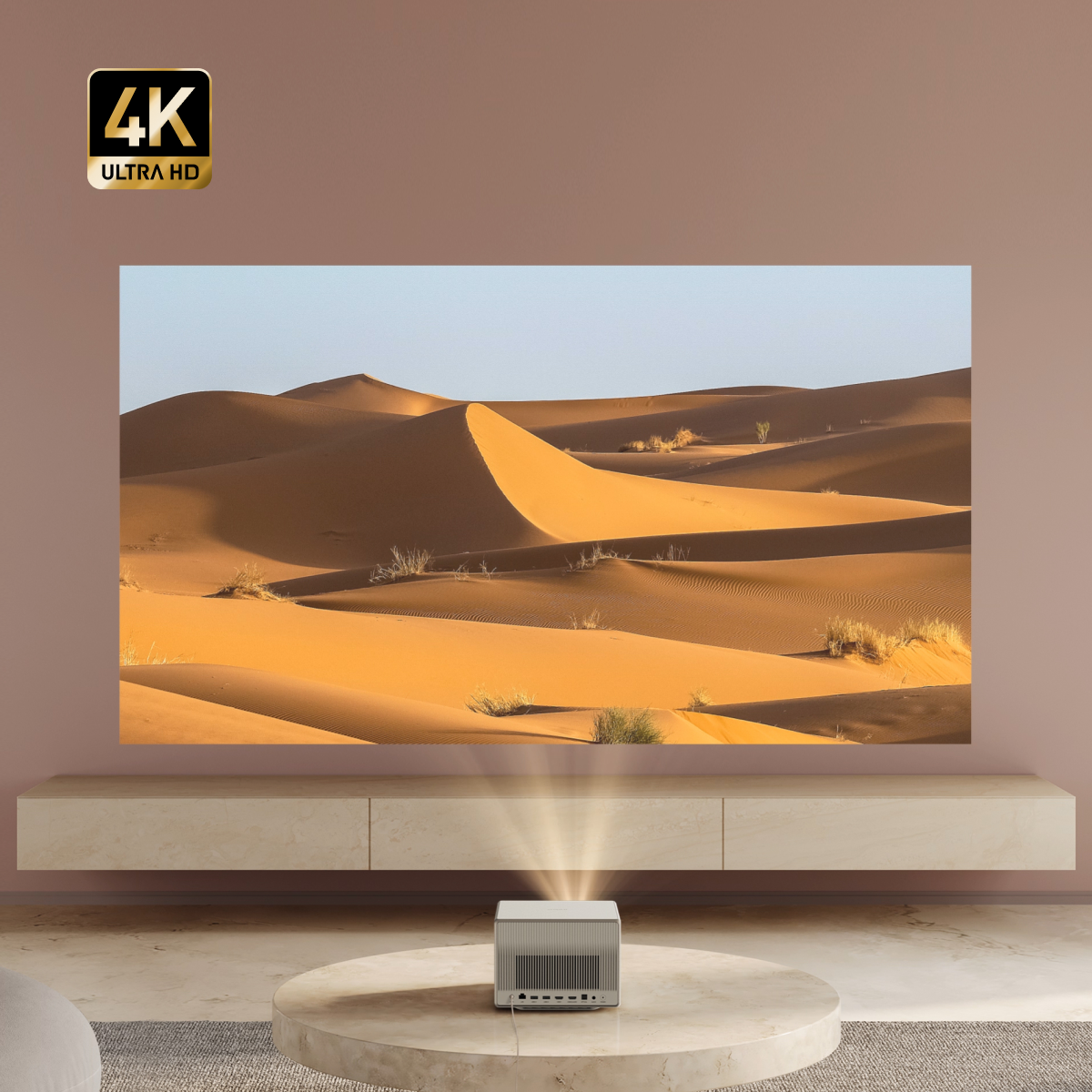
The XGIMI HORIZON Ultra is a cutting-edge projector that offers exceptional picture quality and versatility. One of its standout features is its optical zoom capability, which allows users to adjust the size of the projected image without sacrificing image quality. In this blog post, we'll take a closer look at how to use the XGIMI HORIZON Ultra to achieve optical zoom and why it's a game-changer for home entertainment.

High image quality of optical zoom projectors

What is Optical Zoom?

Optical zoom refers to the ability of a lens system to change the focal length and magnification of an image without degrading its quality. Unlike digital zoom, which simply enlarges a portion of the image, optical zoom maintains clarity and detail throughout the zoom range. This is achieved by physically adjusting the position of lens elements to change the focal length.

Benefits of Optical Zoom on the XGIMI HORIZON Ultra

1. Flexibility: Optical zoom gives users the flexibility to adjust the size of the projected image to suit their viewing environment. Whether you're watching movies in a small living room or hosting a backyard movie night, the XGIMI HORIZON Ultra can accommodate different screen sizes with ease.

Flexible sizes of the projected image achieved by Optical Zoom

2. Image Quality: Unlike digital zoom, which can lead to pixelation and loss of detail, optical zoom on the XGIMI HORIZON Ultra maintains sharpness and clarity throughout the zoom range. This ensures that you always get the best possible image quality, regardless of the zoom level.

Immersive viewing experience with your family

3. Ease of Use: The motorized zoom feature on the XGIMI HORIZON Ultra makes it easy to adjust the image size without having to physically move the projector. This is especially convenient for users who frequently switch between different screen sizes or aspect ratios.

How Do I Use HORIZON Ultra to Achieve Optical Zoom?

Follow these steps to achieve optical zoom with your XGIMI HORIZON Ultra.

STEP 1:Find Settings

STEP 2:Open the settings.
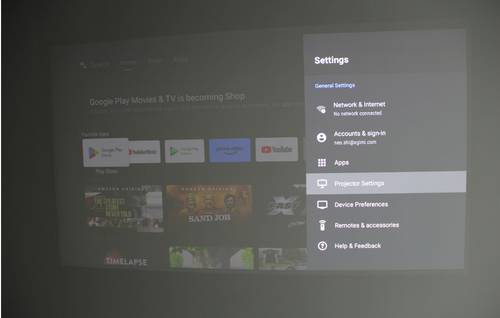
Open the projector settings

STEP 3: Open the Keystone Correction.

Open the Keystone Correction

STEP 4: Open the Optical Zoom.

Open the Optical Zoom

STEP 5: Use Optical Zoom to adjust the screen to a suitable size.

Adjust the screen to a suitable size in terms of optical zoom

Final Takeaway

The XGIMI HORIZON Ultra's optical zoom capability sets it apart from other projectors on the market. It offers users unparalleled flexibility, image quality, and ease of use. Whether you're watching movies, playing games, or giving presentations, the XGIMI HORIZON Ultra delivers a truly immersive viewing experience.

Product Recommendations

MoGo 4

XGIMI MoGo 4 is a smart portable 1080p projector ideal for apartment theaters and outdoor activities. It features a compact size, 71Wh built-in battery, 360° adjustable stand, and GTV OS with licensed Netflix.

MoGo 4 portable projector: white/gray, Harman Kardon speaker, orange lanyard & remote, if DESIGN AWARD 2025 winner.
MoGo 4 portable projector in white and grey with orange remote attached to its clear adjustable stand.
MoGo 4 portable projector, white and gray cylinder with speaker grille, attached by orange lanyard to remote control.
White MoGo 4 portable projector with Harman Kardon speaker grilles and orange lanyard attached to remote.
MoGo 4 projector: white cylinder, silver speaker, gray remote on orange lanyard, clear adjustable stand.
MoGo 4 portable projector, white cylinder with silver speaker grille, USB-C port, and orange indicator light.
Close-up of MoGo 4 portable projector with white and gray design, orange lens ring, and Harman Kardon speaker grille.
Top view of white MoGo 4 portable projector showing speaker grille and orange lanyard attached to remote.
MoGo 4 projector remote: white and gray with orange directional pad and XGIMI logo lanyard.
XGIMI MoGo 4 portable smart projector, white and gray, with Harman Kardon speaker, orange lanyard, remote, and lens cap.
MoGo 4 projector in white/silver on adjustable stand with orange remote and lanyard.
MoGo 4 projector: white/silver cylinder, Harman Kardon speaker, ambient light, orange lanyard remote.
MoGo 4 white/gray projector: Harman Kardon speaker, orange remote, iF DESIGN AWARD 2025 badge.
MoGo 4
MoGo 4
MoGo 4 portable projector: white/gray, Harman Kardon speaker, orange lanyard & remote, if DESIGN AWARD 2025 winner.
MoGo 4 portable projector in white and grey with orange remote attached to its clear adjustable stand.
MoGo 4 portable projector, white and gray cylinder with speaker grille, attached by orange lanyard to remote control.
White MoGo 4 portable projector with Harman Kardon speaker grilles and orange lanyard attached to remote.
MoGo 4 projector: white cylinder, silver speaker, gray remote on orange lanyard, clear adjustable stand.
MoGo 4 portable projector, white cylinder with silver speaker grille, USB-C port, and orange indicator light.
Close-up of MoGo 4 portable projector with white and gray design, orange lens ring, and Harman Kardon speaker grille.
Top view of white MoGo 4 portable projector showing speaker grille and orange lanyard attached to remote.
MoGo 4 projector remote: white and gray with orange directional pad and XGIMI logo lanyard.
XGIMI MoGo 4 portable smart projector, white and gray, with Harman Kardon speaker, orange lanyard, remote, and lens cap.
MoGo 4 projector in white/silver on adjustable stand with orange remote and lanyard.
MoGo 4 projector: white/silver cylinder, Harman Kardon speaker, ambient light, orange lanyard remote.
MoGo 4 white/gray projector: Harman Kardon speaker, orange remote, iF DESIGN AWARD 2025 badge.
MoGo 4
MoGo 4

Highlights

  • Full HD 1080p
  • 450 ISO Lumens
  • Google TV System with Netflix
  • Built-in 71Wh Battery
  • 360° Rotatable Stand
Learn More

Just Play,
Your Way

Google TV Smart 1080p Projector On-the-Go

XGIMI MoGo 4 small projector for camping, business trips, and so on.

Mini Size,
Maximum Entertainment

MoGo 4 Mini remote

Mini Remote Control

Enjoy $10 off Your Next Purchase

Be the first to know about any news and sales!

*By subscribing, you agree to receive XGIMI's marketing emails and XGIMI's Privacy Policy.